Making payments is about to get a whole lot easier for Android users. Google is merging Android Pay and Google Wallet into one service called Google Pay, introducing some semblance into how you handle digital currency on your Android smartphone and on the internet.
If you have both Android Pay and Google Wallet installed, you will soon get an update converting both apps to Google Pay and Google Pay Send, respectively. Although Google Wallet features — sending and receiving money with friends and family — will soon be baked into the Google Pay app, Google Pay Send is likely for people who do not want to use other Google Pay features, or perhaps cannot due to their smartphone (iOS users or phones without near-field communication, NFC).
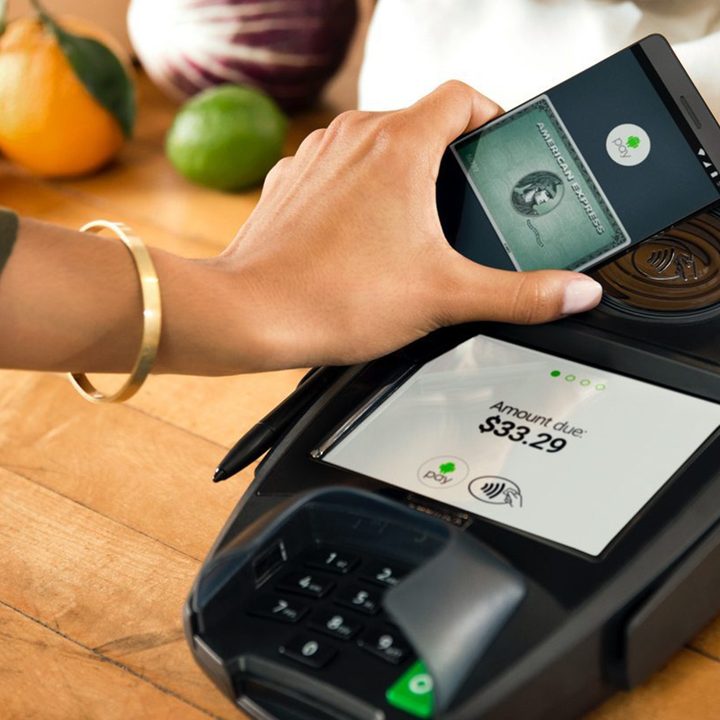
Other than conforming further to Google’s Material Design standard, there’s not much different in the Google Pay app from the Android Pay app. You can still add all your supported credit or debit cards and tap your phone on contact-less terminals to pay for goods. What is new in the app is a list of supported retailers nearby, which is curated based on your own shopping patterns.
But Google Pay doesn’t just allow users to make payments in-store, you can use it online as well. You can make purchases from the Google Chrome browser with the touch of a button on your phone. Any card information you save in Google Pay will be available across all of your devices, so you won’t need to constantly enter or scan cards for different apps.
While a handful of companies have signed on with Google Pay at its launch, expect to see more in the coming weeks and months. Airbnb, Dice, Fandango, HungryHouse, and Instacart are just a few that have already transitioned to the platform. You’ll still be able to use Google Pay wherever Android Pay was accepted.
In addition to working with retailers, Google has worked with banks to make the jump to Google Pay extraordinarily simple. Currently if you’re a Bank of America client, you can set up Google Pay within your Bank of America app without having to install Google’s app. While this feature is limited to Bank of America and a few other partner banks, we expect to see a wider roll out in the near future.
It took a while, but Google finally appears to be following Apple’s lead by bundling all of its payment solutions into a single platform. Much like Google Pay, Apple Pay allows users to make payments across all Apple devices and works with a number of third-party apps as well. In iOS 11, Apple introduced Apple Pay Cash, allowing users to send and receive money directly within the Messages app.
Android Pay is pre-installed on many Android devices, and the upcoming addition to Google Pay allowing peer-to-peer transactions means Android smartphone owners will now have an easier time sending and receiving money on their smartphones.
Updated February 20: We’ve added information on launch, in-app set up with partner banks, and Google Pay Send info.