
  1. Home
  2. Phones
  3. Mobile
  4. Social Media
  5. How tos

How to delete Snapchat messages

Add as a preferred source on Google
companies advertise on snapchat for super bowl 50 how to use
Image used with permission by copyright holder

If you’ve ever sent a message to someone and wish you could delete it, Snapchat has a feature you’ll like. Yes, it lets you delete Snapchat messages you’ve already sent. Don’t get too excited though, as there are some limitations that can make its usefulness iffy at best. Here’s what you need to know.

Recommended Videos

Difficulty

Easy

Duration

5 minutes

What You Need

  • Smartphone with Snapchat app

How to delete Snapchat messages

Deleting Snapchat messages, like replaying Snaps, is literally a snap.

Step 1: Hold your finger down on the offending message. Then, a menu like the one below will pop up.

Step 2: Tap Delete and then Delete Chat and you are done with your part. This works with one-on-one chats and group chats, too.

how to delete snapchat messages
Image used with permission by copyright holder
snapchat offline data ads mem 2v2
Image used with permission by copyright holder

What happens next

Once your chat message is deleted on your end, that’s not the end of things. Snapchat says that it will try to delete the message from its servers and from your friend’s chat screen, but it doesn’t always work. For example, if your friend has poor internet service when you delete the message, Snapchat may not be able to delete the message from your friend’s side of the conversation until they have better service. This means they may see the message. If they have an older version of Snapchat, your message may be stuck on their screen as well.

Also, it will be obvious something was deleted. This is because a message posts on your side of the chat when you delete a message. Your friend will also get a message that something was deleted. Being sneaky using Snapchat is really hard.

How to delete all the messages

Want to go further than just one message? You can delete the whole conversation, too — sort of.

Step 1: Go to the Friends screen.

Step 2: Hold your finger down on the message thread you want to delete.

Step 3: A menu will pop up. Choose More and then tap Clear Conversation History.

This will remove the conversation from your Friends screen. It won’t delete sent or saved messages, but it’s a good way to declutter your Friends screen so you can find more important conversations more easily.

Alina Bradford
Alina Bradford has been a tech, lifestyle and science writer for more than 20 years. Her work is read by millions each month…
Apple says Lockdown Mode thwarted spyware attacks with a clean slate
Apple’s strongest defense is actually holding up
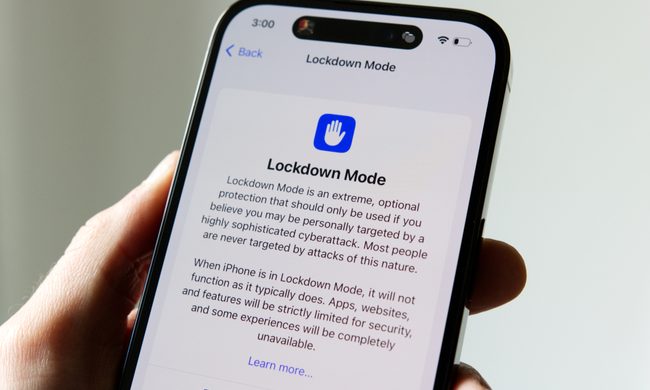
Lockdown Mode information page on an iPhone 14 Pro.

Apple says it has not seen a successful spyware attack on any iPhone with Lockdown Mode enabled, a claim it shared with TechCrunch.

Lockdown Mode arrived in 2022 as an opt-in feature for iPhone, iPad, and Mac. It was introduced as a stricter security mode for people at high risk of targeted attacks, such as journalists, activists, and government officials.

Read more
The Dynamic Island could shrink on the iPhone 18 series, and not just on the Pro models
One leaker, one claim, and a big question: is Apple genuinely ready to give every iPhone buyer the same design treatment as Pro owners this cycle?
Apple iPhone 17 Pro in Cosmic Orange leaning on a gray wall.

Apple’s Dynamic Island has been around long enough that most people have made their peace with it or forgotten it’s there. In fact, I’ve seen people associating the pill-shaped notch with newer iPhone models (released in the last 3 years). Now, a fresh leak suggests that the notch replacement is about to shrink, not just on the expensive models. 

What did the leaker actually say?

Read more
Apple Podcasts finally gets serious about video, adds multiple YouTube-inspired features
With offline downloads, Picture-in-Picture, and a dedicated video hub, iOS 26.4 turns Apple Podcasts into a platform creators can no longer afford to ignore.
Electronics, Phone, Mobile Phone

For years, the Apple Podcasts app supported video, at least it did technically, but nobody used it. Creators ignored it, while listeners forgot it. Meanwhile, other platforms like YouTube and Spotify quietly built empires on video podcasting. However, that changes with the iOS 26.4 update, or at least that is what Apple hopes for. 

Video podcasting exploded in popularity in recent years, with audiences gravitating toward platforms that treated the format well (as already mentioned above). Despite being an iPhone user, I personally consume podcasts on YouTube (I briefly paid for the Premium membership as well). 

Read more