Whether you’re making a quick video about your cat’s latest antics or you’re a professional videographer producing ads for major corporations, there are likely times when you’ll want to edit a video while you’re on the road.
Our Pick
Dell XPS 15
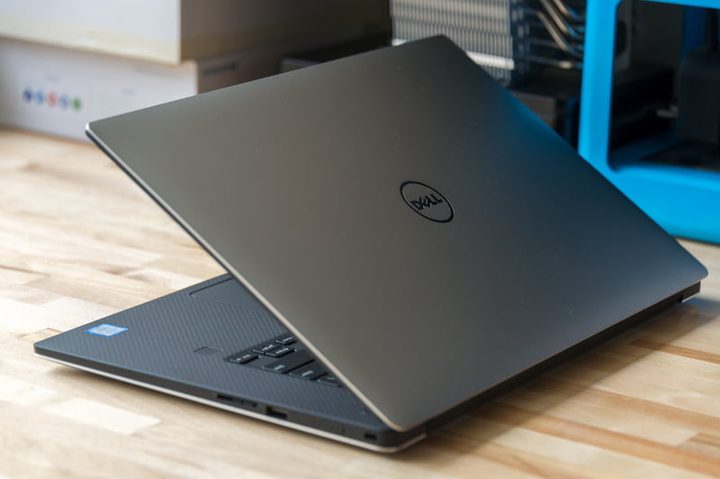
Dell’s XPS 15 clamshell laptop has been one of our favorite portable workhorses for a couple of years. It’s incredibly well-built, with a solid aluminum chassis and comfortable carbon fiber keyboard deck. It also provides some serious power, with up to Intel’s 8th-generation six-core i9-8950HK CPU. This is a fast, full-power (45-watt) processor that can provide some serious power for things like encoding video. The XPS 15 is also available with an Nvidia GeForce GTX 1050 Ti GPU that should help considerably with live editing and encoding performance.
You can configure the XPS 15 all the way from an entry-level model with an entry-level i5-8300H CPU up to the aforementioned i9-8950HK , up to 32GB of RAM, up to 2TB of very fast PCIe solid state drive (SSD) storage, and up to that gorgeous 4K UHD display. You’ll get a machine that also provides tons of high-speed connectivity, including a USB-C with full-speed 40 GB/s Thunderbolt 3 support, along with a solid keyboard and touchpad with the option of a fingerprint scanner for secure login via Windows 10 Hello.
Best Mac
MacBook Pro 15
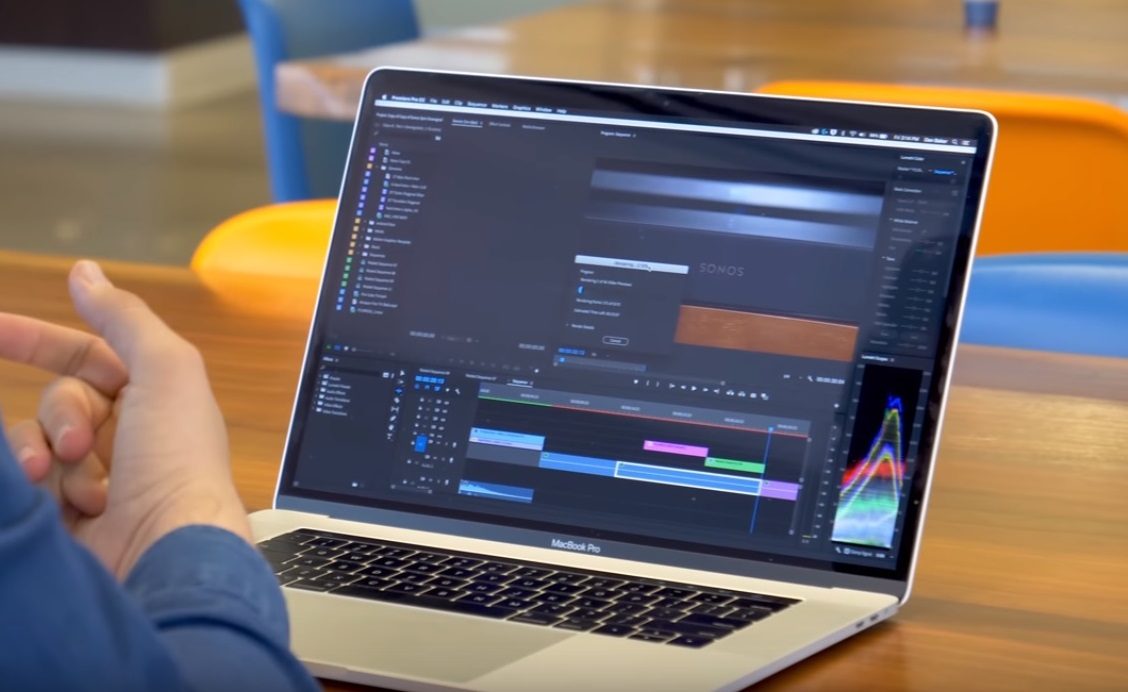
While Adobe’s Premiere line of video editing applications has become an industry standard, Apple’s Final Cut Pro X is on the rise again. That means that the Mac retains its place in the hearts of many creative professionals, and videographers are no different. For high-end users, that likely means the latest MacBook Pro 15-inch with Touch Bar.
This laptop provides Apple’s usual excellence in design and build quality, but also some serious power. The just-released high-end models can be configured with up to the incredibly fast Intel 8th-generation six-core i9-8950HK, up to 32GB of fast RAM (which will make power-users happy), and up to a massive 4TB of fast PCIe SSD storage. You can also opt for a dedicated AMD Radeon Pro 560X GPU to help with live editing and encoding.
In addition, the MacBook 15 offers up a very high-quality 15.4-inch IPS display at a sharp 2,880 x 1,800 resolution. In short, it’s a video editor’s dream display.
Best 2-in-1
Microsoft Surface Book 2 15

The Surface Book 2 comes in two versions, one with a 13.5-inch display and one with a larger 15-inch panel. The latter takes our spot as best 2-in-1 for video editing.
We’ll start with performance. The Surface Book 2 15 uses Intel’s eighth-generation quad-core processors that are both efficient while doing the usual productivity work and very high performance when running at full speed. The highest-end model, which the Surface Book 2 15 utilizes as its only option, is the i7-8650U that boosts to 4.2GHz Max Turbo. Microsoft pushes the CPU beyond its 15-watt base power, and while it’s not quite as fast as the 45-watt CPUs in our other premium laptops, it’s nevertheless powerful enough for most video editing needs. Up to 16GB of RAM and up to a 1TB PCIe SSD can be configured.
In addition, Microsoft has packed in an Nvidia GeForce GTX 1060 GPU, which is an extremely capable chip for churning through high-end video editing tasks. Just note that if you’re using the discrete GPU for encoding video, you can see some battery discharge thanks to a power supply that can’t quite keep up.
The best budget option
Asus ZenBook UX330UA

Not everyone has the money for a high-powered machine like the ones above. For those people, we have a budget recommendation that may not be the most powerful laptop around, but that gets the job done with a minimal investment: The Asus ZenBook UX330UA.
The ZenBook UX330UA has been our favorite budget laptop since it was first introduced, and its most recent refresh hasn’t changed our perception. It provides a solid metal build quality with a simple but attractive design. It’s relatively thin and light, and it offers up a good keyboard and touchpad experience.
For such a low-cost machine, performance is still good enough for all but the heaviest video editing workflows. You can opt for an eighth-generation quad-core Intel core i5-8250U the provides excellent performance for the price to go with great efficiency. Although it doesn’t have a discrete GPU like the Acer Aspire E 15, you get 8GB of RAM, which again should be good enough for lighter video editing tasks, and a 256GB SATA SSD that’s not quite as fast as the PCIe variants but still much faster than spinning hard disk drives (HDDs).
How We Test
We spend a tremendous amount of time reviewing notebooks of all shapes and sizes — and that’s saying something today, when notebooks come in so many shapes, sizes, and configurations. To make sure our recommendations provide real value to our readers, we live with the machines for a time and use them in writing our reviews, to make sure we can assess how they’ll work for real users.
But we do have a method to our madness in conducting these reviews, and you can look behind the scenes here. Hopefully, it will be obvious that our reviews are real labors of love — or hate, depending on the notebook – and therefore you can at least recognize that we don’t arrive at our conclusions without some serious consideration.