


Smart lighting has taken over. With just a single smart bulb and some Wi-Fi (and maybe a little help from Alexa), you can transform a drab and dim living room into a pulsating, kaleidoscopic disco. OK, maybe that’s a bit extreme. Smart lighting truly is an awesome investment for any home, though. Smart lighting can increase your home security, help cut down on your energy bill, and be customized to adapt and change with your lifestyle. In terms of investment, though, major smart lighting starter kits can tend to be on the pricey side.
Thankfully, there are a number of great companies that make budget smart bulbs and lighting systems that work just as well as some of the big brands, but at a fraction of the cost. Which budget smart lights are worth buying? We’ve put together a working list of some of the best budget lights out there and what we love about them.
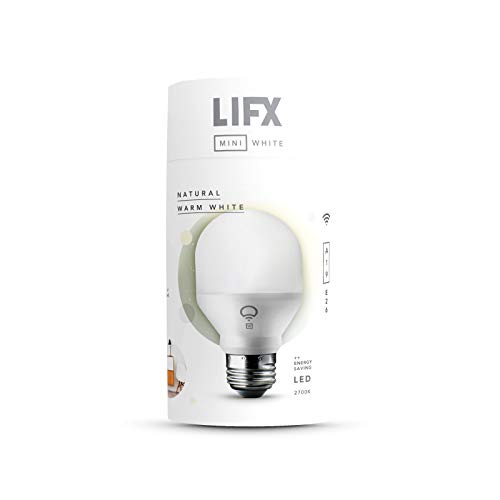



Lifx Mini White
- Easy install
- Dimmable
- Versatile smartphone app
- No colors, only shades of white
Our favorite thing about the Lifx Mini is that it’s truly twist-and-play. Once your bulb is screwed in, just download the Lifx app and connect straight to Wi-Fi — no hub required.
This powerful little bulb puts out a pretty mighty 8 watts and a solid 650 lumens at full brightness. The Mini is dimmable, and its level of shine can be easily adjusted with the Lifx app, as well as commands to popular voice assistants like Alexa, Google Assistant, and Siri.
The app also lets you set routines for the bulb, turning on, off, or fading the lights on a set schedule. Further IFTTT experimenting can even have the bulb react to sunlight, weather conditions, and even the ring of your doorbell. For under $25, you really can’t go wrong with the Lifx Mini White.

Wyze Bulb Color
- Really bright output
- Colors are very saturated
- Doesn't require a bridge
- Ridiculously low-priced
- Basic scene modes
We’ve covered these bad boys before, but they deserve a big second mention, as Wyze is such a solid bet when it comes to smart lighting.
This is another hub-less contender. Just connect the bulb straight to Wi-Fi and start controlling with your favorite voice assistant (Alexa and Google-capable) or the Wyze app on your mobile (available for Android and iOS). The Wyze app lets you adjust color temperature and brightness of a single bulb, or more than one at the same time with the very responsive grouping feature.
To top it all off, Wyze Bulb even gives you a programmable “vacation mode” that turns lights on and off while you’re away to keep the cat-burglars at bay.

Sengled Smart LED Soft White A19
- Great price
- 800 lumen
- No hub required for basic use
- Optional hub needed for Alexa and Google Assistant
Sengled’s 800-lumen A19 is truly one of the best buys on this list. The bulb can be controlled with or without a hub, and you can do quite a bit with just the Sengled app and the Wi-Fi-connected A19. Adjust brightness, create light schedules and scenes, view energy stats, and more.
If you want to crank things up a hair, you can buy the Sengled hub for around $40 to add voice control options from Alexa and Google Assistant to your Sengled Smart LED Soft White A19. Better yet, if you already own an Amazon Echo Plus, SmartThings hub, or a Wink bridge, you can use Zigbee to pair your bulbs with your preferred voice assistant.

Roku Smart Bulb SE
- Affordable
- Set custom schedules
- Works with Alexa, Google Assistant, and Roku Voice
- Opting for the Color Bulb SE is a bit more expensive
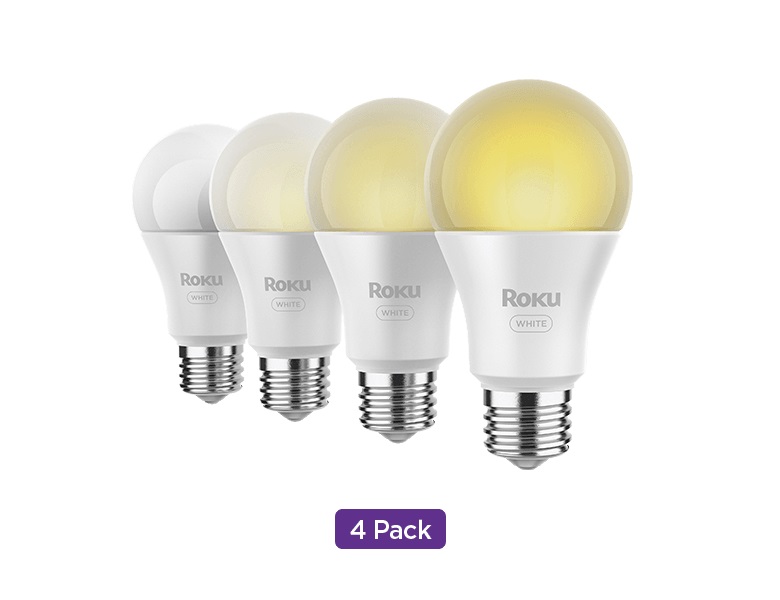
Roku has a larger smart home presence than you'd expect, and its Smart Bulb SE lineup is arguably one of the best options on the market. Not only is it affordable (a four-pack is just $24), but it works with a variety of smart assistants to give you easy control of its performance.
Toss in access to vaction mode, sleep mode, or even a sunlight match feature, and it's clear that Roku can hang with the best despite its rock-bottom pricing. A color variant is also up for grabs, although it's a bit more expensive than the standard white bulb.


