

“It's so good and cheap, you may never go back to Philips Hue.”
- Really bright output
- Colors are very saturated
- Doesn't require a bridge
- Ridiculously low-priced
- Basic scene modes
“Why you can trust Digital Trends – We have a 20-year history of testing, reviewing, and rating products, services and apps to help you make a sound buying decision. Find out more about how we test and score products.“
Anyone who has expressed interest in upgrading to smart LED light bulbs knows the brand Philips Hue. You could say it’s the Apple of smart lighting based on the countless positive reviews of its bulbs and the brand loyalty that’s been established through the years. However, its bulbs can be pricey.
That’s why for the last couple of years, I’ve enjoyed a few, cheaper alternatives. Xiaomi’s Yeelight fetches a mere $27, which is a considerable savings over the $50 you’d pay for a single Philips Hue color-changing bulb. Even better were the Sylvania Smart+ bulbs I’ve been using in my bathroom. A 4-pack costs just $35.
Now we have yet another new contender in the space with the Wyze Bulb Color. After finding success in a variety of spaces in the smart home, Wyze is making a ruckus in the lighting category with its $35 color-changing bulbs.
Shining brightly
One of the biggest downsides of going with cheaper alternatives, much like Xiaomi’s Yeelight, is that they tend to not be that bright. Thankfully that’s not a problem for the Wyze Bulb Color. In fact, there’s no comparison as far as its peak brightness compared to the Yeelight and Sylvania Smart+ — it’s noticeably brighter.

That’s due to the 1100-lumen brightness it’s able to produce, which makes it a 75-watt-equivalent bulb. By comparison, the Sylvania Smart+ and Yeelight are 60-watt-equivalent bulbs. Placing the three bulbs side by side, there’s no question that the Wyze Bulb Color has the strongest light output. It holds true for all daylight colors temperatures, in addition to colors.
It’s cheap, but rich in performance.
And what about the mighty Philips Hue A19 bulb I’ve been using for years now? While there’s not as big of a disparity, the Wyze Bulb Color is still brighter — albeit, by just a narrow margin.
No bridges needed here
Ask anyone who has dealt with a variety of smart home gadgets, and they’ll tell you how annoying it is to set up a bridge. In my particular situation, I have few available Ethernet ports on my router to install a bridge, so it’s a relief that the Wyze Bulb Color doesn’t require one to work. Instead, its connectivity is restricted to Wi-Fi.

Setup is a breeze using the Wyze app for Android, which briefly required me to connect to the bulb’s Wi-Fi network before proceeding to automatically connect to my home’s Wi-Fi network. The app is fairly straightforward, with controls for brightness, color modes, automations, and scene modes. If you prefer using your favorite smart home ecosystem, you’ll be happy to know that it offers support for Amazon Alexa and Google Assistant. Voice controls work like a charm after getting it set up through the Google Home app, allowing me to group it with other smart lights for room-by-room control.

The only shortcoming with the experience relates to the scene modes that Wyze offers. Unlike the Philips Hue bulbs, the scene modes that Wyze provides are uniform. Meaning, you’re just setting all the bulbs to the same color — whereas with Philips Hue, you get some interesting color combinations that are more dynamic. Hopefully that changes as things evolve.
Vibrant colors that pop
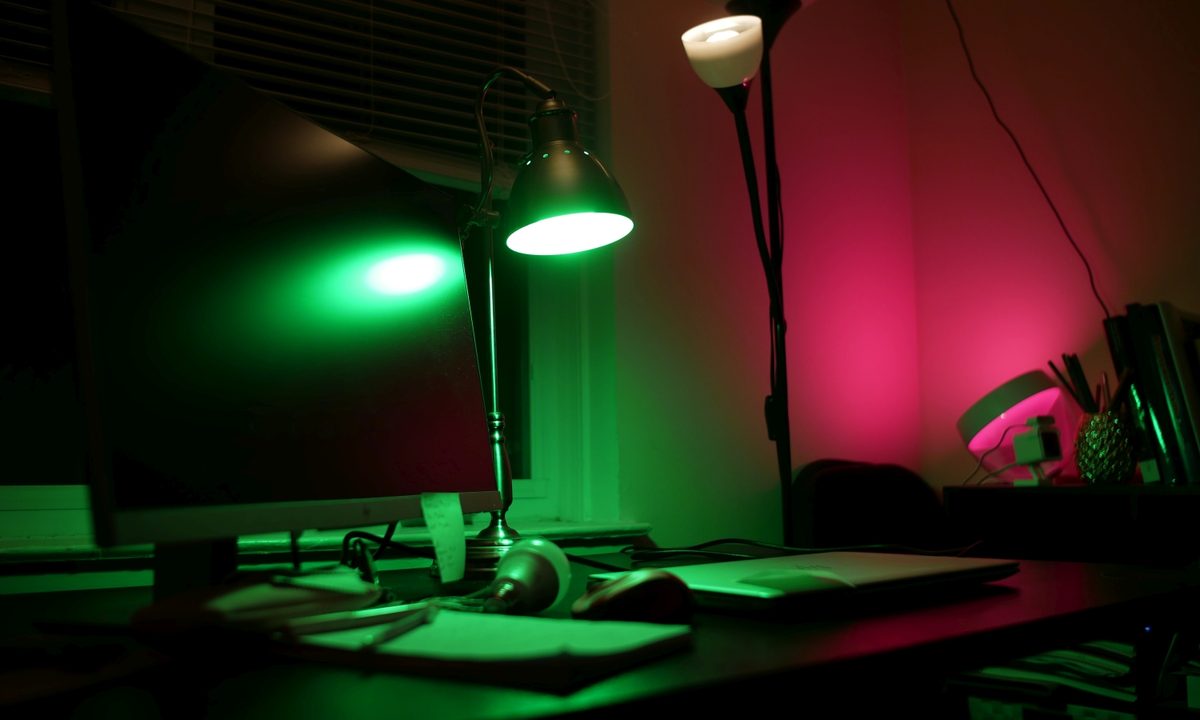
I was skeptical about its saturation levels, mainly because most low-cost bulbs I’ve used fail to produce enough brightness and saturation to make colors pop. Again, the Wyze Bulb Color impressed me with the intensity of its color saturation. Blues and reds are particularly saturated and vibrant, so even a single bulb does a wonderful job at equally distributing enough saturation wherever it’s located.
Our take
Wyze’s appetite to conquer the smart home seems never-ending. The Wyze Bulb Color is a solid contender in the smart lighting space that dominates everything else in its price category. At $35 for a 4-pack, the Wyze Bulb Color is a fantastic way to light up your home without spending a fortune. It’s cheap, but rich in performance.
How long will it last?
The design of the Wyze Color Bulb doesn’t deviate from anything else I’ve come across. It’s mostly plastic, which is good because, unlike traditional incandescent and CFL (Compact Fluorescent) bulbs that use glass, the plastic won’t break as easily in the event the bulb gets hit. Life expectancy is 25,000 hours, but there’s a 1-year limited warranty that covers defects.
Is there a better alternative?
For the price, not really. Wyze’s name in the tech space is continually growing, so I feel its products are more reputable than other cheaper alternatives you can probably find online.
Should you buy it?
Yes, it’s only $35 for a 4-pack. That’s cheaper than just buying a single Philips Hue color-changing bulb for $50.


