
The Apple Pencil has been a go-to digital stylus for graphic designers and artists since its inception — and it has only gotten better. Now on its second generation, the new Pencil charges easily by snapping to the side of the iPad Pro or iPad Air, plus it offers ultra-low latency that helps it feel more natural than ever.
But it turns out, Apple wants to make the Apple Pencil more useful for more people. And it’s largely succeeding in that. With iPadOS 14, Apple has introduced a number of features that seriously expand the Apple Pencil’s capabilities — and largely to people who aren’t graphic designers or artists.
I’ve been using the Apple Pencil 2 with iPadOS 14 for a while now, and the features are seriously impressive. They’re not perfect — and for many, they won’t really be compelling enough to warrant spending $100 or $130 on an Apple Pencil, depending on which model works with your device. But the features do show that the Pencil could get a whole lot more useful on the iPad over the next few years.
Scribbling
The headline new feature on iPadOS 14 for the Apple Pencil is Scribble, and it essentially brings the ability to handwrite in all text fields on iPadOS — so anywhere you used to type, you can now write. And it works pretty well!
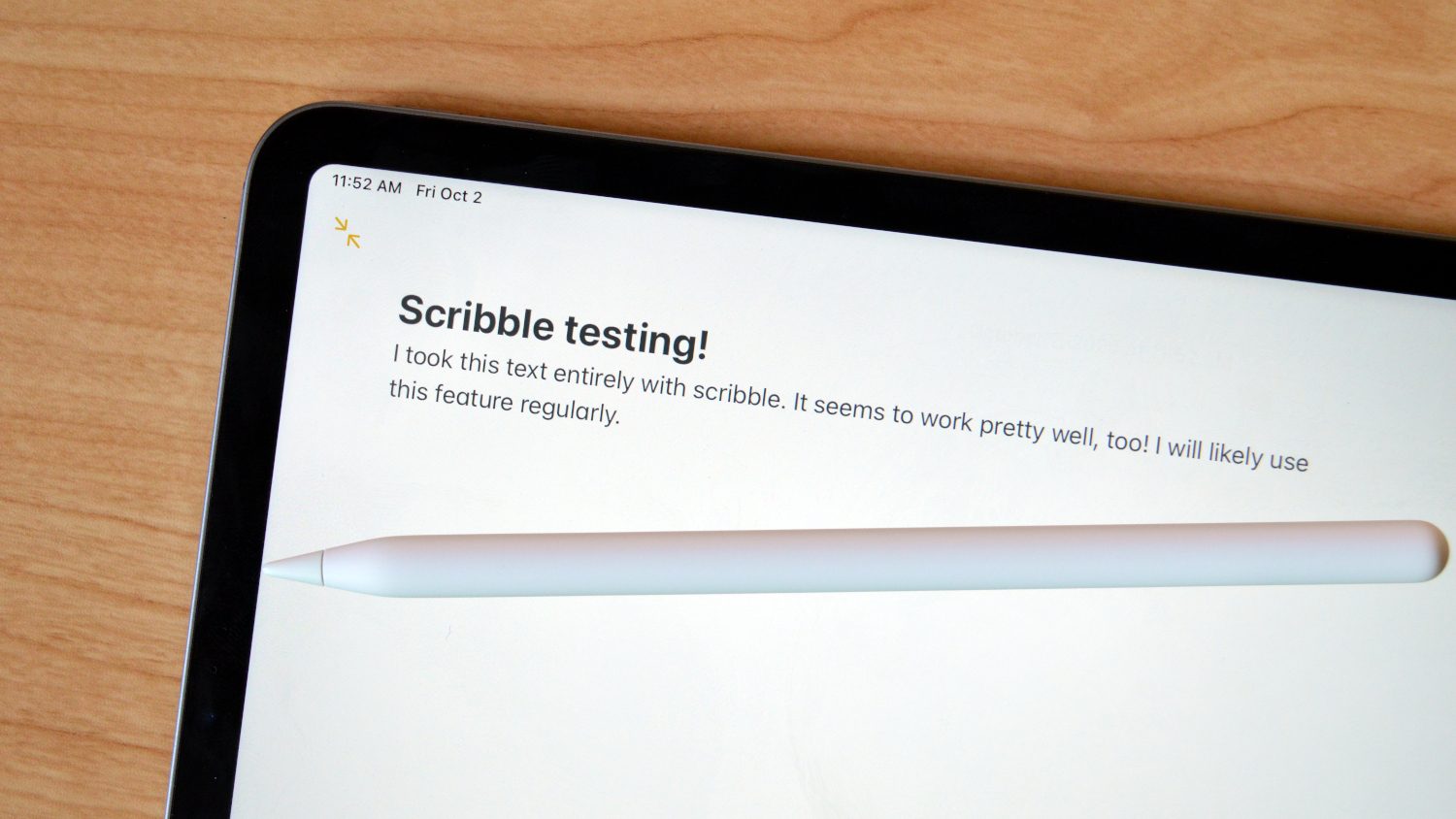
There were times when I wanted to handwrite notes in the Notes app, especially when those notes could have been a mixture of text with a drawing or other visual component. I’m learning to code through an online course, and I find that I retain information better if I take the time to handwrite notes from lessons. Scribble means that I can do so, and have digital text that I can search through later if I need to.
There are a number of shortcuts that help augment Scribble too. For example, you can simply cross it out like you would handwritten text to delete it, and you can join characters or separate them with a vertical line between them. It does take some time to get used to using these shortcuts, but once you do you’ll find that you’re more productive.
I often use the iPad Pro with Apple’s Magic Keyboard, and when it’s attached I didn’t really find myself reaching for the Apple Pencil to, for example, write search prompts into Safari, send quick text messages, or even write tweets. The full keyboard experience is of course still faster for that. But, Scribble makes sense in many other places. But Scribble does often make sense in those situations when you’re not using a hardware keyboard and have the Apple Pencil at hand — and it’s often faster to write a few words than pull up the iPad’s software keyboard and tap away at those keys. We’re talking milliseconds quicker here, but it does feel a little more natural to write at times.
It also takes some time to get used to Scribble’s quirks. It’s not necessarily perfect, and if you have especially messy handwriting, you may find that it doesn’t work that well. My writing seems to be on the edge — but a bit more focus and intention easily fixed that. And, of course, it doesn’t matter if your writing isn’t that great if you don’t use Scribble and just hand write into the Notes app, as long as you can read your own writing.
Everything else ties the experience together
Franky, Scribble is the standout feature here — and it would be awesome with or without all the other features that Apple has added to the Pencil experience in iPadOS 14. But those other features do tie together the experience in a way that makes it seamless.
For starters, there’s a new data detector that can detect things like phone numbers or email addresses from your handwriting, allowing you to jump into the phone app or compose an email from that information. You’ll know that this information has been detected because it’ll be underlined, and just like any other street address, email address, URL, or phone number, you’ll be able to go straight to the appropriate app to actually use that data.
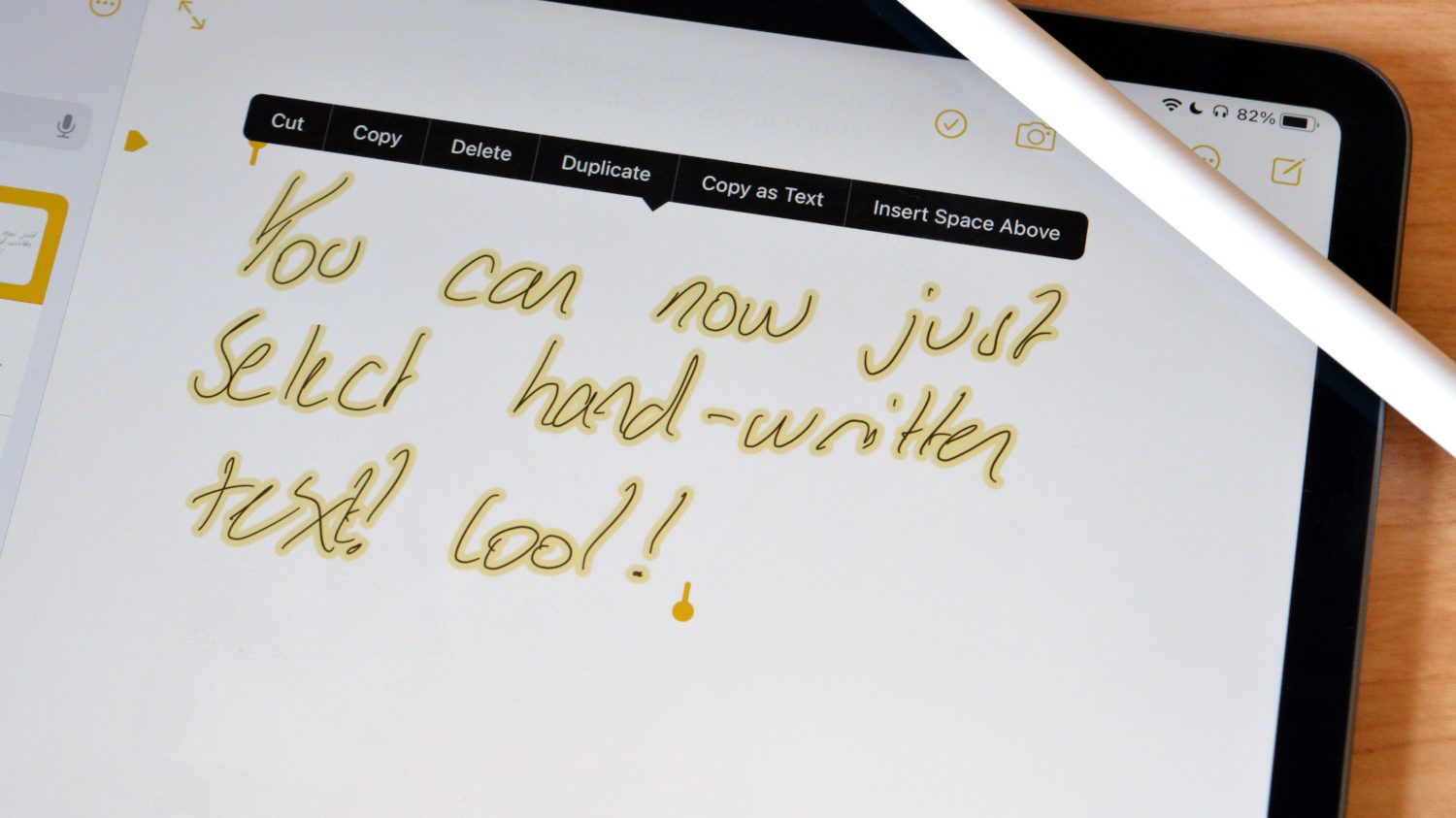
Other features include the ability to have iPadOS identify shapes when you draw them, and the ability to select handwritten text, copy it, paste it, and so on. This means that if you want your writing to stay as writing, you can still manipulate it as you would if it were converted into standard text.
Should you buy an Apple Pencil now?
Well, that depends. You don’t have to be a graphic designer or artist to get major use out of the Pencil now, and if you find yourself regularly hand writing, and want that in digital text form, it may be the way to go. But it’s still pretty expensive — while Samsung includes an S Pen with the Tab S7, the Apple Pencil starts at $100, and comes in at $130 if you want the iPad Pro-compatible model. It’s a tough sell for something that isn’t necessary.
But, if you happen to have an Apple Pencil lying around that you haven’t used in a while because you don’t figure yourself to be much of an artist, it’s worth picking up again to use Scribble. Only time will tell what other features Apple adds to the Pencil, but in the meantime, it’s a tool that everyone can get out use of now.


