  1. Home
  2. Gaming
  3. How tos

How to gameshare on the PS5

Add as a preferred source on Google
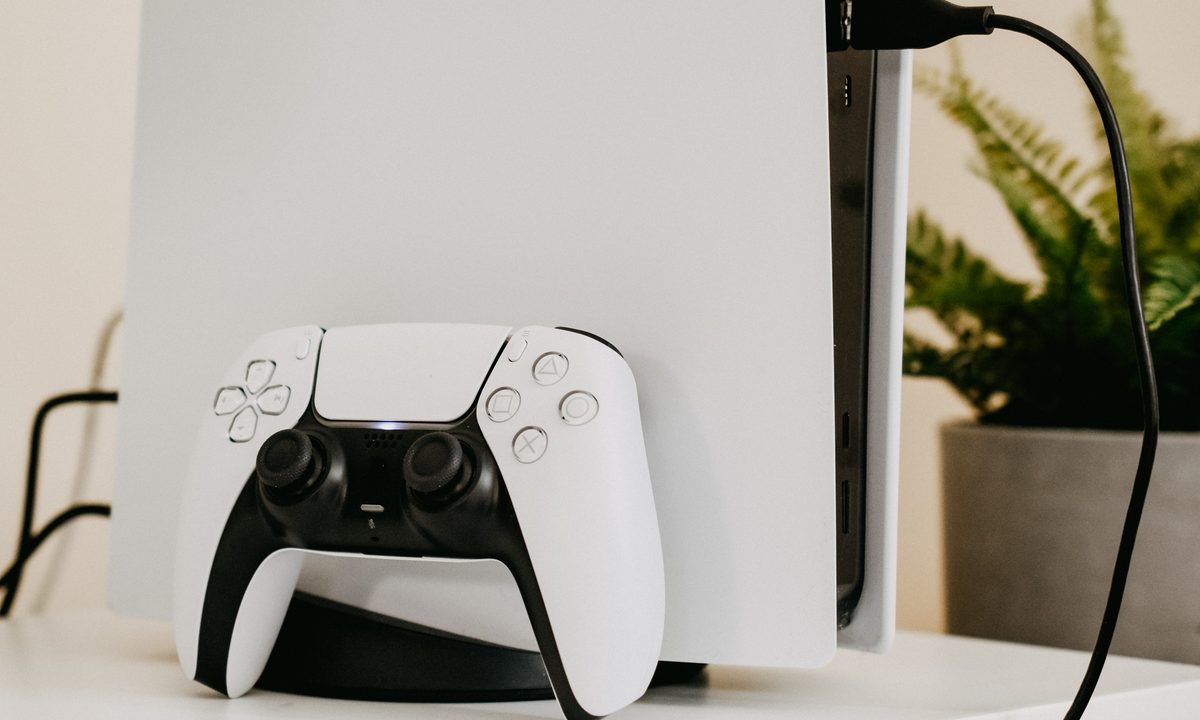
Playstation 5 with a controller.
Unsplash

There's a lot to love about PlayStation 5. There is an an incredible catalog of PS5 games, it supports most PS4 games, there are so many great upcoming PS5 games as well.. Sharing games nowadays isn't quite as easy as it was in the past, as most games are now digital — meaning you can give a physical disc to a friend after you beat the game or for them to test out over the weekend.

However, PS5 uses a gameshare feature known as Console Sharing that makes this process a bit easier. It's not a perfect system, but here's how to gameshare on PS5.

Recommended Videos

Difficulty

Easy

Duration

15 minutes

What You Need

  • PlayStation 5

  • PlayStation Plus Essential or higher

Image used with permission by copyright holder

How to set up gameshare on the PS5

Enabling gameshare on your best PS5 games may be even easier than enabling the feature on a PS4. That is if you familiarize yourself with the updated terminology. On the newer console, the feature is called “Console Sharing and Offline Play.” Here’s a quick guide to set it up.

Step 1: Log in to your PlayStation Network account on your PS5.

Step 2: From the main menu, click the Gear icon located between the magnifying glass and your avatar to access the Settings tab.

Step 3: Select Users and Accounts.

Step 4: Scroll down and select the Other option.

Step 5: Select Console Sharing and Offline Play. If the text says this option is enabled on your PS5, that means you’re not able to gameshare and need to select disable.

Step 6: Log out of your PSN account on your PS5.

Step 7: Log in with your PSN on the console you want to gameshare with.

Step 8: Navigate to the same menu and select Don’t Disable in the Console Sharing and Offline Play menu.

Step 9: Log out of your PSN on this console.

After the person you’re gamesharing with logs back in via their PSN account, they will have access to any of your compatible games from their PS5. Use this feature wisely. As far as we know, you can only gameshare with one other person, so make the decision a good one. If worst comes to worst, you should be able to shut down the feature and then try it all again from the beginning to share it with someone else.

You may be wondering if the gameshare feature runs both ways. The answer is yes — whoever you share with will have access to your library, and you’ll have access to any of the games on their console. Say goodbye to the days of sharing discs for all the exciting titles coming out on the PS5 soon!

Jesse Lennox
Former Digital Trends Contributor
Jesse Lennox covers all things gaming but has a specific interest in all things PlayStation, JRPGs, and experimental indies…
Sony’s wild PSN login patent could turn the DualSense into a security gatekeeper
A newly published filing outlines controller-based sign-ins for PlayStation users, aiming to make stolen accounts harder to exploit.
Geoff Keighley holding DualSense.

Sony has filed a PSN login patent, first spotted by RespawnFirst, that would pull the DualSense controller into the sign-in process. A PlayStation console would start the request, then the controller would help confirm that the account holder is close enough to approve access.

For players, the appeal is easy to see. PSN account abuse can lead to unauthorized purchases, lost access, and attempts to resell established accounts. Sony already offers 2-step verification and passkeys, but this idea adds a hardware check to the login chain.

Read more
This study found a surprising mental health perk hiding in your game library
Researchers surveyed 2,252 adults and found that specific game genres, not gaming in general, line up with lower loneliness and stronger emotional resilience.
Legend of Zelda: Breath of the Wild official artwork

A new study has found that adults who play certain video games report feeling less lonely and more emotionally resilient than people who don't play games at all. The findings challenge the idea that gaming is just a way to escape from real life and instead tie specific kinds of games to real, measurable shifts in how people cope with stress and isolation.

What the study found

Read more
GTA 6 may be far away, so Rockstar gave GTA 5 a fresh coat of paint
Grand Theft Auto 5

With Grand Theft Auto 6 now just months away, Rockstar Games is giving longtime Grand Theft Auto 5 players a reason to revisit Los Santos. The company has announced that owners of the PlayStation 4 and Xbox One versions of GTA 5 will receive a free upgrade to the PlayStation 5 and Xbox Series X/S versions of the game.

The move comes as Rockstar ramps up excitement for GTA 6, which is currently scheduled to launch on November 19 for PlayStation 5 and Xbox Series consoles. Previously, upgrading from the older console versions to the current-generation release required a separate purchase, typically costing around $10. Beginning Thursday, however, eligible players will be able to move to the newer version at no additional cost.

Read more