Zombie games have been experimenting with all the different guns, weapons, and improvised methods of destruction developers can think of to spice up the act of popping undead heads. Back 4 Blood is among the more tame examples, sticking with tried and true guns and melee weapons for the most part, but doesn’t leave you without any options to customize things a bit. Aside from the different guns themselves, there are multiple different attachments you can use to modify how your gun functions in different ways. Each gun has four slots you can place attachments into that will change things like damage, ammo capacity, and more.
Finding a weapon attachment is one thing, and it’s another to find one that fits with your current gun, but what is never explained at all is how you can remove an attachment once you slot it into your gun of choice. Because there isn’t a menu option for this function, and no tutorial or explanation anywhere in the game, many would rightfully assume that once an attachment is put on a gun, you’re stuck with it. However, that’s not completely true. While it is a bit of a workaround, and hopefully Turtle Rock adds a more reliable function for removing attachments, here’s how you can remove an attachment in Back 4 Blood.
Further reading
- A beginner’s guide to Back 4 Blood: How to fight back against the horde
- Back 4 Blood’s card system explained
- Is Back 4 Blood cross-platform?
How to remove attachments
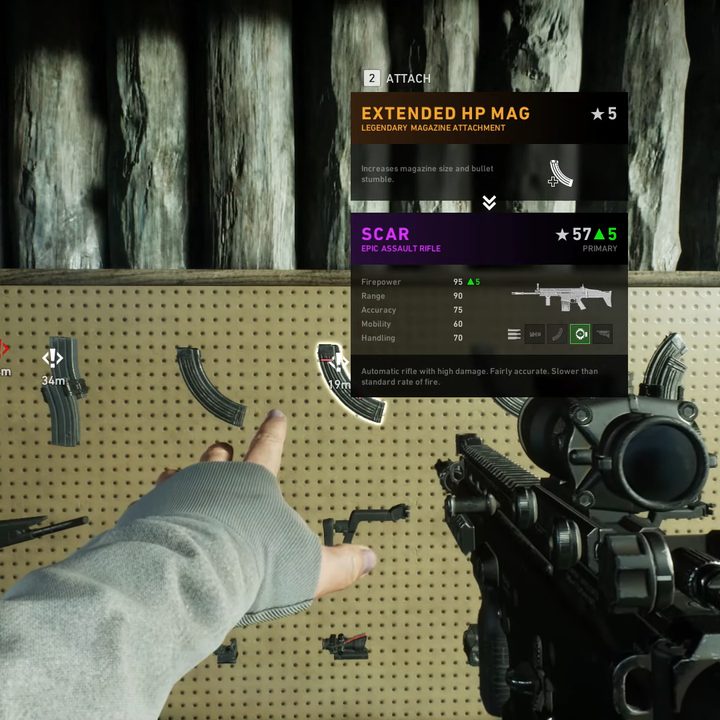
Despite players pointing out this missing function as far back as the Back 4 Blood beta, the final release still doesn’t have a clean way to easily remove your gun attachments. Instead, the only way to do it almost feels like an exploit, and isn’t something you can do whenever you want. In short, what you need to do to remove an attachment is replace it for a different attachment that would fit in that same slot. So to drop a scope you have equipped, you would need to find or buy a different scope and pick that one up. This is especially bad if you accidentally pick up an attachment that is not good for your gun, such as a scope with high zoom on a short-range SMG, for example.
Attachments can be found randomly in missions in supply crates, or you can spend some copper on them while in the safe room before starting the level. However you get them, once you put an attachment into a slot that’s already taken, whatever was equipped will automatically drop onto the ground. From there you can let a teammate pick it up, or just leave it behind. While certainly cumbersome, slightly random, and very inconvenient, it at least is possible to remove and share attachments between your guns and friends.
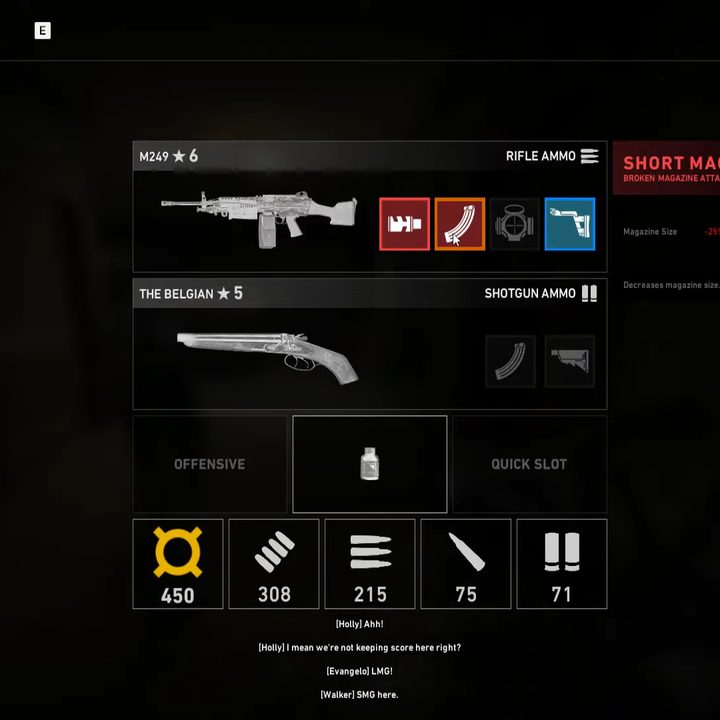
Considering how there’s an easy system for giving teammates copper or ammo, it feels like a major oversight that attachments are so difficult to remove, let alone swap. For now, we recommend taking a moment to consider every attachment before scooping it up since you might be stuck with it for quite a while.