  1. Home
  2. Phones
  3. Mobile
  4. News

Apple’s iOS 15.1 and iPadOS 15.1 bring SharePlay, camera improvements, and more

Add as a preferred source on Google

Apple is rolling out iOS 15.1 and iPadOS 15.1, its third update to the current generation of iOS since it rolled out alongside the iPhone 13. The iOS 15.1 update brings SharePlay, which lets multiple Apple users enjoy movies, music, and other content together during FaceTime calls; ProRes video recording on the iPhone 13 Pro and the iPhone 13 Pro Max, among other improvements to the camera; and some additions to the Home, Shortcuts, Translate, and Wallet apps.

Among the slew of new features that iOS 15.1 delivers, SharePlay is bound to get most of the attention. As its name indicates, SharePlay offers multiple shared experiences using FaceTime, from browsing the web together to watching synchronized movies or TV shows to sharing content across the Apple Music, Apple Fitness+, Apple TV, and other App Store apps. It also gives each user the ability to play, pause, rewind, or fast-forward movies, shows, or music and automatically lowers the volume of the content when it detects someone speaking.

Apple Music and the FaceTime preferences pane being used during a SharePlay session on a Mac running MacOS Monterey.
Image used with permission by copyright holder

Besides SharePlay, iOS 15.1 brings ProRes video recording to the iPhone 13 Pro and the iPhone 13 Pro Max. The video feature minimizes compression while recording a video to capture moire details, ensuring the highest-quality video for editing and post-processing. The update also adds a button to disable automatic switching to the macro mode, giving users more control over how to use the cameras. That was one of our big complaints in our review of the iPhone 13, so it’s nice to see.

Recommended Videos

You will now also be able to add your COVID-19 vaccination card to the Apple Wallet app. Additions to the Home app now let users automate different actions based on Homekit-based air quality, humidity, or ambient light sensors. You also get some new games to play with Siri, while the Translate app gets systemwide support for Mandarin Chinese (Taiwan). As with each update, iOS 15.1 also brings several bug fixes.

The iOS 15.1 update is now rolling out to supported devices globally, and you should be able to download it right away by heading over to the Settings app and clicking General > Software Update.

Tushar Mehta
Tushar is a freelance writer at Digital Trends and has been contributing to the Mobile Section for the past three years…
I’ve used Apple gear for years, and right now is the best time to buy from the used shelf
With iPhone prices about to climb, buying from the used market makes more sense now than ever.
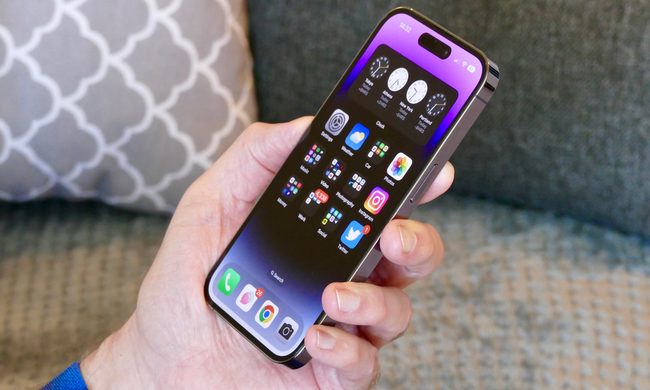
The iPhone 14 Pro held in a mans hand showing the screen.

Apple is preparing to raise iPhone prices in the coming months. CEO Tim Cook told The Wall Street Journal this week that climbing memory costs, driven by AI's demand for the same chips, have made the move necessary. For years, Apple managed to keep sticker prices steady, likely by absorbing some of the rising component costs on its own, but that cushion now appears to be gone. Having bought and used Apple products for years myself, I think this is the right moment to stop holding out for the newest release and start browsing the used shelf instead.

The savings add up fast

Read more
Apple has a stacked product lineup slated for later this year
Electronics, Phone, Mobile Phone

Apple has spent much of the past year playing catch-up in the AI conversation, but if a new report is accurate, the company is preparing to remind everyone that it still knows how to ship hardware. According to Bloomberg’s Mark Gurman, Apple has an unusually ambitious product roadmap stretching across late 2026 and 2027. While annual iPhone refreshes are nothing new, the list of devices in development reads like a company trying to reinvent multiple product categories at once. And honestly? It’s about time.

For years, Apple’s launches have largely followed a predictable formula: faster chips, slightly better cameras, and incremental refinements to products that already dominate their respective categories. That’s not necessarily a criticism — those products continue to sell incredibly well — but it hasn’t exactly been an exciting era for people hoping to see Apple take bigger swings.

Read more
iOS 27’s Liquid Glass slider looks simple, but it’s more useful than I expected
Text, Document, Business Card

Let's be honest: few iOS design changes have sparked as much debate as Liquid Glass. When Apple first introduced it with iOS 26, the internet immediately split into two camps. Some people loved the fresh, translucent look, while others couldn't stand it and felt it made parts of the interface harder to read. I happened to be firmly in the first camp. At the time, I was using an iPhone 14 Pro Max, and installing the update was one of the first things I did. I loved how the new design made iOS feel more modern and dynamic. The transparency effects gave the interface a sense of depth, making the entire experience feel fresh again.

That said, it's easy to understand why not everyone felt the same way. After months of feedback, screenshots, hot takes, and endless debates online, Apple eventually responded by giving users more control. Instead of forcing everyone into the same look, it introduced options that let people choose between a clearer glass effect and a more tinted appearance. With iOS 27, Apple is putting the Liquid Glass debate completely in your hands. A new slider lets you customize the effect exactly the way you want it, whether you prefer a crystal-clear look or something easier on the eyes. Here's what it does and how to make the most of it on your iPhone.

Read more