
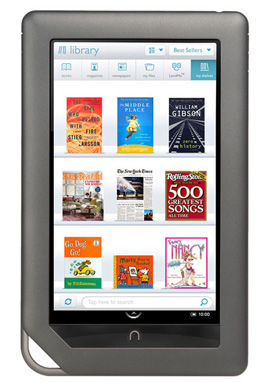
 The Nook Color is Barnes & Noble‘s Kindle-killer. More tablet than e-reader, the little Android 2.1-powered device offers e-books and then some with its 7-inch color screen, pre-loaded games and web browser. The only downside is that those who choose not to root their Nook — the Android equivalent of a jailbreak — have been stuck without the Android Market or the ability to download apps.
Not for much longer though. It seems that the Nook Color will soon be home to the launch of B&N’s Nook Store, which is set for an April release. The word comes from a product listing at the Home Shopping Network of all places (via CNET, which also reveals that the device is getting Adobe Flash support as well. Or… it did, at least.
The listing has been changed since CNET’s initial pickup of the news. Originally there was a bullet-point beneath the “Adobe Flash” heading that read “Expand your web experience by watching videos that use Adobe Flash.” The heading has now been changed to “Enhanced Web Browser” and the bullet’s text instead reads “Enjoy a full web experience by watching videos.” Oops! Though since Android 2.1 already plays HTML5, an “enhanced” web browser still likely points to Flash.
There’s not much to say about the Nook Store yet, other than that it seems to be arriving in April as part of a big update. The listing mentions Angry Birds, Lonely Planet Phrasebook and Drawing Pad as some of the apps that will be available. If you’re considering a purchase though, you might want to skip it on HSN. B&N has the Nook Color available for $249, $50 less than the HSN price.
Also… hey, Steve Jobs. Now an e-reader is apparently going to be able to do what your iPads still cannot. Are you ready to reconsider the whole “no Flash for iOS” philosophy yet? Pretty please?



