
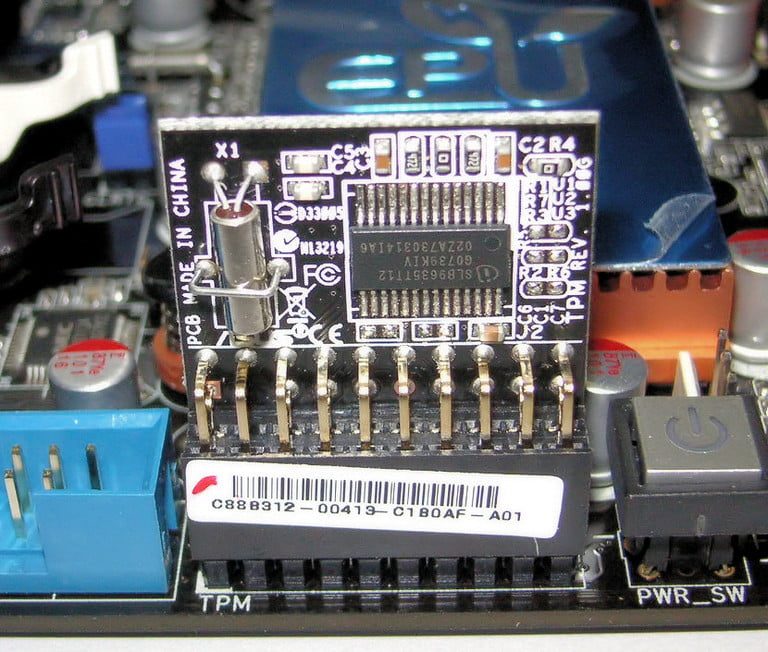
One of the controversial requirements to run Windows 11 is aTPM 2.0 chip. This chip, usually found on your PC's motherboard, is a security chip that handles encryption for your fingerprint, other biometric data, and even things like Windows BitLocker. It's usually turned on by default on most PCs, and found in most modern systems purchased in the last few years.
If you're running Windows 10 and you're not sure if TPM 2.0 is turned on (usually the Windows 11 updater will check for you), you can check for it manually and then enable it in a few steps. Here's how.

Check for TPM using the Windows Security App
Before diving into our guide, you might want to check for a TPM 2.0 chip on your PC. You can do this manually through the Windows 10 settings. This will let you know if you can continue with the Windows 11 install process.
Step 1: Open Windows 10 settings with Windows Key and I keyboard shortcut. Then go to Update and Security.
Step 2: From Update and Security click Windows Security followed by Device Security and Security Processor Details. If you don't see a Security Processor section on this screen, your TPM 2.0 chip might be disabled or unavailable. If you see a spec that's lower than 2.0, then your device can't run Windows 11.

Get to BIOS to enable TPM
Once you verify or confirm that you have a TPM 2.0 chip on your system, then you'll need to get into your PC's BIOS to enable it. You can do this directly through Windows without the need for a keyboard combination on boot. Here's how.
Step 1: Go into Windows 10 Settings. Head to Update and Security, followed by Recovery and then Restart Now. Your system will restart.

Step 2: On the next screen, you'll want to choose Troubleshoot, followed by Advanced Options and then UEFI Firmware Settings. Click on the Restart button, and this will boot your PC into the system BIOS to check on TPM 2.0.

Enable TPM 2.0 in the BIOS
Now that you're in the System BIOS, you'll want to look for a specific submenu. On most systems, the TPM settings can be found under settings labeled Advanced Security, Security, or Trusted Computing. Navigate to these menus using either the keyboard combinations listed on the screen or the mouse if your BIOS supports it.
If you're unsure about which menu to get into, you can visit the links below. Each link will take you to a PC manufacturer's page with guidance on how to enable TPM 2.0.
Step 1: Once you're in the respective menu in the BIOS, you can check the box or flip the switch for one of the following options. Sometimes TPM 2.0 can be labeled differently as one of these options: Security Device, Security Device Support, TPM State, AMD fTPM switch, AMD PSP fTPM, Intel PTT, or Intel Platform Trust Technology.
Step 2: If you're not sure if you're checking the right box for TPM 2.0 settings, then you might want to check with the support documents for the company that made your PC. We linked to some of those above.
Step 3: Once you enable TPM 2.0, you can exit the BIOS using the commands listed at the bottom of the screen. Usually, the Esc key will do the trick, and you'll be prompted to Save and Exit. Your system will then restart and boot you back into Windows.
Now that you confirmed that your PC has a TPM 2.0 chip, you can proceed with installing Windows 11 on your PC.


