
A group of security researchers has found a way to circumvent digital locks and other security systems that rely on the proximity of a Bluetooth fob or smartphone for authentication.
Using what’s known as a “link layer relay attack,” security consulting firm NCC Group was able to unlock, start, and drive vehicles and unlock and open certain residential smart locks without the Bluetooth-based key anywhere in the vicinity.
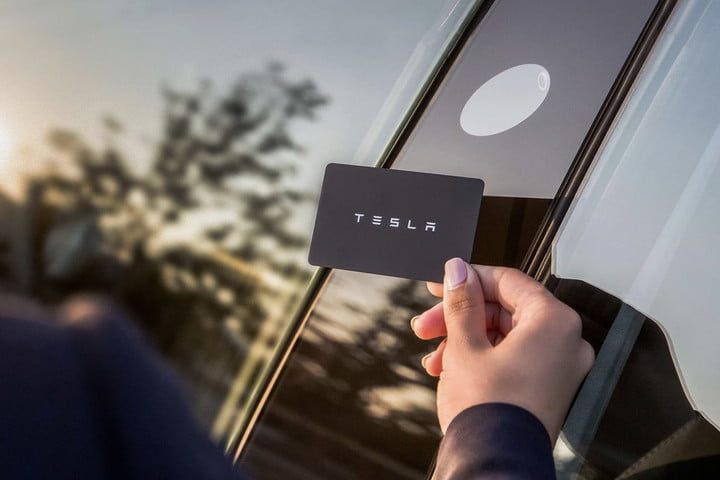
Sultan Qasim Khan, the principal security consultant and researcher with NCC Group, demonstrated the attack on a Tesla Model 3, although he notes that the problem isn’t specific to Tesla. Any vehicle that uses Bluetooth Low Energy (BLE) for its keyless entry system would be vulnerable to this attack.
Many smart locks are also vulnerable, Khan adds. His firm specifically called out the Kwikset/Weiser Kevo models since these use a touch-to-open feature that relies on passive detection of a Bluetooth fob or smartphone nearby. Since the lock’s owner doesn’t need to interact with the Bluetooth device to confirm they want to unlock the door, a hacker can relay the key’s Bluetooth credentials from a remote location and open someone’s door even if the homeowner is thousands of miles away.
How it works
This exploit still requires that the attacker have access to the owner’s actual Bluetooth device or key fob. However, what makes it potentially dangerous is that the real Bluetooth key doesn’t need to be anywhere near the vehicle, lock, or other secured devices.
Instead, Bluetooth signals are relayed between the lock and key through a pair of intermediate Bluetooth devices connected using another method — typically over a regular internet link. The result is that the lock treats the hacker’s nearby Bluetooth device as if it’s the valid key.
As Khan explains, “we can convince a Bluetooth device that we are near it — even from hundreds of miles away […] even when the vendor has taken defensive mitigations like encryption and latency bounding to theoretically protect these communications from attackers at a distance.”
The exploit bypasses the usual relay attack protections as it works at a very low level of the Bluetooth stack, so it doesn’t matter whether the data is encrypted, and it adds almost no latency to the connection. The target lock has no way of knowing that it’s not communicating with the legitimate Bluetooth device.
Since many Bluetooth security keys operate passively, a thief would only need to place one device within a few feet of the owner and the other near the target lock. For example, a pair of thieves could work in tandem to follow a Tesla owner away from their vehicle, relaying the Bluetooth signals back to the car so that it could be stolen once the owner was far enough away.
These attacks could be carried out even across vast distances with enough coordination. A person on vacation in London could have their Bluetooth keys relayed to their door locks at home in Los Angeles, allowing a thief to quickly gain access simply by touching the lock.
This also goes beyond cars and smart locks. Researchers note that it could be used to unlock laptops that rely on Bluetooth proximity detection, prevent mobile phones from locking, circumvent building access control systems, and even spoof the location of an asset or a medical patient.
NCC Group also adds this isn’t a traditional bug that can be fixed with a simple software patch. It’s not even a flaw in the Bluetooth specification. Instead, it’s a matter of using the wrong tool for the job. Bluetooth was never designed for proximity authentication — at least not “for use in critical systems such as locking mechanisms,” the firm notes.
How to protect yourself
First, it’s essential to keep in mind that this vulnerability is specific to systems that rely exclusively on passive detection of a Bluetooth device.
For example, this exploit can’t realistically be used to bypass security systems that require you to unlock your smartphone, open a specific app, or take some other action, such as pushing a button on a key fob. In this case, there’s no Bluetooth signal to relay until you take that action — and you’re generally not going to try and unlock your car, door, or laptop when you’re not anywhere near it.
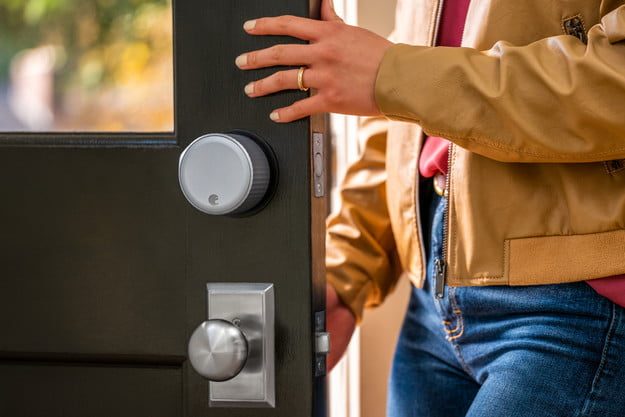
This also won’t typically be a problem for apps that take steps to confirm your location. For instance, the auto-unlock feature in the popular August smart lock relies on Bluetooth proximity detection, but the app also checks your GPS location to make sure you’re actually returning home. It can’t be used to unlock your door when you’re already home, nor can it open your door when you’re miles away from home.
If your security system allows for it, you should enable an extra authentication step that requires that you take some action before the Bluetooth credentials are sent to your lock. For example, Kwikset has said that customers who use an iPhone can enable two-factor authentication in their lock app, and it plans to add this to its Android app soon. Kwikset’s Kevo application also disables proximity unlocking functionality when the user’s phone has been stationary for an extended period.
Note that unlocking solutions that use a mix of Bluetooth and other protocols are not vulnerable to this attack. A typical example of this is Apple’s feature that lets folks unlock their Mac with their Apple Watch. Although this does use Bluetooth to detect the Apple Watch nearby initially, it measures the actual proximity over Wi-Fi — mitigation that Apple’s executives specifically said was added to prevent Bluetooth relay attacks.
NCC Group has published a technical advisory about Bluetooth Low Energy vulnerability and separate bulletins about how it affects Tesla vehicles and Kwikset/Weiser locks.


