
Part of being productive at work and at school means making the most of your time, especially when web browsing. You’ve probably heard about keyboard shortcuts on Windows that can help you with this, but your web browser also has several shortcuts that can be used to help you cut down on the use of your mouse.
Most of the best browsers have keyboard shortcuts, and Google Chrome is no different. Here are some of the best Chrome keyboard shortcuts you can use.
Ctrl + Shift + T to reopen previously closed tabs
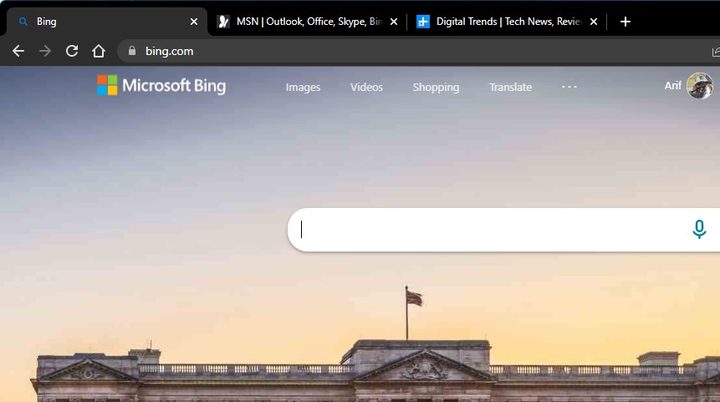
At the top of our list is something that might be useful for those “uh-oh” moments. If you accidentally closed a tab in Google Chrome, then this shortcut is for you. You can simply tap the Ctrl + Shift + T keys on your keyboard when inside Google Chrome. This will then reopen any of your previously opened tabs, exactly in the order you closed them. Just repeat the shortcut until all of your accidentally closed tabs are reopened.
Shift + Esc to open the Chrome Task Manager
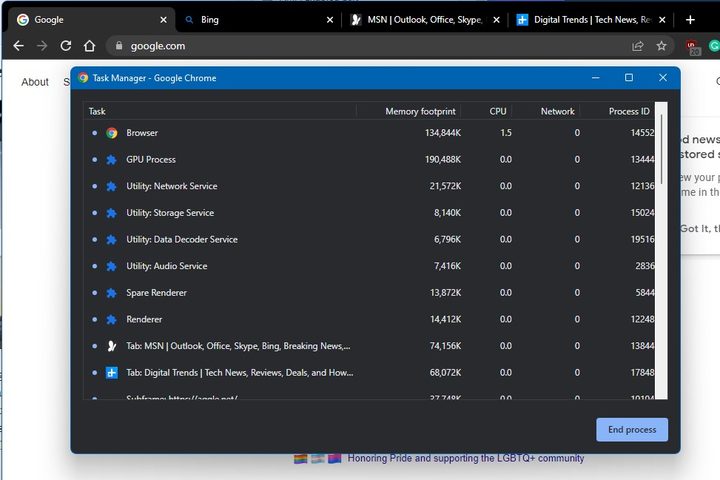
Google Chrome is known to be a resource hog, though recent updates have made it more optimized. So, if you’ve ever had troubles with a specific tab or webpage inside Chrome, you can open the Chrome Task Manager to kill that tab or check out what’s going wrong. Usually, you’d have to get to it via the More Tools menu, but there’s a quicker way.
The Chrome Task Manager is a lot like the Task Manager in Windows, or Activity Monitor in MacOS. It lets you peek at all the background activities inside the browser. Just tap Shift + Esc to open it up. You’ll then see all tabs labeled as “tab:” and other processes like GPU renders, or subframes. If something is taking up too much memory, and you know it’s impacting your webpage, don’t hesitate to kill it. You can always restart the browser and go back to how you were.
Ctrl + 1 through Ctrl + 8 to jump to a specific tab

Have a lot of tabs open in Google Chrome? You might think that you’ll need to mouse over all those tabs to get to them, but don’t be mistaken! You can navigate to any open tab in Chrome with a very specific keyboard shortcut.
Tap the Ctrl key, followed by a specific number like 1, 2, or 3. This will get you through those tabs in order of number. It’s actually one of many tab navigation shortcuts in Chrome. You can close tabs with Ctrl+ W navigate to the next open tab with Ctrl + Tab, or go to the previous tab with Ctrl + Shift + Tab. And don’t forget, if you want to go home in a current tab, just click Alt + Home. You can also pin tabs in Chrome with a keyboard shortcut.
Ctrl + Shift + Delete to open the clear browsing data options
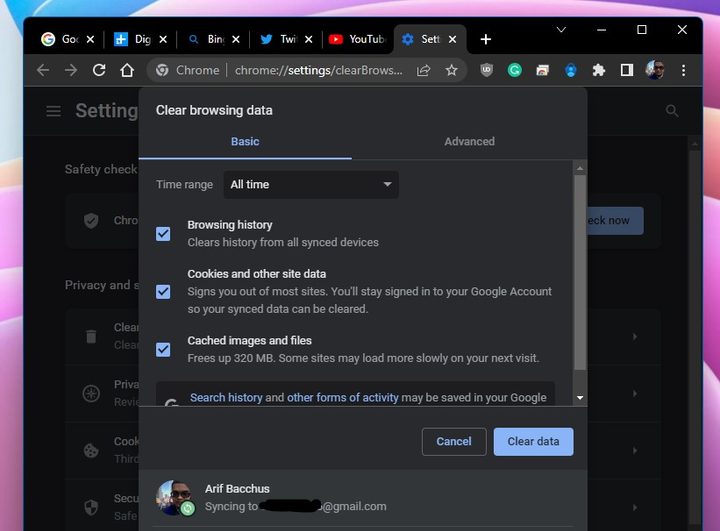
Want to clear your browsing history in Chrome without going through the menus? This one is for you. Simply tap the Ctrl + Shift + Delete keys on your keyboard. This opens the full Chrome settings page where you can clear your browsing data. Access to basic options and advanced options, they’re all here for you, and you just saved yourself a few clicks.
Search using a different search engine
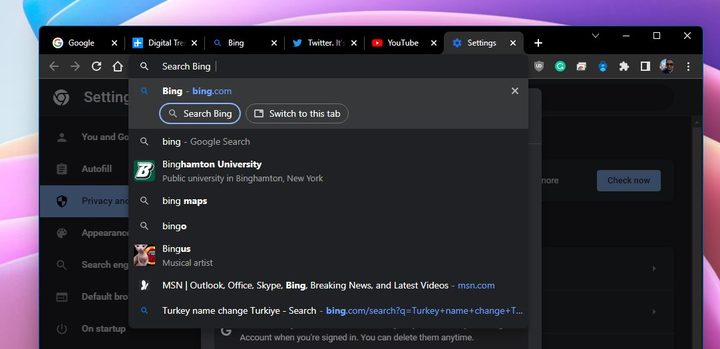
This next keyboard shortcut is one if you don’t like using Google to search in Chrome. You can actually search within the web browser using an alternate search engine like Bing or DuckDuckGo at any time. Just type out the name of your search engine, and then hit the Tab key on your keyboard. From there, you’ll be able to search naturally, without visiting the webpage directly.
Save all open tabs as bookmarks in a new folder
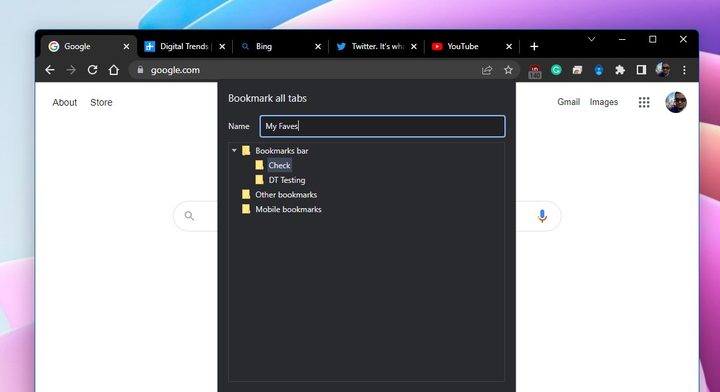
Doing some research or working on a project that involves open tabs that you want to save? Google makes it easy to save whatever set of tabs you have open as a bookmark. To do this, hit Ctrl + Shift + D on your keyboard. You should then see the tabs save in a bookmark folder. Feel free to rename that folder as you see fit.
More from Google
These shortcuts are some of our favorites, but Google has an extensive list of Chrome shortcuts on its support page. It covers tabs, webpages, as well as mouse shortcuts. Oh, and the shortcuts apply to other operating systems like MacOS, as well as Linux.
Google Chrome isn’t the only browser with keyboard shortcuts. Make sure you’re familiar with these Microsoft Edge keyboard shortcuts, too.


