
HDR has been an embarrassment for PC gaming for years. The state of affairs isn’t much better in 2022 than it was five years ago, but to really understand what has gone wrong, I needed to speak to an authority on the game development side of the story.
So, I spoke with a technical developer over at Ubisoft to get their take on the matter. It’s an issue that large developers like Ubisoft are well aware of, and have even developed tools to combat — but they also say we’re making progress, even if we have a long way to go.
Not a ‘first-class citizen’
Nicolas Lopez is a rendering technical lead working on Ubisoft Anvil — the engine behind Assassin’s Creed Valhalla, Rainbow Six Extraction, and the upcoming Prince of Persia: The Sands of Time Remake, among others. Lopez leads the charge on getting all of the art, mechanics, and code into a final image, and he didn’t mince words about HDR: “HDR is not treated as the first class-citizen it should be in the game industry.”
A big reason why is adoption, according to Lopez. HDR on PC monitors hasn’t been a focal point like it has on consumer TVs, and for a multiplatform studio like Ubisoft, that means focusing much of the effort on the SDR result. Lopez says that the teams at Ubisoft “are very confident about our SDR workflows and outputs, but we know that the mileage may vary when working with HDR on PC.”
The vast majority of HDR monitors available today only meet the lowest DisplayHDR 400 level.
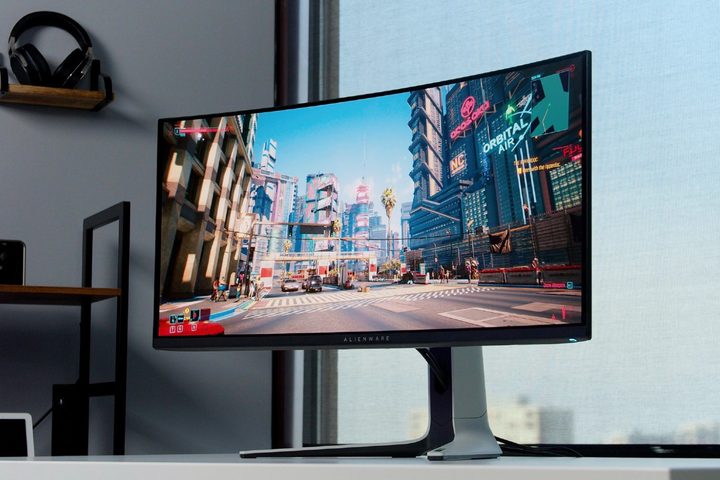
The mileage on PC varies so much because PC monitors have unstable standards for what constitutes HDR (even among the best HDR monitors). The DisplayHDR standard from VESA attempts to standardize the appearance of HDR on gaming monitors, but it has some major loopholes. Take the Samsung Odyssey G7 and MSI MPG32-QD as two examples. Both have DisplayHDR 600 certification, but the MSI monitor has twice as many local dimming zones. That leads to a much more natural HDR image despite the fact that both monitors have the same certification.
To make matters worse, the vast majority of HDR monitors available today only meet the lowest DisplayHDR 400 level — a certification that doesn’t even come close to the requirements of HDR. TVs, on the other hand, have much better HDR at a much lower price. The Hisense U8G, for example, gets much brighter than a gaming monitor and comes with full array local dimming (a feature you can only find on gaming monitors north of $1,200).

Lopez says developers are acutely aware of the difference between gaming monitors and TVs, and the teams at Ubisoft prioritize accordingly: “We assume the vast majority of players who are going to play our games on a HDR display will do so on a console plugged to a HDR TV, so it’s our main target. However we make sure all platforms look good in the end.”
Platform-agnostic

With the vast differences between HDR gaming monitors in mind, Lopez says the teams as Ubisoft “try to make the process as transparent and platform-agnostic as possible” to avoid duplicating work and speed up production pipelines. For that, Ubisoft uses the Academy Color Encoding System (ACES), which is a device-independent color space developed by the Academy of Motion Picture Arts and Sciences (yes, the Oscars people).
The main benefit of ACES is that it takes in all of the data and processes it down to the color space of the display you’re using. “Thanks to ACES, you can technically grade your game on an SDR display, and it will still be valid in HDR,” Lopez says. However, he also clarified that “it’s still better to master on an HDR display.”
Although a generalist approach is good for a multiplatform studio like Ubisoft, it can’t solve the issues that HDR gaming monitors have today. “HDR support on PC monitors has been lagging behind for quite a while compared to consumer TVs,” Lopez says.
Outside of the panels themselves, a key feature missing from all but a few gaming expensive gaming monitors is dynamic metadata. HDR 10+ and Dolby Vision are widely supported on TVs like the LG C2 OLED and consoles, which both offer dynamic metadata to adjust the color and brightness on a scene-by-scene or even frame-by-frame basis.

With static metadata, Lopez says that games set the minimum and maximum brightness values once at the start, essentially covering the entire spectrum of color possible for every possible lighting situation. “With dynamic metadata, we can determine the optimal range of min/max brightness per frame … and produce more accurate colors.”
Ubisoft, and likely most AAA studios, color games to look great on as many display as possible. But all of the effort still can’t reproduce the exact same image on every display, an issue that’s compounded by the fact that HDR gaming monitors are behind TVs in terms of panel technology and dynamic metadata. The result: Wildly different HDR experiences despite the developer’s intentions and effort.
HDR is a premium, even for developers

It’s easy to assume that a multibillion-dollar company like Ubisoft has a fleet of high-quality HDR displays to calibrate games with, but I still posed the question to Lopez. He says the vast majority of work still happens on SDR displays, while HDR is “usually assigned to a few key people equipped with consumer HDR TVs, or very specific calibrated HDR monitors.”
Lopez even shared a story about running game builds across the street to a different company to test HDR performance. “At some point, we had a deal with a high-end electronic product review company on the other side of the street. Some teams would take their game builds over there and have the opportunity to test on a wide range of consumer displays.”
“I’m confident we’re getting there.”
Although a large developer like Ubisoft has access to high-quality HDR displays, it’s safe to assume that smaller developers don’t have the same luxuries (especially given some of the hoops a developer like Ubisoft has needed to jump through). Lopez said this gap became all the more apparent during the pandemic, when the team had to lean on ACES as developers remotely connected to their SDR work desktops.
At the end of my Q&A, Lopez reiterated that HDR is not treated like the first-class citizen it should be. Much more development time and effort goes toward making a high-quality SDR version that, hopefully, offers a solid HDR experience on consumer TVs. Lopez seemed confident that HDR is improving, though: “It’s been a slow transition and adoption, but with the new generation of HDR consoles and vendors ramping up their production lines, I’m confident we’re getting there.”


