
I switch keyboards constantly, but after years of buying something new every few months to give it a try, I have a new rule: I’m never buying another full-sized gaming keyboard. I’m a changed man, free of the shackles of a number pad and media buttons, and I’m finally ready to go all-in on small form factors.
The best gaming keyboards have been dominated by full-sized options for years, but that’s starting to change. More mainstream keyboard builders are releasing TKL, 65%, and sometimes even 60% keyboards, so now is the time to jump on the small form factor train and give it a try.
Hello, desk space

I spend more time at my desk than I spend doing most other things, so I invested in a large desk years ago to make sure I never had to worry about desk space. At 80 inches, my desk is far from cramped. But I can still appreciate how much extra room I have without a full-sized keyboard.
Space only matters if you can actually use it, which is why the much friendlier TKL and 65% keyboard sizes end up working better for gaming. With a full-sized keyboard, I constantly had my gaming mouse bumping up against the side of my keyboard when I flicked around the screen, even with a high DPI setting. Smash your thumb into the side of a keyboard enough times, and you’ll be ready to pick up a Buy at Amazon .
Large keyboards have an unintended consequence of pushing your arms outward, too. It’s bad for your posture, and it’s downright uncomfortable. This is an even bigger problem if you play games as much as you type. Typing requires the keyboard centered on your desk, while gaming has it offset to the left (or right). A full-sized keyboard doesn’t give you much wiggle wrong to reposition, which is true on an 80-inch desk, not to mention a smaller desk space.
More than a number pad
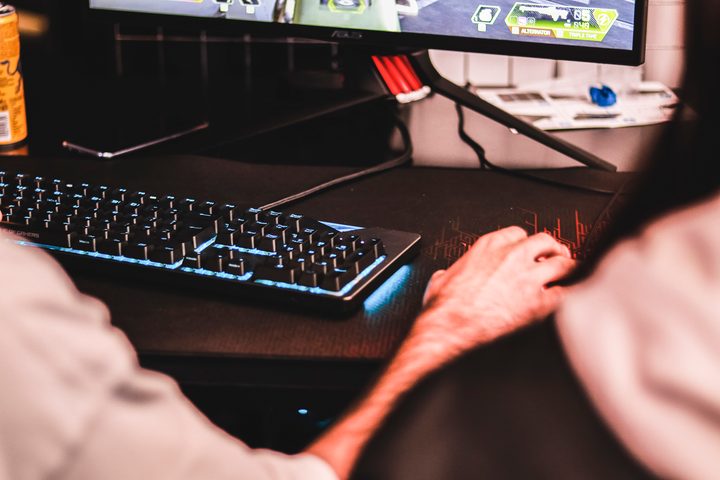
The next step down from a full-sized keyboard is a TKL, or tenkeyless, form factor. That implies that a TKL keyboard just cuts the number pad off, but that’s not usually the case. TKL keyboards also trim extra macro buttons and media keys in most cases, vastly cutting down the size compared to the full-sized version.
Logitech’s G915 TKL is a prime example. The TKL version trims the number pad, but it also cuts out nine macro keys. In addition, the volume wheel is smaller and the media buttons are repositioned to take advantage of free space at the top of the keyboard. The result: The TKL version is more than four inches shorter, measuring 14.5 inches compared to 18.7 inches on the full-sized model.
Many full-sized keyboards are fitted with extras that increase the size, too, like the AniMe screen on the Asus ROG Strix Flare II Animate or the OLED display on the SteelSeries Apex Pro. Smaller keyboards push out most of these extras, as well as repurpose the keys that are on the keyboard to provide functionality in a smaller size.
I don’t need the extra keys, and most gamers don’t either (unless you’re hell-bent on getting banned with a macro of some sort). A number pad is great for certain professional applications — Adobe apps and Pro Tools chief among them — but most games only require a few keys on the opposite side of the keyboard.
Wasting money
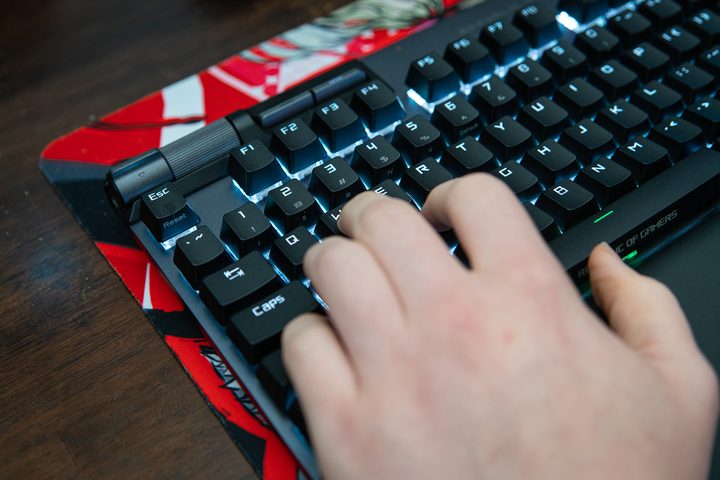
Smaller keyboards are almost universally cheaper than their full-sized counterparts, so spending extra for more keys you won’t use is wasted money. For years, I spent up for the option of maybe, one day, finding a use for the extra keys. But a few years have made one point abundantly clear: I was throwing money that I could spend on a gaming mouse or a headset down the drain.
Look at the SteelSeries Apex 7 as an example. The TKL version is $30 cheaper than the full-sized model. Other keyboard builders have even more aggressive pricing cuts. Razer’s Huntsman V2 costs $200, for example, but the Razer Huntsman Mini is a mere $120 by comparison.
Buying a smaller keyboard won’t always save you a ton of money — the TKL version of the Corsair K70 RGB Pro is only $10 cheaper, for example — but it’s still a nice perk. Settling for a smaller form factor can put you in a much different world of keyboards, too. The Akko 3068B and Keychron Q1 are both inexpensive, for instance, and they only come in smaller form factors.
Spoiled for choice
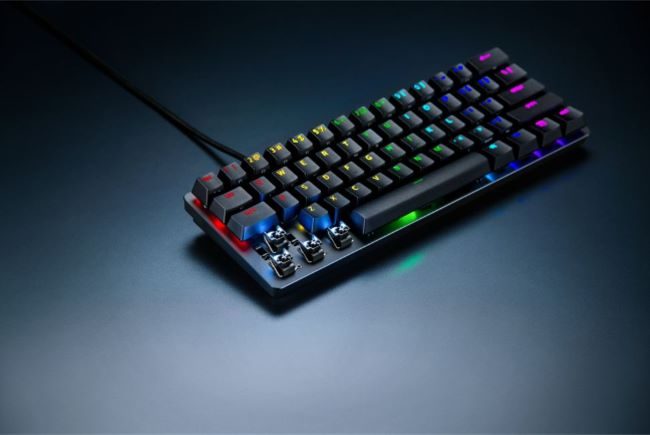
Smaller keyboards are becoming more common, so if you’ve been sitting on a full-sized keyboard and want to jump ship, now is the time. The recent SteelSeries Apex Pro Mini is the first 60% keyboard the company has ever released, and Razer and Corsair are both doubling down on their few 60% and 65% options.
Although smaller keyboards strip away some essential keys like dedicated function buttons, the trade-off is worth it. After years of slamming my thumb and spending a lot for keyboards I wouldn’t fully use, I’m finally ready to commit to tiny gaming keyboards going forward.


