

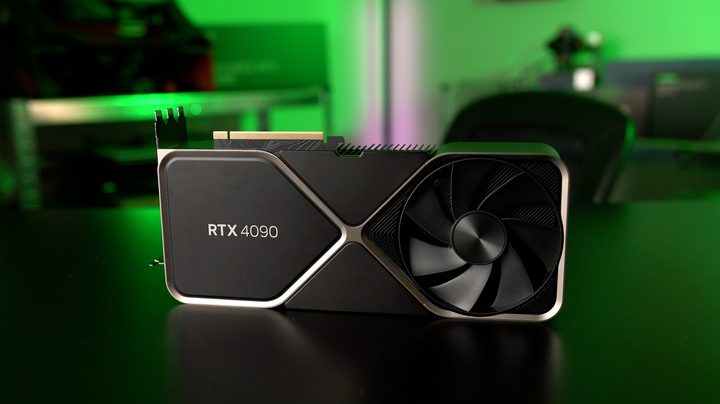
DisplayPort 2.1 became a much bigger talking point than expected when AMD revealed its upcoming RX 7900 XTX and RX 7900 XT GPUs. It’s the latest standard from DisplayPort, a revision to the 2.0 spec released in 2019, and it’s a natural inclusion for next-gen GPUs. There’s just one problem — Nvidia’s behemoth RTX 4090 still uses DisplayPort 1.4a.
Although the 1.4a spec is still more than enough for most people, the inclusion of DisplayPort 2.1 does give AMD an advantage this generation. No, I’m not here to sell you on 8K gaming — in some parts of the world, 8K may not even be possible — but for a crowd of competitive gamers and VR enthusiasts, DisplayPort 2.1 could mark a major shift.
An update four years in the making
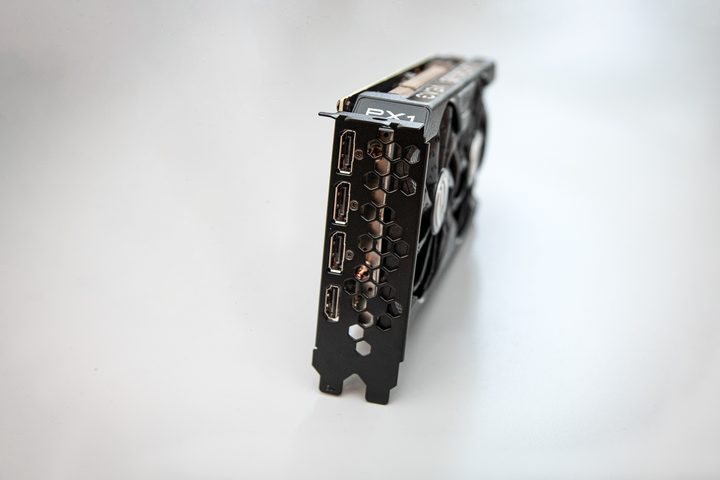
VESA, the company that defines and certifies the DisplayPort standard, released DisplayPort 2.1 in October 2022. It usually takes years for products to make their way to market supporting a new standard, but DisplayPort 2.1 isn’t all that new. It’s a refresh to DisplayPort 2.0, which launched in 2019, and a massive improvement over DisplayPort 1.4 that we’ve seen since 2016.
Like any new connection, it’s all about bandwidth. DisplayPort 1.4a, which you’ll find on all recent graphics cards short of the Intel Arc A770 and A750, as well as AMD’s upcoming RX 7900 XTX, tops out at 25.92 Gbps of maximum data rate. DisplayPort 2.1 goes up to 77.37Gbps (theoretical bandwidth is higher, in case you see different numbers, but this is the actual data rate possible across the cable). If you run some, admittedly complicated, math, you’ll find that the required data rate for 4K at 120Hz with HDR turned on is 32.27Gbps — higher than what DisplayPort 1.4a is capable of.
Monitors like the Samsung Odyssey Neo G8 support 4K at 240Hz with only DisplayPort 1.4a, so what gives? DisplayPort (and HDMI now) uses Display Stream Compression (DSC) to reduce the amount of data required. DSC isn’t mathematically lossless, but it is visually lossless. And it can reduce the required data by up to a 3:1 ratio, taking that 32.27Gbps number all the way down to 10.76Gbps. That’s great, and DSC is the only reason that DisplayPort 1.4a hasn’t been kicked to the curb already.
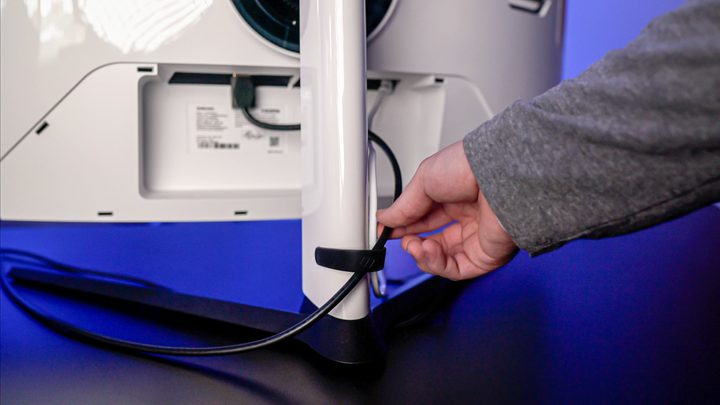
The problem is that the limitations of DisplayPort 1.4a are starting to crop up, even with DSC enabled. A theoretical 4K monitor at 360Hz wouldn’t be able to run at its full refresh rate, even with DSC compressing by 3:1 (the required data rate is 36.54Gbps, in case you were wondering). And higher color depths for HDR add even more bandwidth requirements, as do higher refresh rates and resolutions.
A 4K 360Hz monitor may sound insane now, but we have hardware capable of driving such a display. AMD is claiming 295 fps at 4K in Apex Legends and 355 fps in Overwatch 2. In addition, the RTX 4090 can push above 300 fps at 4K in Rainbow Six Siege, and the frame generation capabilities of DLSS 3 and the upcoming FSR 3 are sure to challenge the position of the 4K at 240Hz maximum we currently have on gaming monitors.
Most people don’t need that extra refresh rate, but let’s be honest; most people don’t need to spend $1,600 (or even $1,000) on a GPU, either.
We have the hardware
Strangely, we’re not waiting on hardware to take advantage of monitors. We’re waiting on monitors to show off new hardware. Samsung has already teased its “8K” Odyssey Neo G9 for CES this year — for the record, it’s not true 8K, but rather two 4K displays side-by-side in the 32:9 aspect ratio — and we expect to see at least a handful of 8K gaming monitors to be shown off at the show along Samsung’s display.
That display is a good touchstone, too. Assuming Samsung wants to keep with a 240Hz refresh rate like the current version has, you’re looking at a data rate above 45Gbps with HDR on (36.19Gbps with HDR off), and that’s with 3:1 compression. This is all theoretical at the moment, we need to wait until we see this display and other 8K options, but the numbers suggest that the RTX 4090 may not be able to drive them due to its DisplayPort 1.4a connection (at least at full refresh rate, DisplayPort is backwards compatible).

There’s no need to restrict this conversation to 8K or super high refresh rates at 4K, either. OLED TVs masquerading as gaming monitors are becoming increasingly popular, and they could see huge benefits from 5K and 6K resolutions. As I saw with LG’s UltraGear 48 OLED, the pixel density needs to be higher for such a large screen so close to your face. DisplayPort 1.4a can drive 5K and 6K with DSC, but not at refresh rates above 120Hz and not at higher HDR color depths.
That capping of data rate shows up in VR, as well. The Pimax Crystal, which is currently a Kickstarter campaign, should require around 29Gbps of data with DSC at 3:1 based on the specs. That’s within what DisplayPort 1.4a is capable of, but it’s reaching the limit.
From large form factor displays to VR headsets to higher refresh rates at 4K, DisplayPort 1.4a is starting to reach its full capacity. If both AMD and Nvidia stuck with DisplayPort 1.4a, that wouldn’t be a big deal. Display manufacturers would adapt to the capabilities of what’s currently in the market. But AMD is opening the floodgates with its new GPUs.
An important distinction, but not a selling point

Out of all of the things to base a buying decision on, the DisplayPort standard should be very far down on that list. We still need to see how AMD’s new GPUs perform, what features like FidelityFX Super Resolution (FSR) 3.0 will bring, and if pushing past the barrier gaming monitors are at now even makes sense.
That’s where the trend is heading, though, and the difference between DisplayPort 1.4a and 2.1 might become more relevant much faster than we anticipated — at least for a high-end class of gamers who want to experiment with bleeding-edge tech.


