

With surprisingly little fanfare — no spring event this time — Apple has dropped an update to the MacBook Air a bit sooner than expected. The incredibly thin MacBook Air 13- and 15-inch models both received updates to the Apple Silicon M3 chipsets, but that’s not all.
There’s one surprising new feature in the mix that could make a big difference in purchasing decisions: support for multiple monitors with the display closed. As this was the major complaint of the previous MacBook Air, this change is a pretty big deal. While it still supports only a total of two screens, it’s a positive change for those that want to connect to two large, external monitors for work.
Meanwhile, the now-relegated M2 MacBook Air M2 13-inch machine takes over Apple’s entry-level option at a competitive $999, which is a decrease of $100.
A modest upgrade in CPU and AI performance
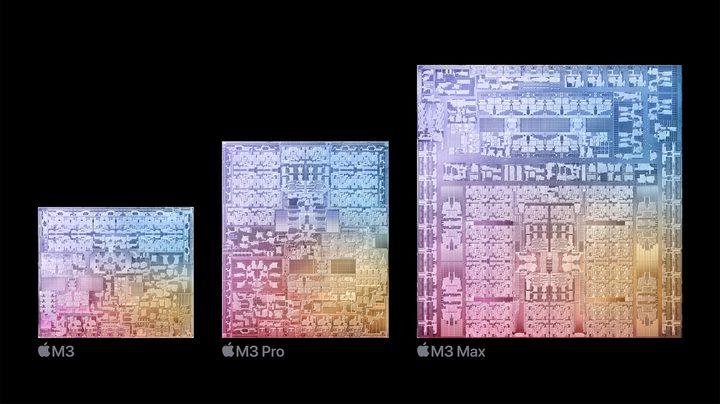
The M3 chipset offers the usual speed bumps ushered in by a new generation of processors. According to Apple, the 13-inch M3 is up to 35% faster than the older M1 model when working in Excel. It’s up to 60% faster in Apple’s Final Cut Pro. And Photomator’s Super Resolution function is up to 40% faster in using AI to enhance an image.
That’s thanks to Apple’s move to a 3nm process that increases performance while improving efficiency. Each M3 performance core — the core counts stay the same between the M2 and M3 — is 30% faster than M1 cores and 15% faster than those in the M2. The M3 comes in an 8-core CPU (four performance and four efficiency) and 8-core GPU version and an 8-core CPU and 10-core GPU version. All versions have the same 16-core Neural Engine that’s faster than in the previous version, likely accounting for the AI improvements mentioned above.
We tested the M3 chip in the latest iMac, and it provided a significant uptick over the M2. The MacBook Air may not be quite as fast, given its smaller chassis, but in Cinebench R23, the M3 iMac was 26% faster in single-core performance and 25% faster in multi-core. Doing some math, compared to the M2 MacBook Air 13-inch, the M3 version should provide a roughly 16% improvement in single-core performance and 5% in multi-core.
Apple also touts the Neural Engine, along with CPU and GPU accelerators that will speed up on-device AI functionality. That’s in line with the industrywide AI push that’s seen Intel and AMD both incorporate Neural Processing Units (NPUs) in their latest chipsets.
A more significant upgrade in GPU performance

While the M3 is likely to provide a meaningful upgrade in CPU performance, it’s in the GPU that the magic happens. Apple introduced several new GPU features that are sure to provide massive improvements in graphics performance. Dynamic Caching is a memory architecture that makes the architecture’s unified memory perform more efficiently, increasing GPU utilization and speeding up performance in games and apps like Adobe Premiere Pro that can use the GPU in various demanding tasks. Mesh shading is now supported in hardware, a significant boon for gamers, and the M3 GPU also supports hardware-assisted ray tracing.
We’ll have to test the new laptops ourselves, but Apple promised 60% faster frame rates in No Man’s Sky over the M1. The 60% improvement in Final Cut Pro mentioned above is likely down to the faster GPU, rather than the CPU improvements.
Everything else is the same
While the M2 MacBook Airs are fast laptops, the M3 brings Apple’s thinnest machines up to speed, especially on the GPU front. This will be important for the rest of the year, especially with Qualcomm’s upcoming Snapdragon X Elite ARM chips, which are claimed to be even faster than the M3. In addition to the external display enhancement mentioned above, the new models also bump wireless connectivity to Wi-Fi 6E from the older Wi-Fi 6.
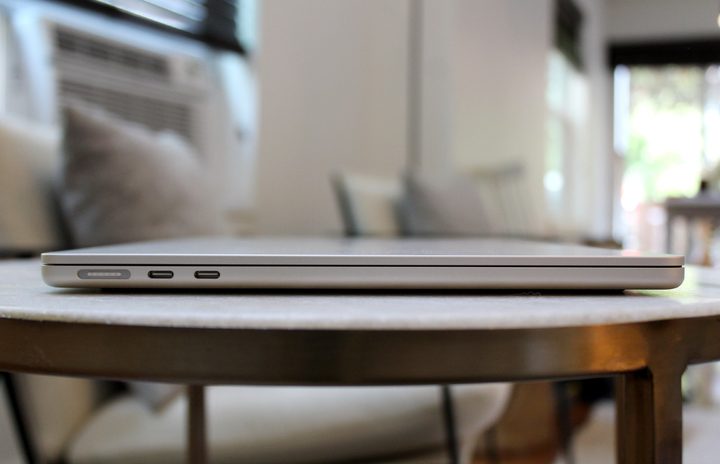
Otherwise, the MacBook Air 13- and 15-inch models remain the same. The same incredibly thin and light chassis are on hand, with the 13-inch model coming in at just 0.44 inches and 2.7 pounds, and the 15-inch model at 0.45 inches and 3.3 pounds.
The current M2 model has dropped in price, now starting at $999 for the base model with an 8-core CPU/8-core GPU M2, 8GB of RAM, and a 256GB SSD. That model can be upgraded to an 8-core CPU/10-core GPU M2, 24GB of RAM, and a 2TB SSD for $2,199.
The M3 will be priced the same as the original M2, at $1,099 for the 13-inch base model and $1,299 for the base 15-inch. Fully upgraded to the maximum 24GB of RAM and 2TB of SSD storage, the 13-inch costs $2,299 and the 15-inch $2,499.
Apple expects the M3 MacBook Airs to ship on March 8. Discerning buyers will want to skip the base model and jump to 16GB of RAM, which has been shown to provide a serious increase in performance over 8GB of RAM. The 512GB models will also provide faster SSD performance than the 256GB options. For those on a budget or who aren’t gamers or creators, the M2 models will provide excellent performance at a very attractive price.
Just remember that if you want to connect more than one external monitor, the M3 MacBook Air is the option you’ll want.


