
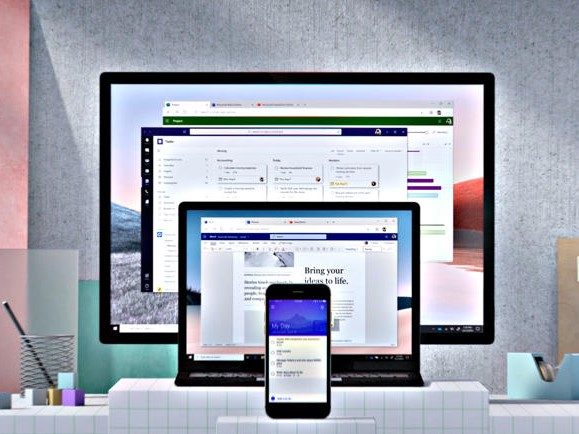
Microsoft Office is one of the most popular programs on Windows 11, as well as macOS. Office is even available on iPhones, Android devices, and Chromebooks.
So, how do you purchase Microsoft Office? It's pretty easy, but there's something to understand. There's two types of Microsoft Office out there. You can subscribe to Microsoft Office with Microsoft 365 and then download the app from your respective app store on your device to use it on up to five devices.
You also can pay for standard Microsoft Office, currently Office 2021, without worrying about a subscription, and use it on a single PC or Mac. We'll cover all the methods here for you to make sure you choose the best option for yourself.

How to buy Microsoft Office on Windows through the Microsoft Store
If you're on a Windows PC, the easiest way to buy Microsoft Office is through the Microsoft Store. Just launch the store, search for Microsoft 365 in the search bar, and follow the steps below.
Note you can purchase two subscriptions. There's Microsoft 365 Personal, which is for individuals and costs $70 a year or $7 a month. There's also Microsoft 365 Family, which costs $100 a year or $10 a month and can be shared with up to six people.
We cover Office 2021 in a later section, should you not want to subscribe.
Step 1: Launch the Microsoft Store. Look for the app in your Start Menu or Taskbar.
Step 2: Enter Microsoft 365 Personal or Microsoft 365 Family into the search bar.

Step 3: In the resulting page, click on the button with the price. Your credit or debit card tied to your Microsoft Account will be charged.

Step 4: Once that's complete, you can choose the Install button and find the Microsoft Office apps listed in the Start Menu. The apps will download one by one.

How to buy Microsoft Office from another device using a code from a retailer
If you don't have a Windows PC, or you're on a Mac, there's an alternate way to buy Microsoft Office. You can purchase a download code at a third-party retailer like Amazon or Best Buy. Frequently, you'll see sales on Office at lower prices. You can then use the code at Microsoft's website to redeem a traditional download.
Step 1: Note down the code. You'll see it in an email, or in a receipt from the retailer you purchased Office from.
Step 2: Head to Microsoft's website. Sign in with a Microsoft Account. This account will be used to activate your license and redownload the apps later.

Step 3: Enter the code that you received and press Next.
Step 4: You'll be prompted to download the applications. Follow the steps on your screen.
Step 5: Your Office subscription will be tied to your Microsoft Account. In the future, you can redownload the apps from your Microsoft Account dashboard. Just choose Services and Subscripions and then Install Microsoft 365 on all your devices.

How to buy Office 2021 online
If you're not into subscriptions and want to permanently own Office, you can purchase Office 2021 as a standalone piece of software. This version of Office works on a single PC or Mac, and you can pay upfront. A typical license costs $160. It only works on one PC or Mac, and there is no access to the mobile or web applications for iPhones, Android devices, or Chromebooks.
Step 1: Purchase a download code for Office 2021 from a retailer. Some retailers might offer a traditional physical version as a USB installer, but this has become rare. If your version is a USB installer, insert it into a USB port on your compute, and follow the steps on your screen. Otherwise, skip to the next steps.
Step 2: Note down the code. It will be in your email or on your receipt.
Step 3: Head to Microsoft's website and enter in your product key.
Step 4: Follow the steps on your screen to download your Office 2021 applications.
Buying Microsoft Office is pretty simple. You have three options. For Microsoft 365, you can buy a subscription from the Microsoft Store on Windows, or use a code from a retailer. For Office 2021, you can buy a physical USB installer from a retailer, or a download code from a retailer, and then redeem Office online.
Once you redeem, you can use Office 2021 on a single PC or Mac. Or, with Microsoft 365, you can use it on five different devices, including Chromebook, iPhones, Android tablets. You'll just have to download the respective app from your app store, and sign in with your Microsoft Account.


