  1. Home
  2. Phones
  3. Mobile
  4. How tos

How to view Instagram without an account

Add as a preferred source on Google
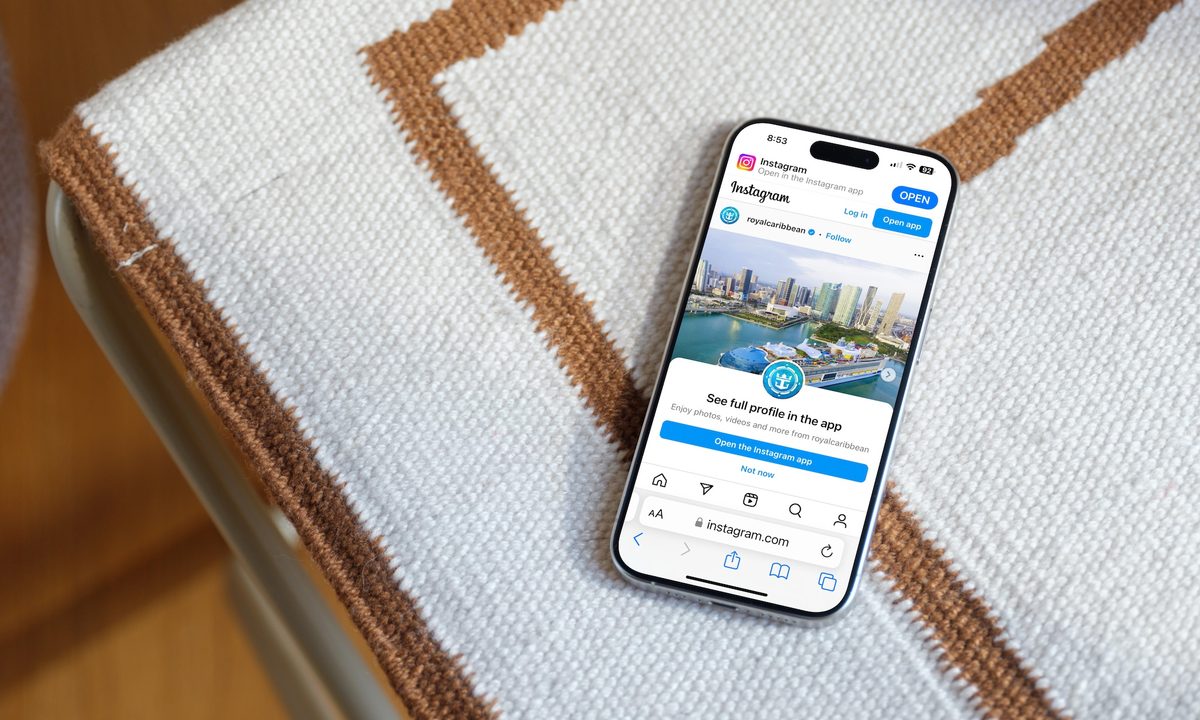
An iPhone 15 Pro Max showing Instagram via a web browser.
Bryan M. Wolfe / Digital Trends

Instagram is one of the largest social media platforms on the planet. Whether you want to share a family photo, what you had for lunch at your favorite cafe, or a silly video of your cat, Instagram is the place to do it.

Recommended Videos

Difficulty

Easy

Duration

5 minutes

What You Need

  • A mobile device or computer with internet access

But here's the thing: Not everyone wants to make an Instagram account. What if you want to keep up with what your friends/family members are posting, but you don't want an account for yourself? Is that even possible?

If you don’t have an Instagram account, there is a way to search for information on current Instagram users. You can easily do this in just a few simple steps, even if you’re not logged in. Here’s a guide on how to view Instagram accounts without an account or login.

An iPhone 15 Pro Max showing Instagram via a web browser.
Bryan M. Wolfe / Digital Trends

Do you need an Instagram account to view Instagram?

Do you need an Instagram account to view Instagram? Yes, you do need an Instagram account to use the Instagram app for Android-based devices or iPhones and to access the home page.

And yet, you can still view Instagram profiles without an account. All you need is an internet-connected device and a web browser.

How to view an Instagram profile without an account

Here are the steps to follow to view an Instagram profile without being logged into an Instagram account.

Step 1: Access the profile you wish to view by entering https://www.instagram.com/username in any web browser on a computer or mobile device, like the iPhone 15, where username is the name of the profile you wish to find.

Step 2: To view a photo or video on the profile, simply tap it. You can also right-click on the image or press and hold on the image.

Step 3: By clicking/tapping Open Image in New Tab (or Open Link in New Tab or Open), you can avoid logging in or signing up for an Instagram account, yet still view the image you've selected.

Screenshot showing how to open a photo or video on Instagram without being logged into an Instagram account.
Digital Trends

Step 4: From there, you can view the image. If it’s a video, click on it to play it. You can also scroll down and view the comments on the post.

Screeshot showing comments on an Instagram account via the Instagram app for iPhone.
Digital Trends

If you don't have an Instagram account, you can't comment on a post, post your own photos, or really do anything beyond viewing other people's profiles. Ideally, you should have an Instagram account to maximize your use of the service. But if viewing profiles is all you want to do, and you really don't want an Instagram account, this should have you covered.

Bryan M. Wolfe
Former Mobile and A/V Freelancer
Bryan M. Wolfe has over a decade of experience as a technology writer. He writes about mobile.
5 iPhone apps I cannot live without in 2026
If I had to start fresh with a new iPhone tomorrow, these are the first five apps I'd download.
iPhone showing apps

I love testing new apps on my iPhone. Every year, new apps get installed and removed, with very few sticking around for the long haul. Despite my habit of testing and switching apps regularly, some have stuck around, which is a testament to their quality. 

These are also the most used apps on my iPhone and the first ones I install whenever I set up a new iPhone from scratch. Here are 5 iPhone apps I cannot live without in 2026. 

Read more
Samsung Galaxy S26 Ultra review: After four months of testing, I can’t part with it
A phone you buy for consistency, versatility, and long-term usage plans. It's pricey, but justifiable.
Samsung Galaxy S26 Ultra smartphone in blue color.

View at Samsung

Quick review

Read more
Google really wants Gemini involved in every part of your phone now
Gemini is getting deeper access to your Google Contacts on Android
Google Gemini Live Feature

Google is continuing its push to make Gemini a central part of Android by giving the AI assistant deeper integration with Google Contacts. A newly discovered update suggests Gemini may soon handle contact-related tasks more directly, potentially turning it into a more capable personal assistant for calls, messaging, and everyday communication.

According to a report by 9to5Google, the latest Google app beta includes references showing that Gemini integration with Google Contacts is expanding beyond basic assistant functions. The feature appears designed to let Gemini interact more naturally with saved contacts, helping users quickly find people, initiate communication, and manage relationship-based tasks through conversational commands.

Read more