Signal has long been one of the most secure messaging apps available. It uses end-to-end encryption, collects very little data, and offers features like disappearing messages to keep conversations private. For many users, it’s the go-to app when privacy actually matters. While that hasn’t changed, a recent case shows how parts of your conversation may still be exposed. The good news is there’s an easy way to prevent this.
How the FBI recovered Signal messages from an iPhone
According to a report by 404 Media, the FBI recently managed to recover deleted Signal messages from an iPhone. The method did not involve breaking Signal’s encryption. Instead, investigators retrieved the messages from data stored by iOS itself.
To understand how this works, it helps to know how iPhones handle notifications. When message previews are enabled, iOS temporarily stores parts of incoming messages so they can be displayed in the notification preview. That data can persist outside the app, even after the messages are deleted within Signal or the app itself is deleted.
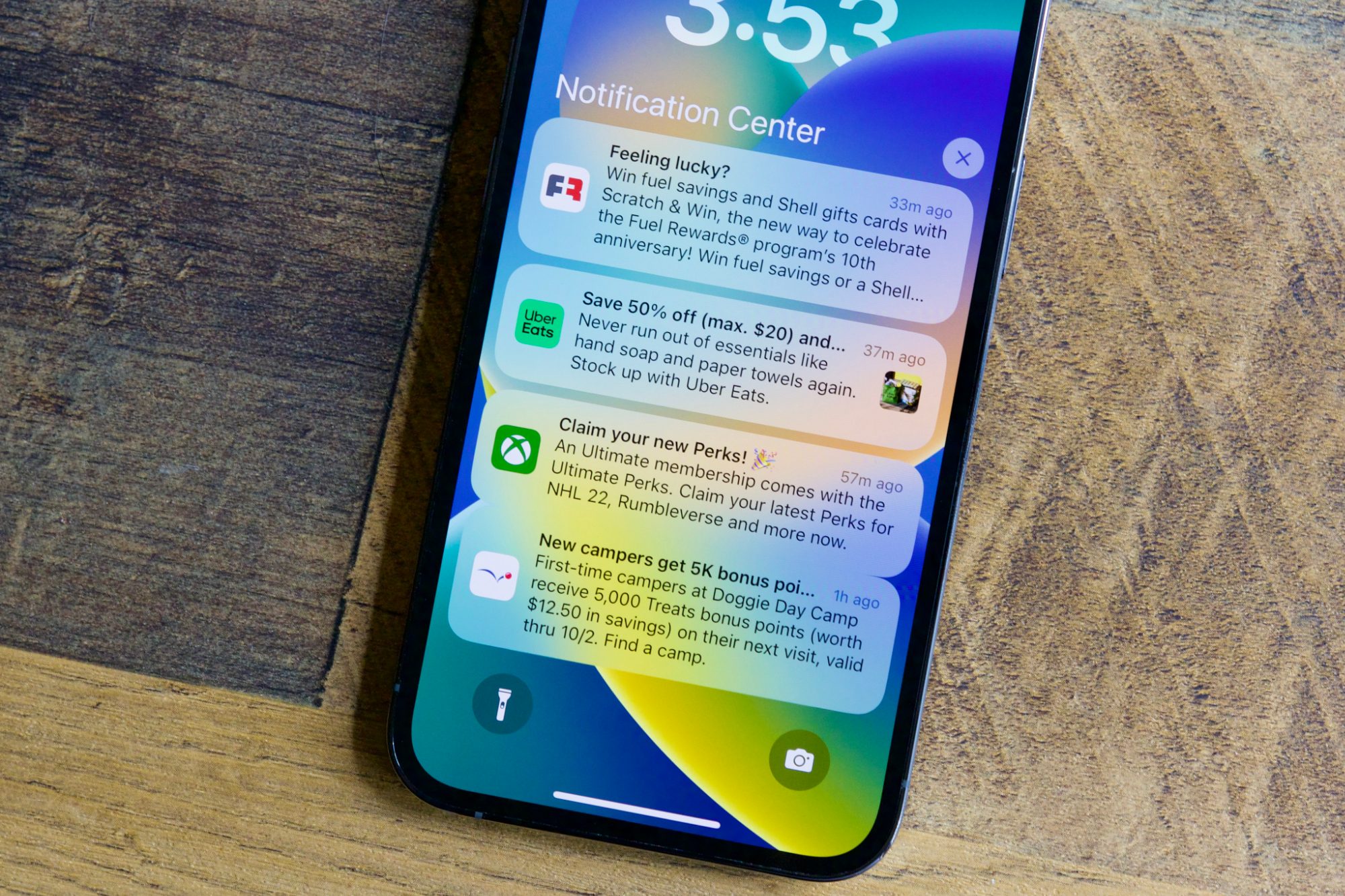
In this case, the FBI reportedly extracted those cached notification previews. Only incoming messages were recovered, based on available details, but that still means part of conversations can exist beyond Signal’s encrypted environment.
It’s worth noting that this is not a flaw in Signal’s encryption. Messages remain secure in transit and within the app. The issue lies in how iOS handles convenience features like notification previews, which can create a secondary copy of message content.
How to stop your iPhone from exposing Signal messages
There are two ways to plug this loophole. One involves changing your iPhone’s settings, while the other focuses on Signal itself. The former stops iOS from storing message previews, while the latter limits what the app allows to be shown outside its encrypted environment.
If you don’t want iOS to make a copy of message content, you should disable notification previews. To do this, head to Settings > Notifications > Show Previews, and set it to “When Unlocked” or “Never.” The first option ensures message content is only shown in previews when your phone is unlocked, while the second disables previews entirely and is the safer choice.
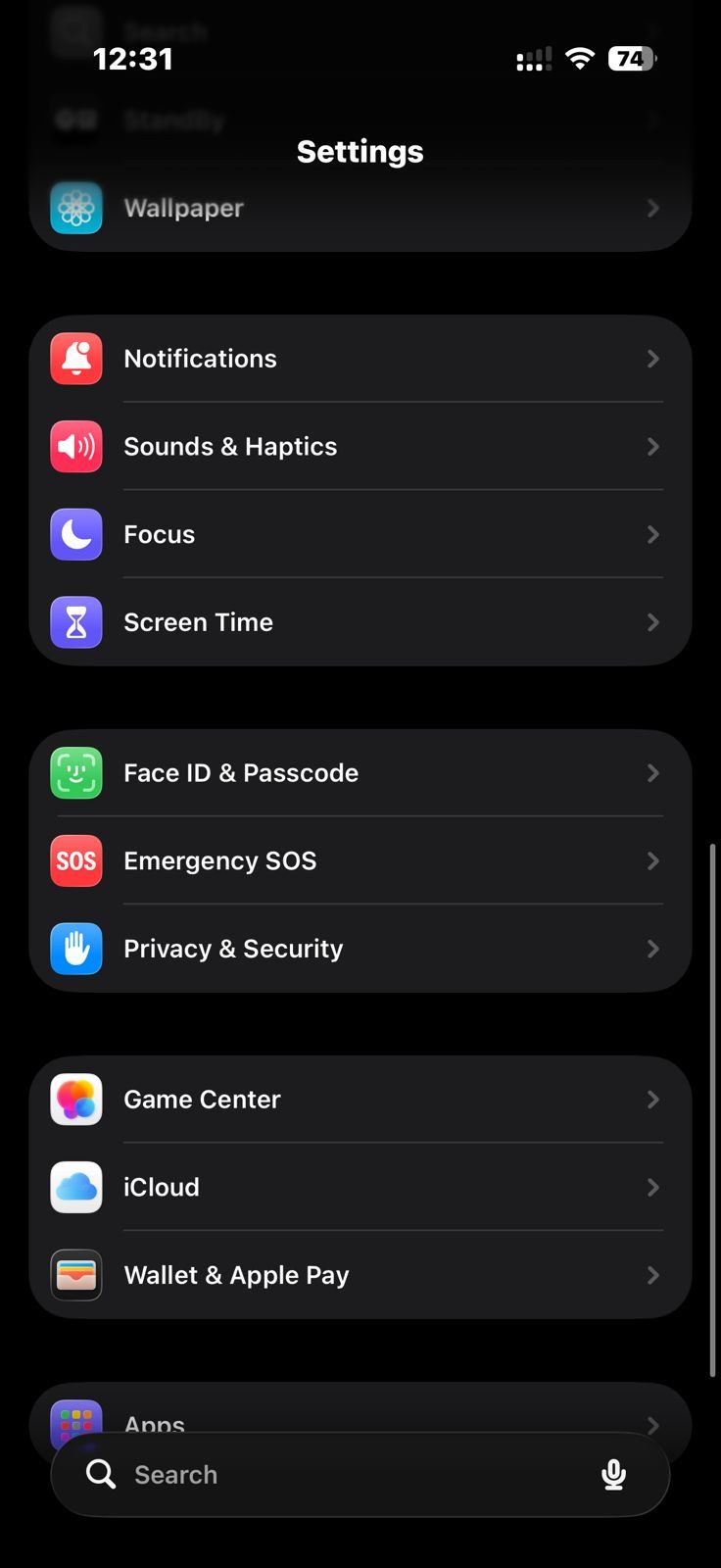
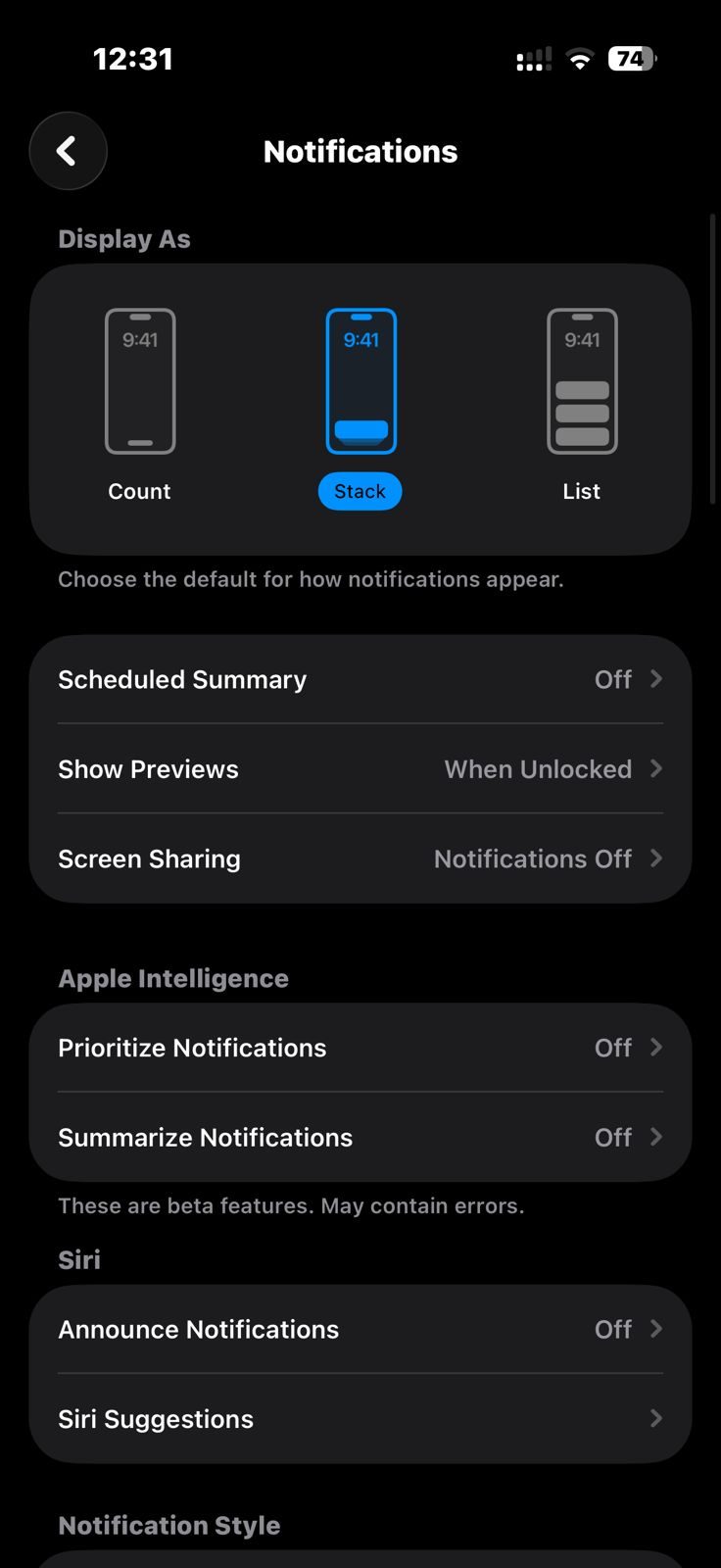
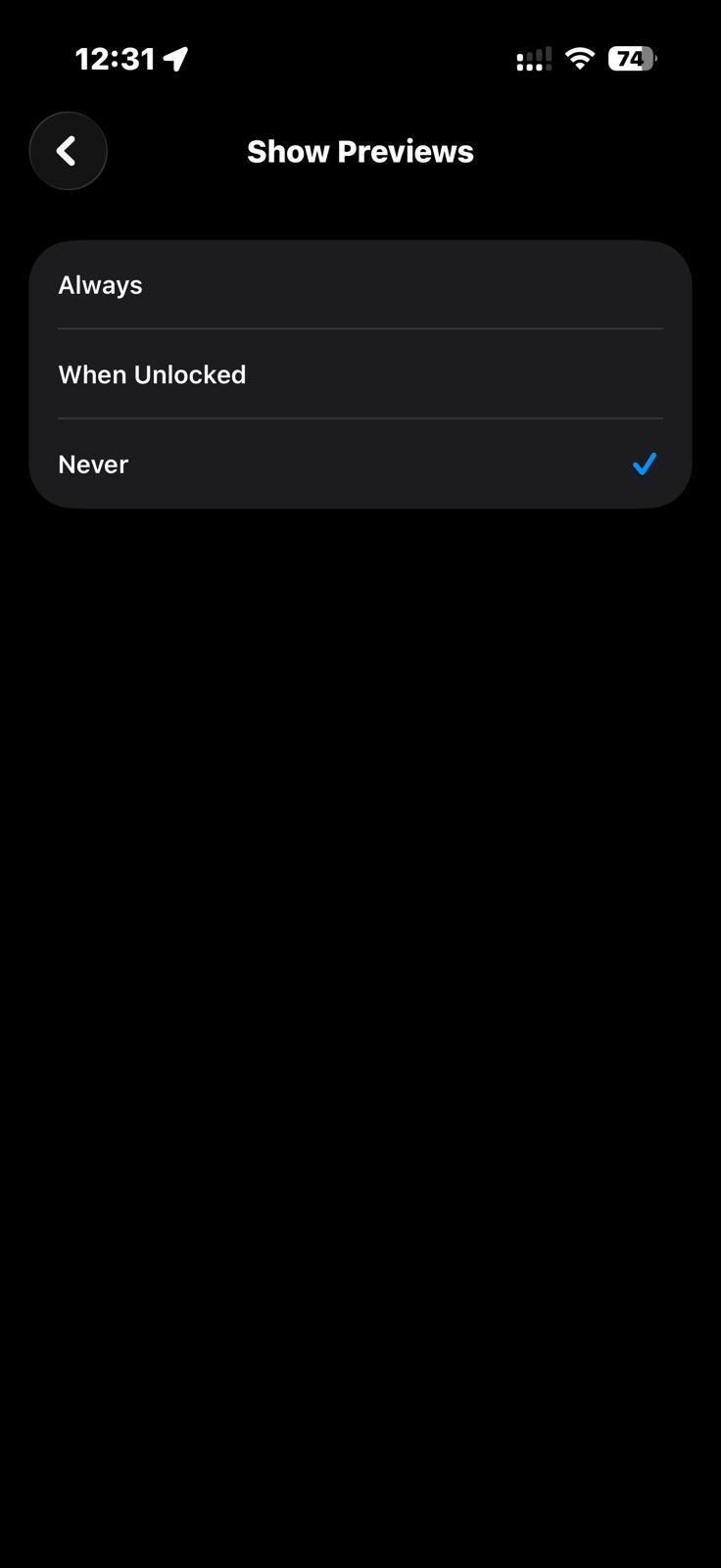
This method works well if you use multiple apps for private conversations, as it doesn’t require adjusting settings for each one individually. However, if you still want previews for other apps while disabling them for Signal, you can tweak the app’s settings instead.
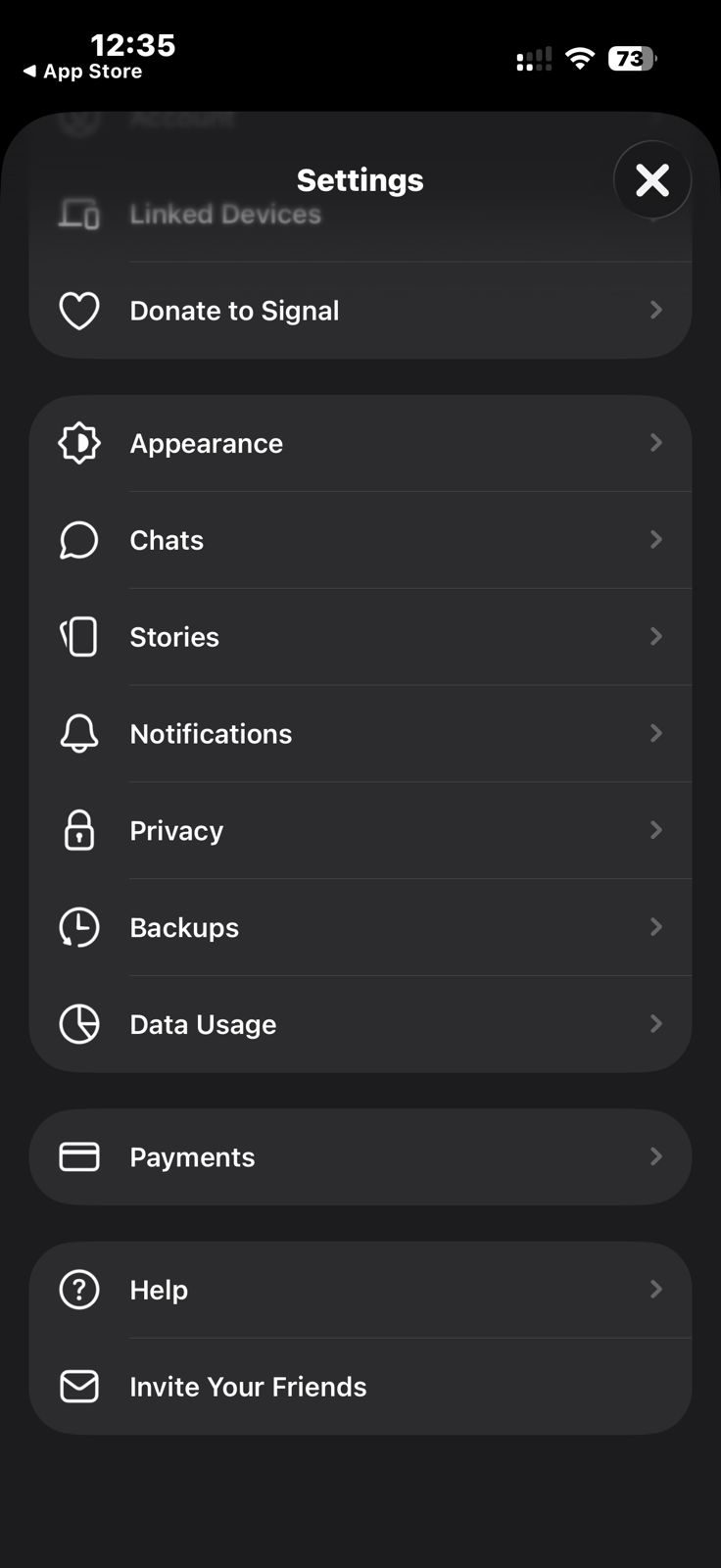
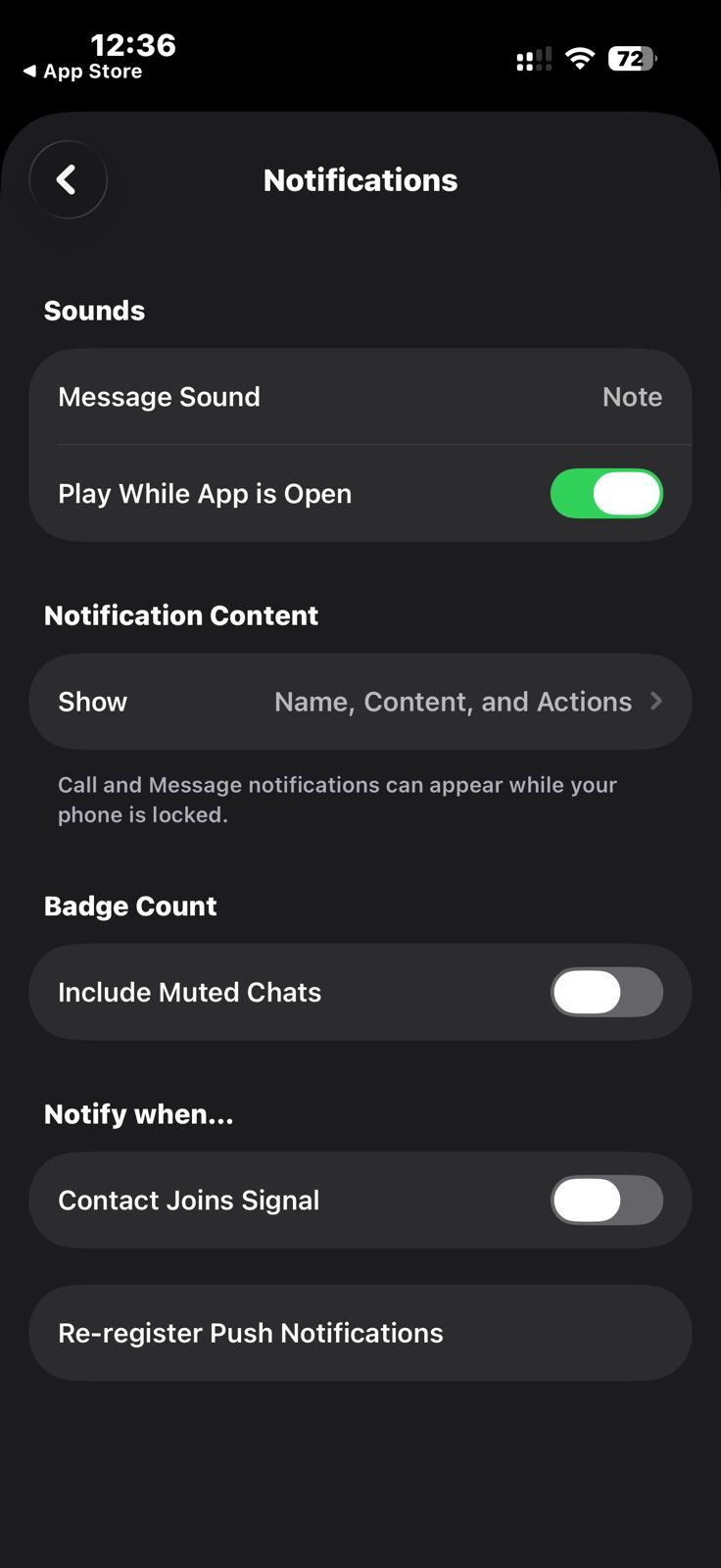
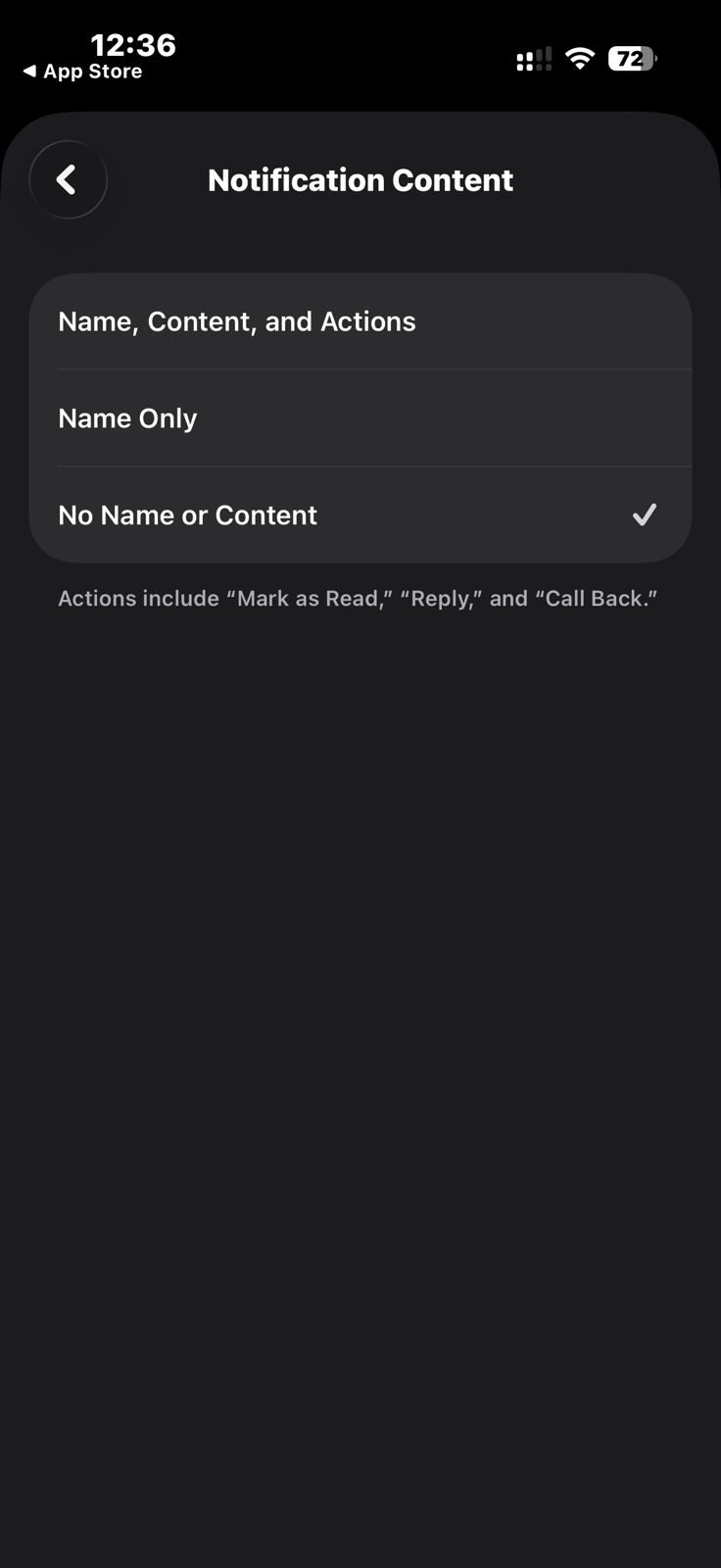
Open Signal, tap the profile icon in the top left corner, and go to Settings > Notifications. Then tap on “Show” under the Notification Content section and select either “Name Only” or “No Name or Content.” This prevents message content from appearing in notification previews while still allowing you to receive alerts.
What this means for your privacy
This isn’t something most users need to worry about on a day-to-day basis. The kind of data extraction used in this case requires physical access to the device and is not a widespread vulnerability being exploited by authorities.
But it does highlight how privacy works in practice. Using a secure app is only part of the equation. The operating system, its default settings, and even small convenience features can affect how your data is actually protected.
Signal is still one of the most secure messaging apps you can use. But if you rely on it for private conversations, it’s worth taking a few minutes to make sure your iPhone isn’t undermining that security.