


Apple’s Worldwide Developers Conference (WWDC) is less than a month away, meaning it’ won’t be long before we find out exactly what sort of updates are coming to macOS 15. It’s always an exciting time for Mac users, as we get to find out what Apple is doing to tune up its operating systems and improve the Mac experience for all of us.
By this stage, we’ve already seen a bunch of intriguing leaks hinting at what’s coming in macOS 15. There are a few things I really want Apple to fix, as well as plenty of cool features heading our way if the rumors prove to be correct.
Here are the five things I’m most looking forward to in macOS — assuming they make the cut, of course.
AI photo editing
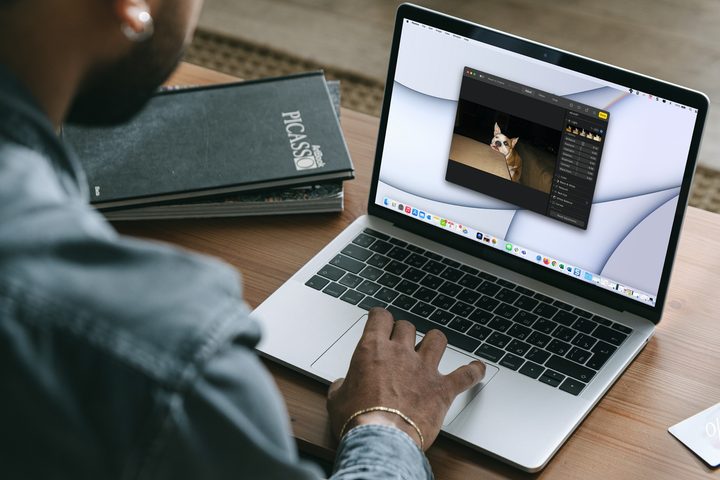
Over the last year or so, the world has gone absolutely mad for artificial intelligence (AI). Apple is no exception, and there have long been rumors that we are on the brink of getting an AI chatbot in macOS and Apple’s other operating systems.
Personally, I can pass on chatbots. While tools like ChatGPT grab all the headlines, I almost never use them in my daily life, and I don’t think adding one to macOS is going to change that. But there’s one application of AI that has really piqued my interest: photo editing.
Over my years of iPhone usage, I’ve built up a huge library of photos (34,358 at the latest count). Editing them on a Mac is preferable to fiddling with an iPhone’s small screen, but it can still be a very laborious task, especially when you’ve got so many to sort through.
Throw AI into the mix, though, and things could become a whole lot easier. Information gleaned by AppleInsider suggests Apple will use generative AI to enhance the Photos app’s editing abilities, with one leak pointing toward a Clean Up function that will let you select an area of an image and have the app remove objects and tidy up your work. It’s not as glamorous as an AI chatbot, but (in my view at least) it’s a lot more practical.
There’s little doubt that Apple has other AI tricks up its sleeve that will enhance the photo-editing experience, and I’m looking forward to seeing them in action.
Siri and Shortcuts

Apple’s Shortcuts app is a fantastic tool for any Mac user, with a huge range of options and abilities that can help you automate repetitive tasks and perform complex actions in just a few seconds. But understanding it — and then putting it to good use — can be both time-consuming and complicated, which likely puts a lot of people off from using it.
Fortunately, there are rumors from The Information that Apple is working on pairing Shortcuts with the Siri voice assistant, with AI as the glue that binds them together. That means you might be able to run intricate tasks on your Mac by simply asking Siri to get to work. Right now, Siri’s capabilities are limited, and asking it to carry out anything complex — especially something that would involve building a workflow in Shortcuts — is close to impossible. But with artificial intelligence interpreting your commands, that might all change in macOS 15.
In fact, Apple is planning a major overhaul of Siri, with the tool being infused with AI to make it a whole lot more useful than it currently is. There’s potential that it could end up working similarly to Microsoft’s Copilot — that is, as an AI helper embedded into a number of apps that is able to summarize messages, draft emails, rewrite paragraphs, and a lot more. That’s the kind of everyday practicality that could finally remodel Siri into a top-tier assistant.
You’ve got Mail
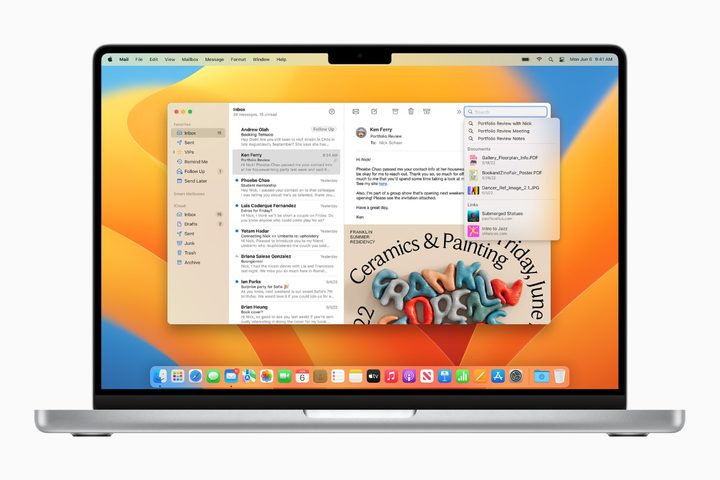
Apple’s Mail app is in dire need of modernization. I wouldn’t say it’s a bad email app, but with so many fantastic rivals out there, there are precious few reasons to use it as your preferred option. And with an AI-powered overhaul expected at WWDC, I’m keen to see what Apple comes up with.
We’ve not received much in terms of specific details here — Bloomberg’s Mark Gurman has just claimed that Mail is one of several apps that are getting an AI overhaul at WWDC — but having an AI assistant to help me draft emails could save me a bunch of agonizing over the right way to word a sensitive message.
I’d also love to see some kind of automatic inbox filtering, whereby newsletters and notifications are filed into their own tabs or folders and permanently kept out of my inbox. Sure, you can do that manually right now using rules and filters, but I want to spend less time in my email app, not more. Apple could also use AI to quickly summarize long email threads, suggest the most important messages to reply to, separate work emails from personal ones, and more. With AI widely expected to augment Mail in the coming weeks, I’m hoping we get the kind of revamp that Apple’s app desperately needs.
AI-enhanced Spotlight
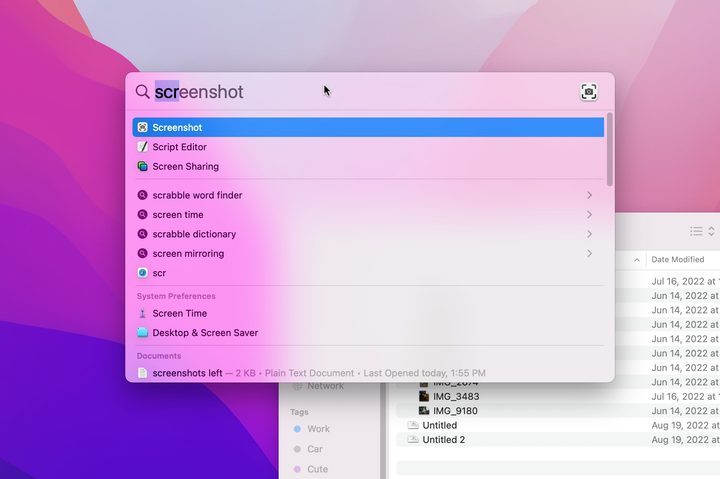
Spotlight is one of those features that I often take for granted in macOS, as when it comes to opening apps or finding files, it’s pretty good. But I’ve always felt it has a lot more potential than it’s been able to live up to. Fortunately, there are whispers that it’s going to get a lot more love at WWDC, and that could transform it into one of the most useful aspects of the macOS operating system.
The rumors are a little thin on the ground at the moment, but what has been revealed is pretty enticing. AppleInsider, for instance, cites “information that could be verified independently through people familiar with [Apple’s] software” to claim that “Spotlight will get much better with more intelligent results and sorting.” The outlet doesn’t elaborate much beyond that, but it’s an alluring prospect.
Bloomberg’s Gurman, meanwhile, has claimed that Apple is working on a new version of Spotlight that “would be able to toggle between specific features within apps and answer complex questions based on data trained from large language models.”
Reportedly, early versions involve using AI to “answer more complex questions and the ability to tap deeper into apps to launch specific functions.” Imagine opening Spotlight and typing “Add a dentist appointment to my calendar for tomorrow at 3pm.” Functionality like that would transform Spotlight from a file and information retriever to a much more proactive helper. It could become the first thing you open when you boot up your Mac and the last thing you use before you shut it down.
Topographic maps
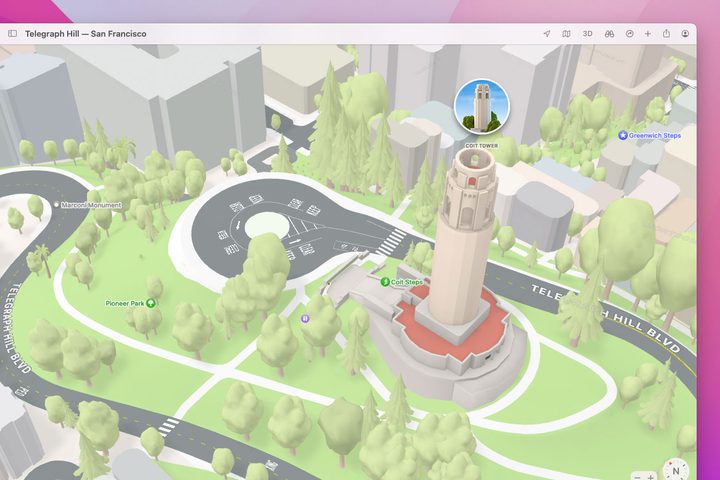
In the years since the disastrous launch of Apple Maps, the app has rapidly improved to such an extent that I find it both more detailed and more reliable than Google Maps. But there’s one feature rumored for macOS 15 that could make Apple’s app even better (and no, this one isn’t related to AI): topographic maps.
This feature first debuted in the Apple Watch Ultra, and it’s a real boon for hikers, walkers, or anyone who wants to spend time in the great outdoors. With contour lines added to your maps, understanding what kind of inclines you’re likely to encounter can rule out unpleasant surprises and help you plan your excursions with much more accuracy.
According to code seen by MacRumors, Apple is planning to roll out topographic maps in macOS 15, iOS 18 and visionOS 2. While having it on my iPhone would be useful while I’m out in the field, seeing this more detailed map view when I’m at home and planning a hike would give me all the info I need before I even set foot outside the house.


