  1. Home
  2. Phones
  3. Mobile
  4. News

Find local concerts on Spotify through new playlist

Add as a preferred source on Google
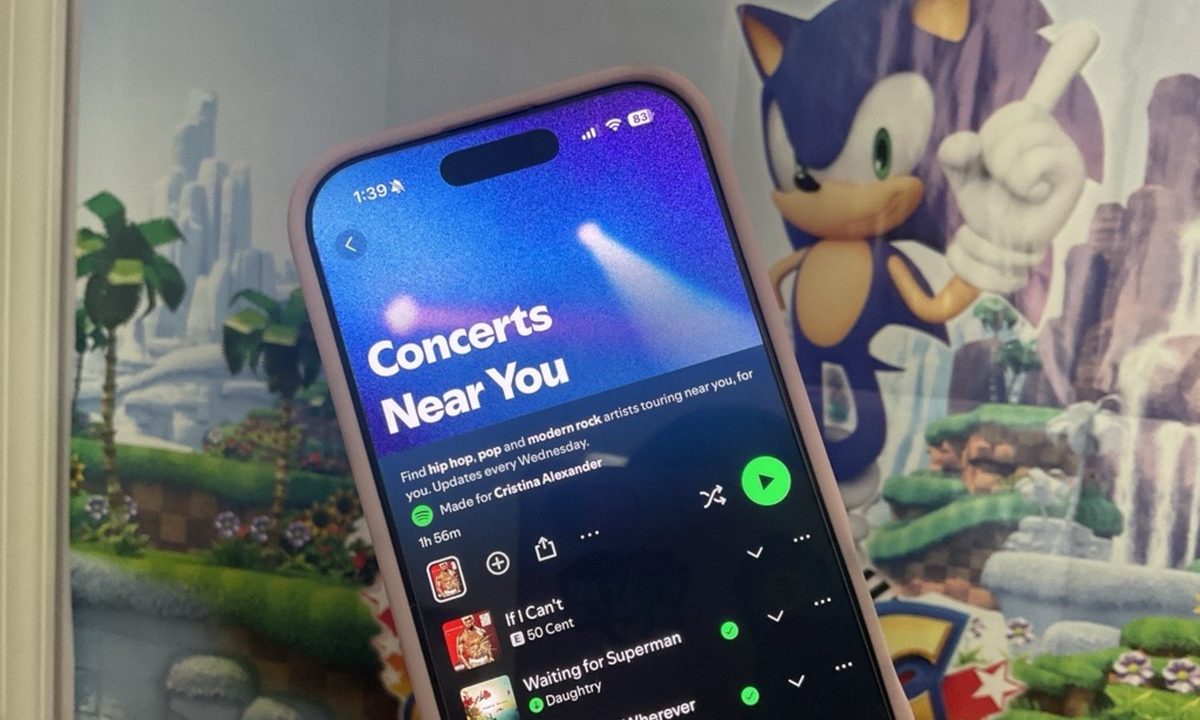
Concerts Near You playlist on Spotify.
Cristina Alexander / Digital Trends

The next Sabrina Carpenter concert may arrive even closer than you think. Spotify has launched the Concerts Near You playlist to help you find when your favorite artists are performing in your hometown.

The music streaming platform announced in a press release Thursday that it is rolling out the new playlist to give listeners an idea of what concerts are coming up and where they’re playing based on who they’re listening to. The playlist is updated every Wednesday with 30 songs from artists you listen to frequently and those you don’t (because it only shows you songs from your favorite genres). Each song has a dropdown button that gives you details about a certain artist’s next concert date and venue, which then takes you to the event page for more details so that, if you plan on attending that concert, you can get tickets and mark the date on your calendar.

Recommended Videos

“There’s nothing worse than realizing that your favorite artist played your town last week,” Charlie Hellman, Spotify’s VP and Global Head of Music Product, said. “Concerts Near You solves for that. This new playlist not only makes it easier for fans to find shows nearby, but it also gives artists a powerful new way of selling more tickets and filling venues with the audiences who love their music most.”
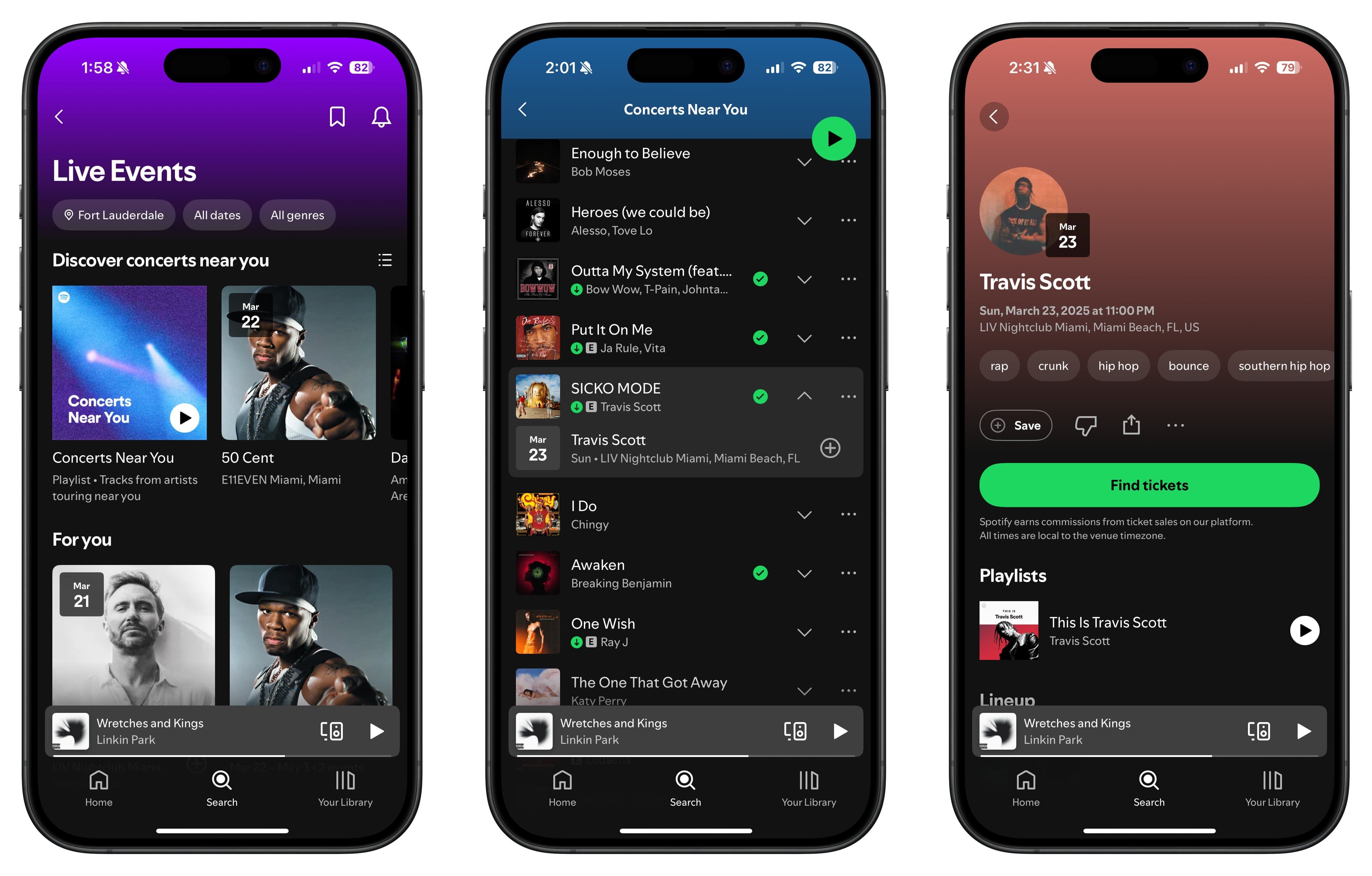
Demonstration of Concerts Near You playlist on Spotify.
Cristina Alexander / Digital Trends

If you’re an avid concertgoer, here’s how you can use the Concerts Near You playlist to your advantage. Go to the search page and tap the Live Events tab. In the Live Event feed, toggle your preferred location to find concerts in the vicinity of your hometown and tap the Concerts Near You playlist. Scroll through the playlist until you find an artist you like whose song landed in the playlist and tap the dropdown button to find out where and when their next concert is held. Tap the info banner and you’ll be taken to the event page, where you can click on the link to get tickets, share the info with friends you want to bring with you, and save the date.

You can also save the Concerts Near You playlist to your Spotify library as a reminder to check out upcoming concerts near you. If you tap on any of the three genres listed at the beginning of the playlist, you’ll find concert dates from more artists that didn’t make it to the playlist at any given time.

Cristina Alexander
Gaming/Mobile Writer
Cristina Alexander is a gaming and mobile writer at Digital Trends. She blends fair coverage of games industry topics that…
Google Health 5.0 is rolling out with its best feature up front and its worst problems buried
Google Health 5.0 puts its cleanest feature on the home screen and hopes you don't look too closely at what's changed.
Fitbit app AI health coach screenshots.

Google Health 5.0 is rolling out now as a mandatory update for the Fitbit app users, and the timing is deliberate. 

The new Fitbit Air, Google’s most direct competitor to the Whoop fitness tracking band, launches next week, and, if you haven’t already guessed it, Health 5.0 is required to set it up. 

Read more
Your most played artists on Spotify could get you early access to their tour tickets
Spotify's Reserved holds two concert tickets for top Premium fans before the general public sale.
spotify-reserved-feature

Getting concert tickets has always felt like a losing battle. You show up at the right time, refresh the page endlessly, and still walk away empty-handed. Scalpers and bots snap up the best seats before real fans even get a look in.

This is why Spotify has announced Reserved, a new feature that holds two concert tickets for an artist's most dedicated fans before tickets go on sale to the general public.

Read more
Motorola Raze Fold reintroduced me to the phone stylus, and I realized how badly I missed it
Motorola's Razr Fold with the stylus has not business being this fun
Motorola Razr Fold with the Moto Pen Ultra

I had mostly made peace with the idea that phone styluses were for a very specific kind of user. There are a few who prefer taking notes the old-fashioned way (sort of), artists that can get some value out of this, or Galaxy Ultra loyalists who'd stand by this. But for the vast majority, a stylus doesn't necessarily enhance the experience.

So when I first started using the Motorola Razr Fold with the Moto Pen Ultra, I did not expect it to change my mind. A stylus on a foldable makes sense on paper because you get a larger canvas. But phone pens often sound better in theory than they feel in daily use. The Moto Pen Ultra surprised me because Motorola has not treated it like a tiny writing stick. It is closer to a remote, shortcut tool, sketch pad companion, and much more packed into one accessory.

Read more