  1. Home
  2. Computing
  3. Phones
  4. Wearables
  5. News

Google Health 5.0 is rolling out with its best feature up front and its worst problems buried

Google Health 5.0 puts its cleanest feature on the home screen and hopes you don't look too closely at what's changed.

Add as a preferred source on Google
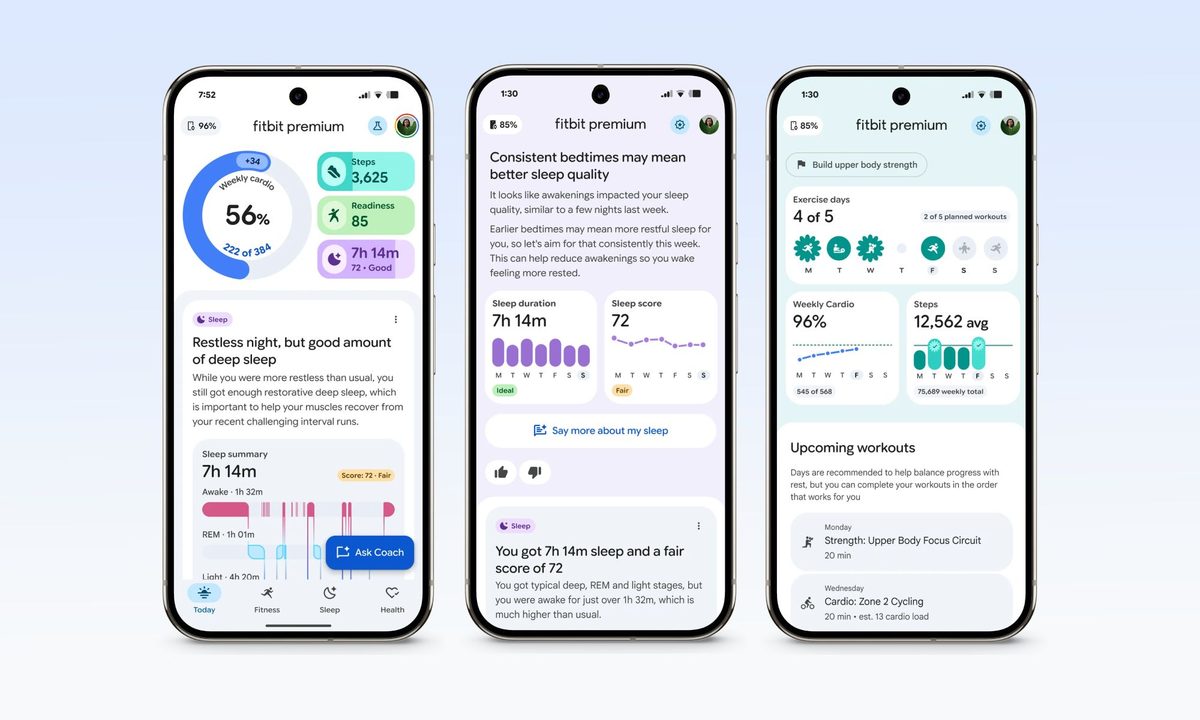
Fitbit app AI health coach screenshots.
Google

Google Health 5.0 is rolling out now as a mandatory update for the Fitbit app users, and the timing is deliberate. 

The new Fitbit Air, Google’s most direct competitor to the Whoop fitness tracking band, launches next week, and, if you haven’t already guessed it, Health 5.0 is required to set it up. 

It’s happening! The #GoogleHealth app has started rolling out to Fitbit users. Look for the app on Android and iOS between now and May 26 ✨

Everything you need to know: https://t.co/m0Pj3pkRJT

— Google Health (@googlehealth) May 21, 2026

What is the new Google Health widget?

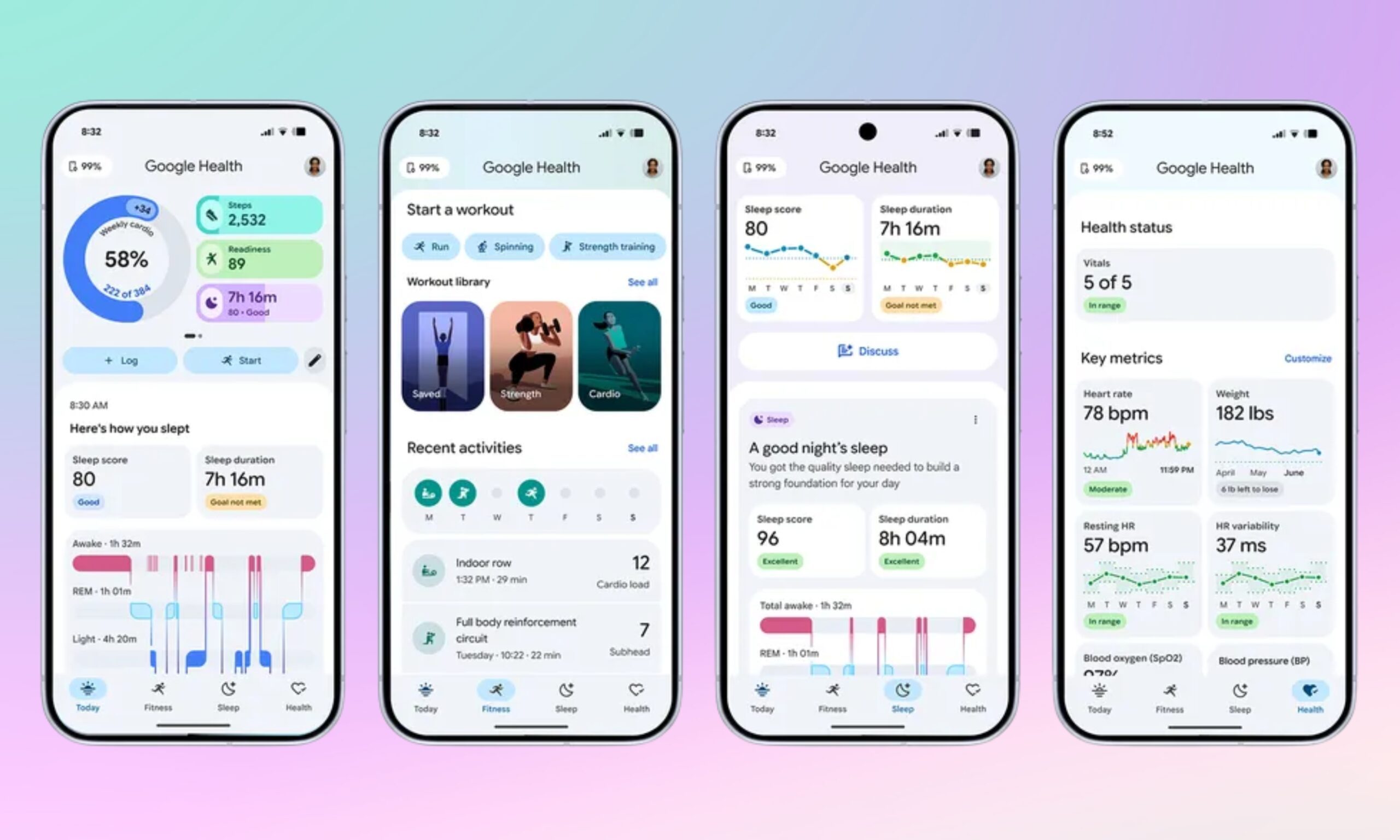
Until now, the Fitbit home screen widget was a single, circular steps counter. The new Quick Access widget replaces it with something that could prove more useful. At its largest, the widget expands to a 5×3 grid, letting you check up to six fitness metrics at the same time. 

Recommended Videos

You can set the grid to showcase the most important stats: steps, distance, sleep, hydration, weight, readiness, or whichever stats you’ve configured. At its smallest, the widget collapses to show just one stat. 

To access full stats, you can simply tap on a tile. Then there’s a heart icon in the top-left that opens Google Health, a refresh button on the right, and the last update time sits in the centre, so you always know how fresh or stale the data is. 

The Quick Access widget mirrors exactly what you’ve set in the Today tab, which means the widget and the app stay in sync. 
What the update doesn’t tell you

According to Lifehacker’s hands-on review, the Gemini-powered Health Coach, the feature Google is promoting aggressively, has a hallucination problem.

While the Health Coach congratulated a tester for achieving a sleep score of 99, the actual score was 85. The coach also referenced irrelevant Reddit threads as sources, at least one of which had an answer copied from ChatGPT. 

Beyond the AI hallucination issues, several popular Fitbit features aren’t a part of the update, including sleep animals, the Community Feed, Groups, direct messaging between users, food plans with calorie targets, and stress-check graphs.

Finally, features that were available for free during the Public Preview, including chat with the Health Coach and personalized fitness plans now require a Google Health Premium membership, which costs $9.99 a month or $99.99 a year. 

The Google Health 5.0 rollout began May 19 and should reach full availability by May 26, 2026.

Shikhar Mehrotra
For more than five years, Shikhar has consistently simplified developments in the field of consumer tech and presented them…
What makes a laptop good for both work and entertainment?
Computer, Electronics, Laptop

This post is brought to you in paid partnership with HP.

The HP OmniBook X Flip is designed as an all‑day AI PC that adapts seamlessly from productivity to entertainment without switching devices.

Read more
Your Windows 11 PC can now natively run AI workloads, even if it lacks the Copilot+ badge
Windows 11 laptop on a table

For the better part of a year, Microsoft has been telling us that the future of AI on Windows belongs to Copilot+ PCs. If you wanted Microsoft’s most advanced local AI features, you needed a machine with a dedicated Neural Processing Unit (NPU). That was the deal. Now, Microsoft appears to be rewriting the rules.

According to updated documentation, Windows 11’s local Language Model APIs can now run on non-Copilot+ PCs, provided they have an Nvidia GeForce RTX 30-series GPU (or newer) with at least 6GB of VRAM. On the surface, this sounds like a developer-focused update. In reality, it could be one of the most significant shifts in Microsoft’s AI PC strategy since Copilot+ PCs launched last year. More importantly, it raises a question that has been lingering ever since the AI PC era began: Did we really need NPUs for all of this in the first place?

Read more
The Windows 11 June update makes your Start menu and Search feel much more snappier
Low Latency Profile is the first targeted fix Microsoft has shipped for shell responsiveness, and the June update brings it to every eligible PC rather than just Insider preview testers.
Windows 11 Laptop

If you’ve ever clicked on the Start button and watched the menu appear after a second or two, you already understand the problem Microsoft is trying to solve with its June 2026 Windows 11 update. 

The update (KB5094126) rolled out on June 9, 2026, for WIndows 11 24H2 and 25H2, and targets the shell responsiveness issues that have quietly frustrated users since its launch in 2021. The headline change is the broad rollout of the Low Latency Profile.

Read more