
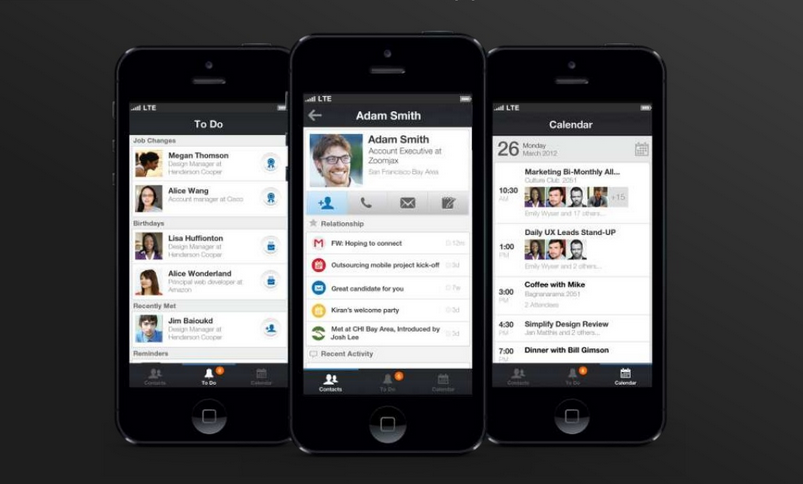
 While plenty of iPhone-owning professionals may already have the LinkedIn app on their handset, it appears Apple may be considering deep integration of the social network with iOS 7 when it launches in the fall.
The news comes courtesy of 9to5Mac, which received information from a developer working with the first beta of the forthcoming iOS operating system. The Apple-centric website points to references within the new OS’s code which indicate a single-sign-on system for LinkedIn accounts that resembles the way iOS integrates Facebook and Twitter.
“The references also indicate that users will be able to easily post content, such as Web links, to LinkedIn via a share-sheet or through iOS applications,” 9to5Mac says in its report.
However, it also points out that despite the indications that LinkedIn could be coming to Apple’s recently unveiled iOS 7 mobile operating system, the absence of particular segments of code means there’s currently no active LinkedIn functionality in the beta version. This may mean that, for whatever reason, a final decision on integration is yet to be made.
9to5Mac notes that Apple has previously omitted other social networks from iOS test versions, including Facebook which showed up in the beta version of iOS 4 in 2010 but wasn’t integrated in the operating system until iOS 6 two years later. The delay was apparently because the two companies failed to reach a deal as to the specifics of the integration, a situation which could be affecting LinkedIn now.
If the social networking site for professionals does end up launching with iOS 7, it’ll be following in the footsteps of not only Facebook but Twitter, too, which has been integrated since iOS 5. With Twitter for iPhone, users can sign into their account once and tweet with a single tap from apps like Safari, Photos and Camera.
iOS 7 marks the biggest overhaul of Apple’s mobile operating system since it first came on the scene with the iPhone in 2007. Although it unveiled its latest iOS at WWDC last week, it’s expected to undergo a lot of changes before it’s finally rolled out to Apple handsets and tablets later in the year.
On Tuesday it was reported that another developer with access to the beta version had discovered code suggesting Apple was experimenting with various new swipes and gestures which could feasibly makes their way onto the release version of iOS 7.



