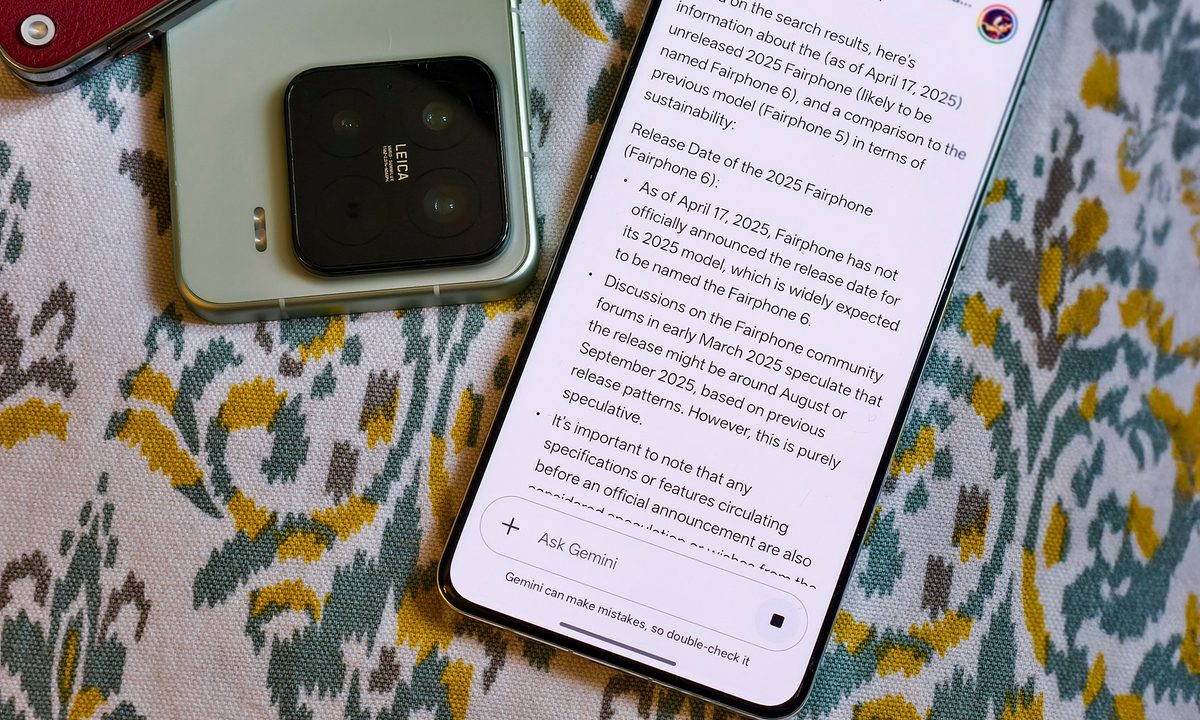
Of all of the AI companions available for public use, I have to say my favorite by a mile has been Google Gemini. I have spent over 100 hours with Gemini and it has very quickly become a major part of my daily routine. The major aspect of this AI companion which sets it apart from alternatives is the fact that it seamlessly integrates into a range of different tools I use from Gmail to Google Drive.
Forgetting the hype for a second, just in terms of real world application, Gemini feels far ahead when compared to others I’ve tried including Copilot and ChatGPT, to Perplexity and Grok thanks to its ability to constantly deliver results.
I’m so excited about what this technology means for the future of productivity and creativity that I genuinely believe I’ll never swap to another AI. It’s that good. In order to use Gemini effectively, the prompts you input are extremely important and I’ve been putting it through its paces with a whole load of trial and error.
After putting Gemini through its paces with countless queries, I’ve developed a handful of go-to prompts that consistently yield incredible results.
These aren’t just generic commands; they’re finely tuned requests that unlock Gemini’s full potential, transforming vague ideas into actionable plans, complex data into digestible insights, and creative blocks into artistic breakthroughs.
Here are my absolute favorite Google Gemini prompts after 100 hours of relentless use:
Prompt 1: The Explainer
When I need to understand a complex topic quickly and thoroughly, especially something outside my immediate expertise, I use the below prompt. One major issue I found when asking Gemini to collate information for me is the lack of consistency with context it provides.
Sometimes it assumed I was already knowledgeable and wouldn’t explain the context or it would assume I had no clue and over explain. Ensuring that you add your level of expertise in will make sure that Gemini understands how much it needs to explain.
“Explain [complex topic] to me like I’m [target audience, e.g., a five-year-old, a seasoned professional in a different field, someone with no prior knowledge]. Focus on [key aspects or specific questions] and provide [number] actionable examples.”
Gemini’s ability to adjust its tone and complexity based on the specified audience is unparalleled when compared to alternatives, especially when using Deep Think. It distills dense information into easily digestible chunks, and the actionable examples help solidify understanding.
I’ve used this for everything from quantum physics to the intricacies of the stock market, and Gemini always delivers.
Prompt 2: The Generator
When I’m facing a creative block, need fresh ideas for social media content, or want to explore different angles for a project I use the below prompt.
This is particularly great for me when generating ideas for both shortform or longform video content but can be tailored to suit your needs too.
“Generate [number] unique ideas for [type of content, e.g., blog post, social media campaign, short story] about . Each idea should include a compelling headline and a brief outline of the key points to cover.”
Gemini is an absolute powerhouse for brainstorming. It doesn’t just give you generic suggestions; it often comes up with truly original and engaging concepts that I wouldn’t have thought of on my own.
This prompt is a lifesaver for content creators and anyone needing a creative jumpstart.
Prompt 3: The Structure-er
When I’m planning a presentation, writing a report, or needing to organize a large amount of information into a logical flow then I use the below prompt.
Sometimes I know what topic I want to cover but I can’t really create a flow for a script. This can be applied to any type of report or document.
“Create a detailed outline for a [document type, e.g., script, research paper, project proposal] on . Include sections for [specific sections you need, e.g., introduction, point 1, point 2, conclusion], and suggest key bullet points for each section.”
This prompt turns Gemini into an instant organizational wizard. It helps me structure my thoughts, ensures I don’t miss crucial elements, and provides a solid framework to build upon. It’s incredibly efficient for cutting down on planning time and ensuring a coherent final product.
Prompt 4: The Shifter
When I need to evaluate an idea from multiple viewpoints, anticipate potential challenges, or shift the perspective I use the prompt below.
This is great for ensuring that you are considering all factors and perspectives before ploughing ahead with an idea which I find particularly good for content creation.
“Analyze [my idea/situation] from the perspective of [specific persona/role, e.g., a customer, a competitor, an investor, an ethical AI researcher]. What are their potential concerns, benefits, and questions regarding this?”
This prompt leverages Gemini’s deep understanding of various roles and perspectives. It’s like having a team of advisors at your fingertips, helping you poke holes in your ideas and strengthen your arguments before you even present them.
I find this great for poking holes in my narrative when I’m creating a script for a video or making a new series.
Prompt 5: The Summarizer
When I have a lengthy article, document, or even a conversation transcript and need the key takeaways quickly I use the below prompt. This is great within the world of journalism for getting key information after I’ve conducted lengthy interviews and need a quick turnaround but can apply to practically any field of work.
“Summarize the following text in [number] key bullet points, focusing on the most important information and actionable insights: [Paste text here].”
In today’s information-dense world, this prompt is a game-changer. Gemini’s ability to extract the essence of a long piece of text, even complex technical documents, is truly remarkable.
It saves me an immense amount of time and ensures I grasp the core message without getting lost in the details.
Prompt 6: The Problem Solver
If you’re hoping to resolve some points of friction in your business or you just want to see if there are ways you can simplify a process, then you can use the below prompt for an outsiders perspective. Ensure that you explain your current process in depth for better results.
“Act as a [Job Title/Expertise, e.g., Senior Operations Consultant]. Analyze our current [process, e.g., customer onboarding] and identify three points of friction. For each one, provide a [solution type, e.g., detailed, step-by-step] fix that prioritizes [value, e.g., efficiency and cost reduction].“
This prompt will provide you with actionable steps on a specific business problem meaning it actually provides you with a solution to the issues rather than just highlighting the issue and then leaving you without a way to solve the problem.
Prompt 7: The returning from holiday-er
If you’ve returned from being out of office or what was meant to be a nice relaxing time off, only to be met with a 200 email long thread which will take way too much time to actually read, then you can use the below prompt to highlight the key actions from emails or meetings you missed.
Analyze this [email thread / meeting transcript]. Extract all Action Items, the Person Responsible, and the Due Date. If a date is not explicit, ask for clarification. List the output in a table and at the end, draft a follow-up email to the team summarizing the action items.
Not only does this catch you up after being away but it can also streamline a follow up and ensure nothing is missed after communication.
Time to dive in
These prompts are just a glimpse into the capabilities of Google Gemini, ensuring you have detailed prompts as outlined above. Every hour I spend with it reveals new possibilities and further solidifies my belief that this AI is a true game-changer.
If you haven’t yet, I highly recommend you dive in and start exploring, and these prompts can be applied to any AI companion meaning you’re not just limited to Google Gemini.