With DRAM prices surging to levels few saw coming, it’s becoming clear that now is the worst time to buy more memory for your PC. According to data released by Taiwanese publication Commercial Times, contract prices for DRAM chips jumped a staggering 171% year-over-year as of Q3 2025, a jump that is being claimed as even more dramatic than the recent increase in gold prices. This spike has taken both analysts and consumers by surprise, marking one of the steepest memory price surges in the past decade.
Just last year, a more modest increase was projected for DDR5 memory kits (15% to 20%) largely due to chipmakers reallocating capacity toward high-bandwidth memory (HBM) for AI and enterprise workloads. However, the reality has far outpaced those early estimates. Memory manufacturers like Samsung, SK Hynix, and Micron have shifted their focus to meet the exploding demand for AI accelerators, leaving traditional DRAM supply chains constrained and pushing retail RAM module prices to uncomfortable new highs.
For PC gamers, creators, and enthusiasts, it means that every gigabyte now costs significantly more than it did just six months ago. Whether you’re running DDR4 or DDR5, the value proposition of upgrading has practically vanished, at least for the time being. While relief may come eventually as new fabs and supply chains adjust, the current situation demands smarter ways to stretch the performance of the memory you already have.
One telling example of the RAM-price surge is this Crucial Pro 32GB DDR5 CL36 6000MHz RAM kit on Amazon, which held an average retail price of under $100 through the year. The price has now gone up to $256, which is more than double of what you were getting the kit for just a month ago.
With RAM prices soaring and expected to remain high well into 2026, it’s certainly not the best time to splurge on memory upgrades. But that doesn’t mean your PC has to feel sluggish. Here are some tips on maximizing the performance of your existing system:
1. Take control of startup and background apps
One of the easiest ways to free up memory is by cutting down what launches once you boot into Windows. Head over to Settings > Apps > Startup and disable anything you don’t need running immediately. Many apps like chat clients and update utilities, quietly hog RAM in the background. You can also open Task Manager (Ctrl + Shift + Esc), switch to the Startup Apps tab, and turn off high-impact processes. You’ll be surprised how much smoother your system feels once those background apps stop nibbling away at your RAM.

2. Use Virtual Memory smartly
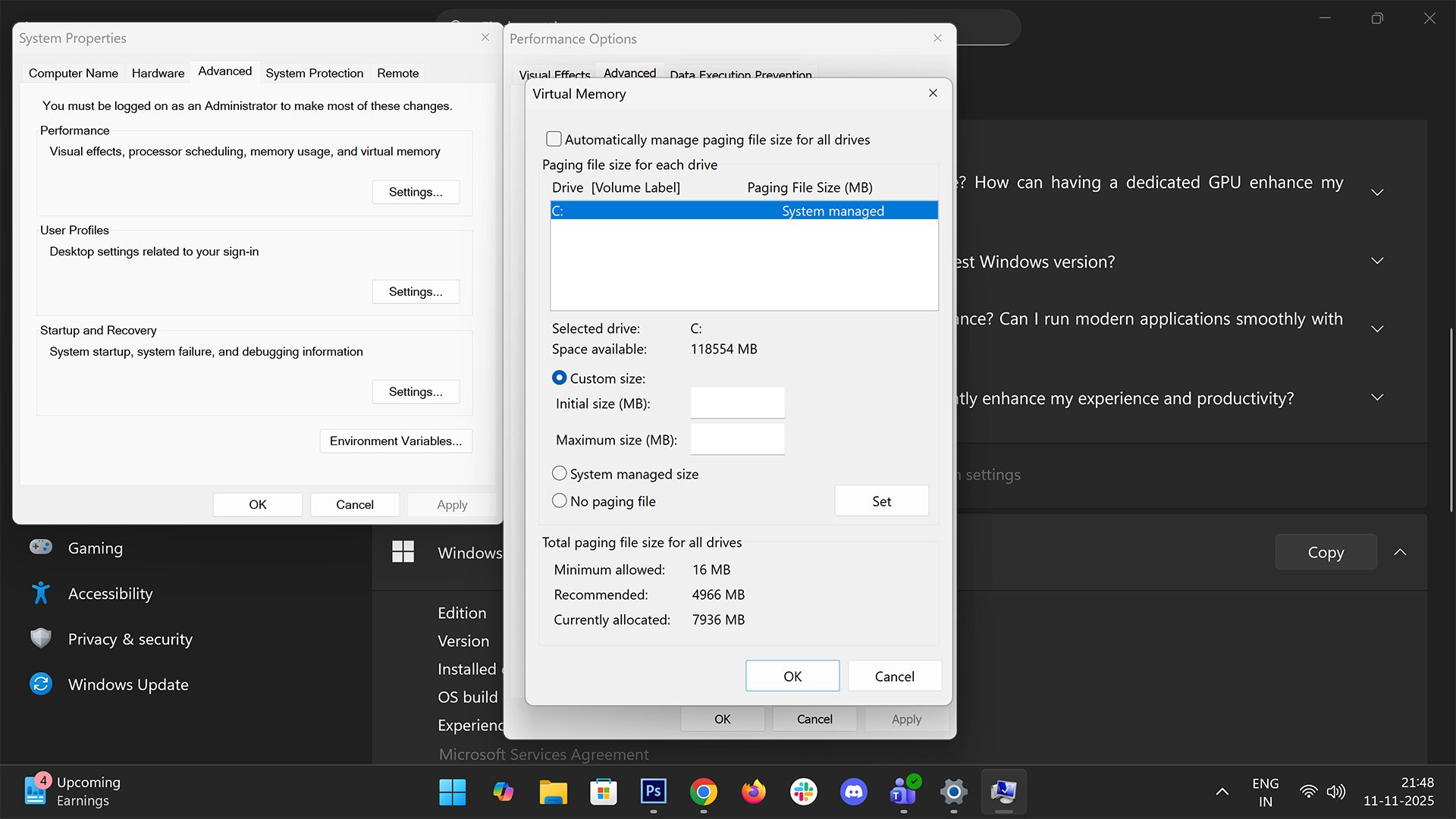
Windows 11 automatically uses a portion of your storage drive as virtual memory, but tweaking it manually can often help. Go to Settings > System > About > Advanced system settings to open a new dialogue box and head over to the Advanced tab. Under the Performance section click on the Settings button where you will find the option to adjust virtual memory under Advanced where you can set a custom size, typically 1.5 to 2 times your installed RAM. If you have an SSD, the swap file will act faster, effectively giving your system more breathing room when multitasking or editing large files.
3. Optimize Windows for performance, not visuals
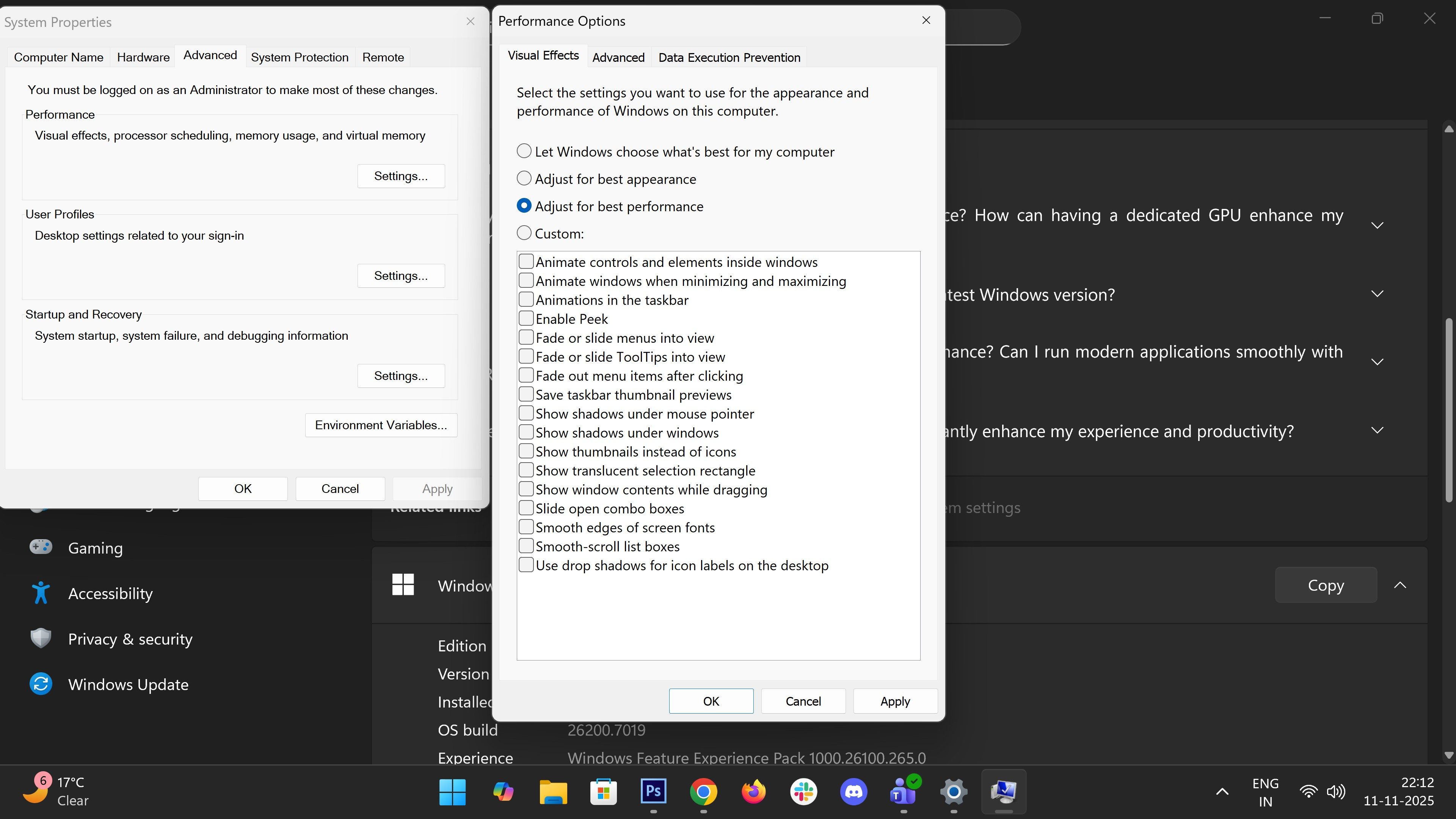
It may not be as pretty, but disabling unnecessary visual effects can give your PC a noticeable boost. Follow the same path as mentioned above and open Advanced system settings. Under the Advanced tab click on the Settings button and select the option for Adjust for best performance. This turns off animations, transparency, and shadows that consume both CPU and RAM cycles.
Bonus tip: Upgrade to a faster SSD
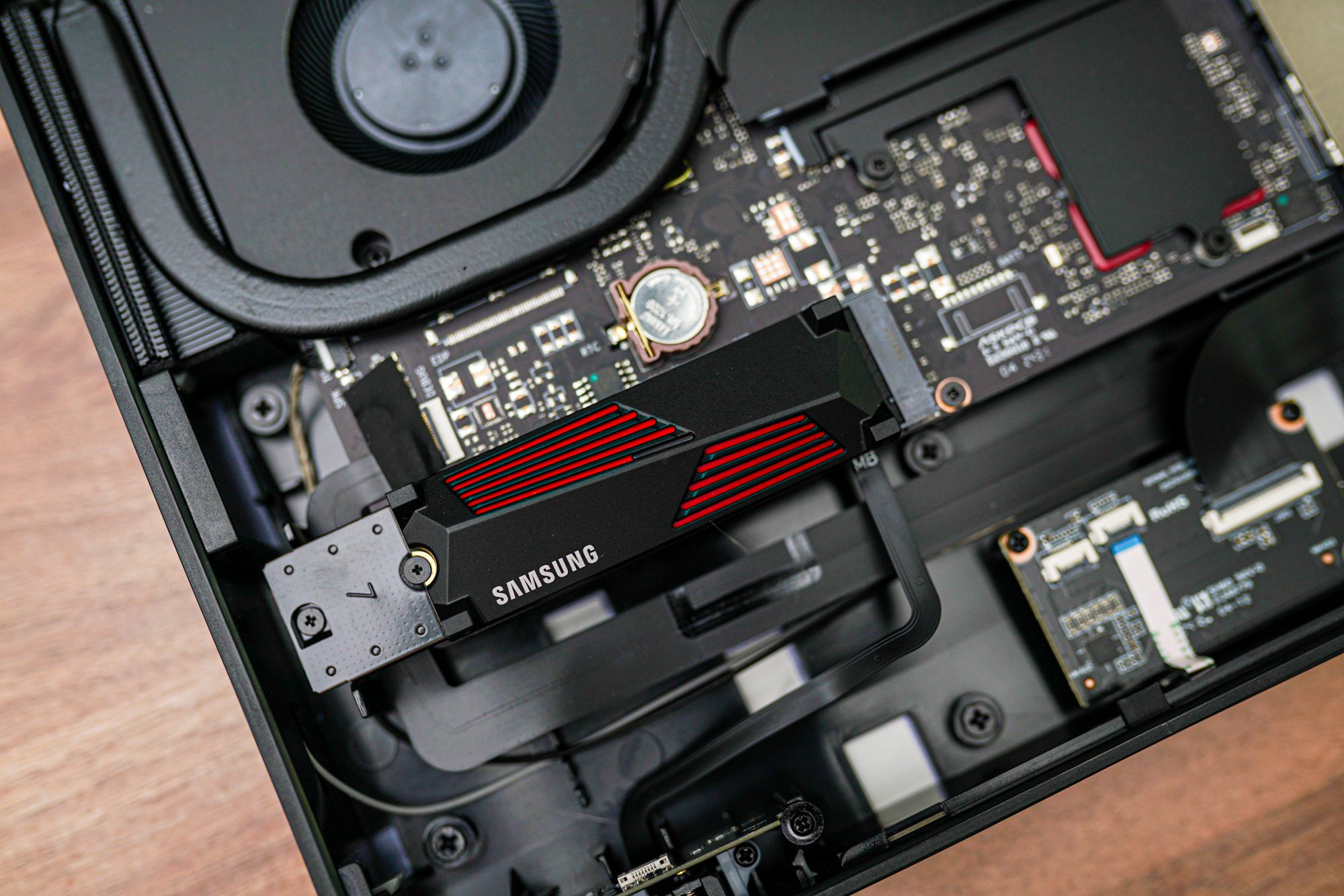
If you can’t boost your RAM, the next best upgrade is storage speed. Swapping an older SATA or Gen 3 drive for a PCIe Gen 4 (or Gen 5) NVMe SSD, we recommend some of the best ones here, can drastically cut load times and speed up paging operations when Windows relies on virtual memory. Faster drives help mask the impact of limited RAM by handling temporary files and app caching much more efficiently, in fact, you will notice smoother multitasking and quicker resume times.