
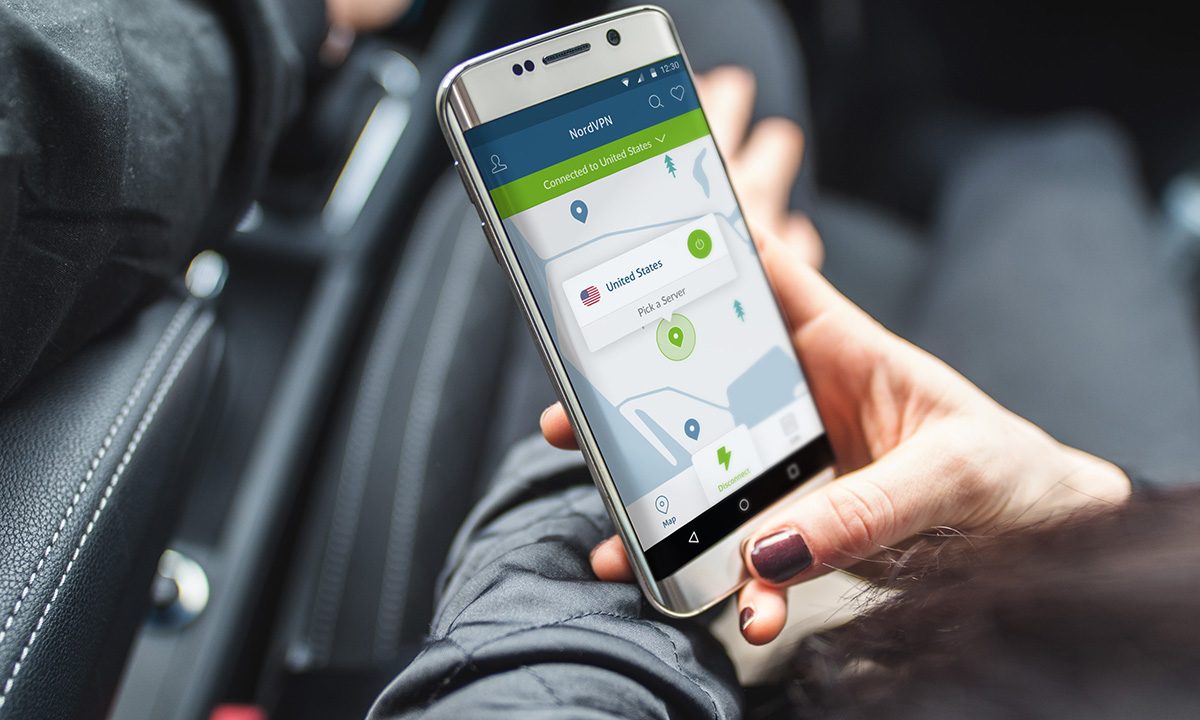

You’re not being paranoid if strangers really are snooping for your sensitive online information. There’s a good reason for wanting to shield your location and personal data from prying eyes and nosy corporations, especially since the U.S. government now allows your ISP to sell anonymized user data to third parties. A virtual private network or VPN can put a stop to that nefarious activity by letting you camouflage yourself on the internet. A VPN lets your data flow through an encrypted tunnel to a VPN server, so anyone monitoring your connection sees unintelligible data — the VPN server’s IP address instead of your device.
However, not all Android VPN apps are of equal quality and trustworthiness. In choosing a VPN, consider the business models of VPN companies, especially those offering their services for free. Make sure you understand their privacy policies before signing on. We’ve identified all the options for the best VPN for Android you can install today, and all of them support the OpenVPN protocol — the most secure option for Android.
NordVPN


NordVPN has been our favorite virtual private network for years running, so it should come as no huge surprise that it’s also one of the best VPNs for Android. NordVPN operates more than 5,000 servers in 60 countries across the globe and provides excellent connection speeds, reliability, good compatibility with streaming services like Netflix, and ease of use. Based in Panama, NordVPN also keeps a strict no-logs policy and allows you to connect up to six devices at the same time. The virtual private network has another great feature known as split tunneling, which lets you pick and choose which connections, devices, and/or apps you want to use on the VPN and which you’d rather keep on the clearnet. Along with Android devices, NordVPN works with Windows, MacOS, Linux, iOS, VPN routers, and select smart TVs. Pricing starts at $4 per month if you opt to pay for the two-year plan, and there’s a 30-day money-back guarantee.
Surfshark


Surfshark is a great VPN if you’re looking for something fast and effective. It has a one-click VPN feature, or you can choose from 3,200 servers in 65 countries or if you’re looking to bounce through a specific country. You can whitelist specific apps or websites, if you’re not too worried about being tracked by those, which allows them a small speed boost — and there’s even an emergency fail-safe built in, so it automatically disconnects you if the VPN connection drops. There’s a free seven-day trial, but after that, you can pay for two years upfront at $60, six months for $39, or monthly for $13 — the best value is the two-year plan. However, there’s also a 30-day money-back guarantee if you don’t like it.
ProtonVPN


Created by Swiss-based CERN scientists — the company that created ProtonMail, the encrypted email service — the free version of ProtonVPN will not record browsing history, display privacy-invading ads, sell private data to third parties, or limit your downloads. Instead, it encrypts your data using AES-256 and 4096 RSA, and thus cannot share your data with anyone. ProtonVPN supports two secure VPN protocols — IKEv2/IPSec and OpenVPN — and encrypts your DNS so that your browsing cannot be found via DNS queries. It also features split-tunnel support, letting you choose which traffic flows through the VPN, and a kill switch to guard against disconnects. Free users can only connect one device to free servers in Japan, the Netherlands, or the U.S., while paid subscribers can access 1,000 high-speed servers in 50 countries, and access blocked or censored content and stream videos. Paid versions — which cost $48 (Basic) or $96 per year (Plus) — support a range of features like file sharing, BitTorrent, and Tor over VPN, and the ability to connect two and five devices at a time, respectively.
VyprVPN


VyprVPN has a solid track record for online privacy and security. It owns and runs its own networks independent of third parties, doesn’t share your data with anyone, and only keeps logs of IP addresses, connection times, and bytes used for 30 days. It’s got a huge worldwide reach of 700 servers and 200,000+ IPs spanning 70 countries and 6 continents. It supports 256-bit encryption, allowing you to freely browse from anywhere. It all happens via the proprietary Chameleon technology, which masks the VPN service, especially if you want to stream content from a different country and bypass censorship and other restrictions. VyprVPN lets you configure the app to automatically connect based on your preferences — such as any time you join an untrustworthy network. Test drive the service with a free, three-day, ad-free trial.
ExpressVPN


ExpressVPN offers a choice of more than 3,000 VPN servers in 160 locations and 94 countries featuring unlimited speed and bandwidth for downloading or streaming. The service works with Wi-Fi, LTE/4G, 3G, and all mobile data carriers, and touts 24/7 customer support, along with support for encryption via OpenVPN, UDP, and TCP protocols. The app does not log traffic data or browsing activity, and its kill switch network protection halts internet traffic if the VPN can’t connect — for Android 8.0 Oreo or higher. The app also facilitates split tunneling, allowing you to route some device traffic through the VPN, while the rest accesses the internet directly. You can try ExpressVPN free for seven days. After that, you’re looking at $13 per month, $60 for six months, or $100 per year.
TunnelBear VPN


TunnelBear is a free VPN with a friendly bear-themed interface. The service offers quick speeds and is audited by a third party for its security and privacy features. There is no IP logging, and TunnelBear does not track your online activities or share them with anyone. It supports 256-bit encryption with servers in more than 22 countries and offers a kill switch feature. You can see server locations on a map and tap to have your bear tunnel connect to them. TunnelBear is free with 500MB of browsing data per month — no credit card required. A Wi-Fi VPN with unlimited data is available with the premium plan, which you can purchase in-app. A subscription costs $3.33 per month or $40 for the year, which features unlimited use on up to five devices simultaneously.
Freedome VPN


F-Secure’s Freedome promises not to log your data and allows you to create a VPN account without registering. Use the app to connect to any hotspot anonymously and encrypt your personal traffic with the VPN. The Android app is simple to use — just fire it up and a large button lets you tap the service on or off. You can change the location and use the kill switch, if needed. F-Secure is also an antivirus provider, so it offers other apps and services to guard against viruses, malware, and dodgy websites. Try the app for free for five days. After that, it costs $35 per year for three devices, $70 per year for seven devices, and $90 for two years for seven devices.
Frequently asked questions
Why do you need a VPN for your Android device?
Whether you’re online for business, shopping, or entertainment, a VPN helps to keep your accounts safe. A VPN should be user-friendly and deliver a faster, more reliable internet connection, in addition to protecting you on public Wi-Fi, allowing access to geo-blocked websites, and maintaining a steady high speed without annoying disconnects. Make sure the VPN you choose supports your version of Android and your computer operating system, with at least some backward compatibility and multiple licenses in case you want to load it on additional devices. Look for a kill switch, so you’re not exposed if your internet connection drops. Be sure to examine the privacy policy and terms of service that outline which logs and details, if any, are collected and saved.
What is the best premium VPN for Android?
Premium VPNs are not free and should have thorough privacy policies, which is your aim. All of the VPNs we chose for this feature are premium, paid services, most with free trial periods. All our choices are high quality with excellent user ratings, so choosing the best one for you is subjective. The best free service revolves around how you plan to use the VPN, whether you are a globetrotter traveling the world, a coffee shop surfer seeking shelter from nosey wireless networks, a busy at-home worker accessing confidential company files, a gamer who needs the ultimate in speed, or an entertainment connoisseur who seeks rarified streaming audio or video free from geolocational confines.
What are the best VPNs for Android tablets?
You should look for the same quality of protection from your VPN whether you use an Android phone or an Android tablet. Our choices above can be installed and used with either type of device. A company’s reputation for honesty and reliability should figure heavily in your VPN choice for any device you own. The software must be specifically compatible with your Android tablet, so examine the specs first to make sure. If you’re using your tablet for video viewing, note VPNs are slower than unencrypted internet connections, so be sure your service prioritizes speed, such as ProtonVPN, ExpressVPN, or VyprVPN. Look for a zero-logging policy that does not hold on to your online activity logs.


