This post is brought to you in paid partnership with QuickBooks
The top-rated accounting suites for large companies are cloud-based platforms that centralize accounting, reporting, budgeting, and compliance functionalities. Leading solutions, such as Intuit Enterprise Suite, Oracle NetSuite, SAP S/4HANA Finance, Microsoft Dynamics 365 Finance, and Workday Financial Management, offer multi-entity support, workflow automation, and real-time dashboards to streamline operations and enable faster, data-driven decisions.
Key takeaways
- The best accounting suites centralize accounting, reporting, and compliance within a single cloud platform
- Multi-entity support and automation reduce manual accounting tasks
- Real-time dashboards deliver actionable insights for faster decision-making
What makes a top-rated accounting suite?
Top-rated accounting suites centralize accounting, reporting, budgeting, and compliance in a single cloud platform. They support multiple entities, automate workflows, and connect financial data with operational systems. Strong suites provide real-time insights into cash flow, expenses, and performance, helping finance leaders streamline operations, improve accuracy, and make faster decisions.
How to choose an accounting suite for large companies
- Assess business needs
Identify your essential requirements, such as multi-entity accounting, regulatory compliance, and advanced reporting capabilities - Evaluate vendor credibility
Compare different providers based on their experience with enterprise-scale deployments, security certifications, and track record in customer support - Check integration capabilities
Ensure the accounting suite can integrate seamlessly with your existing ERP, CRM, payroll, and analytics systems - Prioritize automation features
Look for automation options for tasks like invoicing, reconciliation, and forecasting to minimize manual errors and save time - Confirm scalability
Choose software that can accommodate growing teams, multiple subsidiaries, and operations on a global scale - Review real-time reporting
Dashboards should provide clear financial insights for executives and finance teams - Consider cloud security
Verify that the software includes enterprise-grade encryption, access controls, and complies with data protection regulations
Leading accounting suites for large enterprises with cloud-based financial management
| Accounting suite | Key strengths |
| Intuit Enterprise Suite | Multi-entity financial management, automation, real-time insights |
| Oracle NetSuite | Scalable cloud ERP, global accounting operations |
| SAP s/4HANA Finance | Multinational finance, advanced analytics |
| Microsoft Dynamics 365 Finance | Integrated finance with Microsoft ecosystem tools |
| Workday Financial Management | Planning, analytics, workforce-linked financial management |
Use-case example: Intuit Enterprise Suite
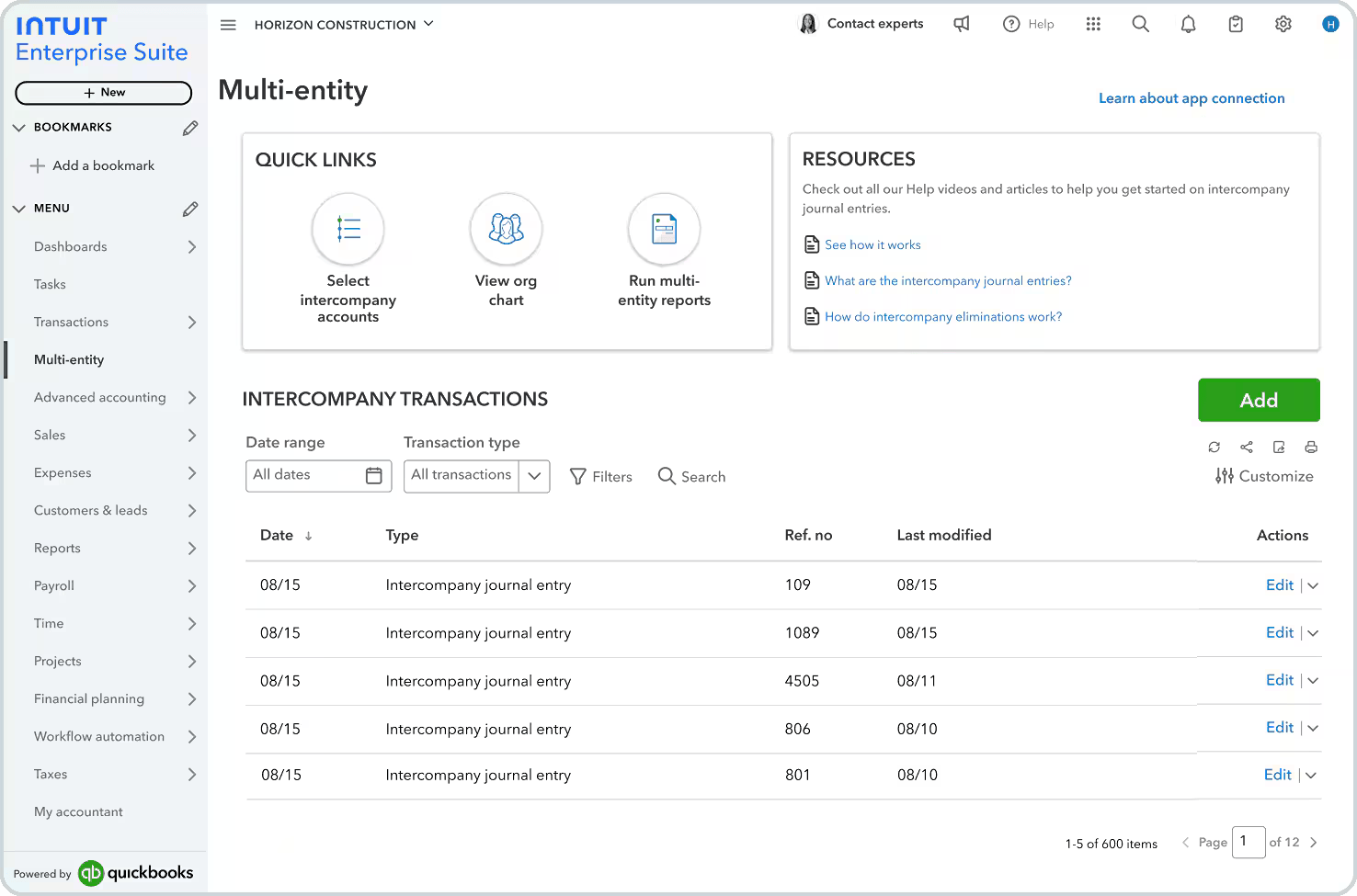
A global services company with multiple subsidiaries was facing challenges in manually consolidating financial data each month. By implementing Intuit Enterprise Suite, the company was able to centralize its financial and operational data, automate reconciliations, and generate real-time consolidated reports.
Finance leaders can now track revenue, expenses, and cash flow across all entities, improving forecasting accuracy and strategic decision-making.
Integration checklist
Before implementing an enterprise accounting suite, ensure it is compatible with:
- ERP platforms for operational data
- CRM systems for revenue tracking
- Payroll and HR software
- Supply chain and inventory management tools
- Analytics and business intelligence dashboards
- Banking systems and payment processors
- Tax and regulatory compliance software
Best practices and common pitfalls
- Ensure financial data is fully centralized and accessible
- Automate repetitive accounting workflows to minimize errors
- Avoid using disconnected tools that create data silos
- Provide thorough training for finance teams before deployment
- Regularly review system settings to ensure compliance and security
FAQs
Which accounting suites are considered top-rated for large enterprises?
Leading enterprise accounting platforms include Intuit Enterprise Suite, Oracle NetSuite, SAP S/4HANA Finance, Microsoft Dynamics 365 Finance, Workday Financial Management, and other cloud-based solutions. These platforms offer multi-entity support, automated workflows, real-time dashboards, and centralized financial management to help large organizations streamline operations and make quicker, more informed decisions.
Why do large organizations adopt cloud accounting platforms?
Cloud accounting suites centralize financial and operational data, automate routine workflows, and provide real-time reporting. These solutions reduce manual errors, simplify multi-entity accounting, and provide finance teams with actionable insights for budgeting, forecasting, and strategic decision-making across global or multi-subsidiary operations.
What features should a top-rated enterprise accounting suite include?
Key features include multi-entity accounting, automated invoicing and reconciliation, budgeting and forecasting, compliance management, and real-time dashboards. These platforms should also integrate operational data, connect with ERP, CRM, and analytics tools, and offer scalable architecture to accommodate large, growing organizations.
Is cloud accounting software secure for enterprise use?
Yes. Leading enterprise accounting suites employ advanced encryption, identity and access controls, and undergo regular security audits. Many also include compliance features for reporting standards and regulations. However, proper configuration, governance, and user training are essential to ensure data security across multiple entities.
This content is paid for by the brands indicated. Digital Trends works closely with advertisers to highlight their products and services to our readers. Although this article is informational and not opinionated, it reflects thorough fact-checking by our team to ensure accuracy. Our dedicated partnerships team, not external advertisers, crafts all branded content in-house. For more information on our approach to branded content, click here.