
The next generation of Windows is Windows 11. The updated operating system brings some big changes and improvements to Windows 10, including Xbox features on Windows and Microsoft Teams integration. Maybe the biggest announcement to come out of the Windows 11 event, though, is that Android apps are coming to Windows 11.
Running Android apps on the desktop sounds great, and it could fill an important whole in the Windows app library. But the implementation may not be as cut-and-dried as Microsoft has suggested. There are three key things Android apps need on Windows 11 to not totally flop.
No intervention from developers

The Android implementation in Windows 11 is powered by Intel Bridge, which is a “runtime post-complier” that Intel says will allow Android apps to run natively on x86-based systems. The “runtime” bit means that the app runs in real time, and the “post-complier” part means that Bridge compiles the code a second time to give the operating system instructions it can understand.
It seems simple enough, but as Chrome OS has shown, running Android apps on x86-based systems isn’t always easy. Chrome OS runs a full version of Android that can launch Android apps in a virtual container. The problem is that many apps are written for ARM binaries, which power most Android handsets. That leads to a disjointed Android experience on Chrome OS where some apps work, others don’t, and the rest feel poorly optimized. Let’s not forget that Google owns both Android and Chrome — and it still can’t seem to iron out the wrinkles.
After the Windows 11 announcement, Microsoft held a developer panel that talked a bit more about Android apps on Windows. The implementation sounds very similar to Chrome OS, with apps running in a virtual machine container and requiring binaries for ARM and x86 CPUs to run their best.
Microsoft and Intel are pioneering the Bridge technology with Windows 11, so we’ll hopefully know a lot more about it over the next few months. If developers need to go back and optimize their apps to work with Bridge, we might be caught in a similar situation to Chrome OS.
Optimization for desktop

Developers may not need to update their apps to run on Windows, but they’ll need to update them to function well on Windows. Google has a list of optimizations developers should use when designing apps to work across Chromebooks and Android, and Microsoft needs to issue similar guidelines for porting Android apps over to Windows.
The most obvious optimization is support for multiple input devices. Windows 11 is bringing a slew of touch enhancements, but keyboard and mouse is still the go-to input method for many. Outside of making sure clicks and text input work, Android apps on windows should support mouse wheel scrolling, keyboard shortcuts, and ideally, touchpad gestures.
The Android experience should also be seamless with the Windows experience. You may not be able to drag and drop things in and out of an Android window, but the apps still need to support context menus and system-level inputs like the Windows button and volume wheel.
Although it’s probably wishful thinking, we would like to see cross-platform syncing, too. Automatically browsing Instagram without signing in or picking up where you left off in a game would go a long way toward making the Android experience seamless on Windows 11. Unfortunately, that sounds like a logistical nightmare without something like Google Play at the heart of Android on Windows.
Google Play
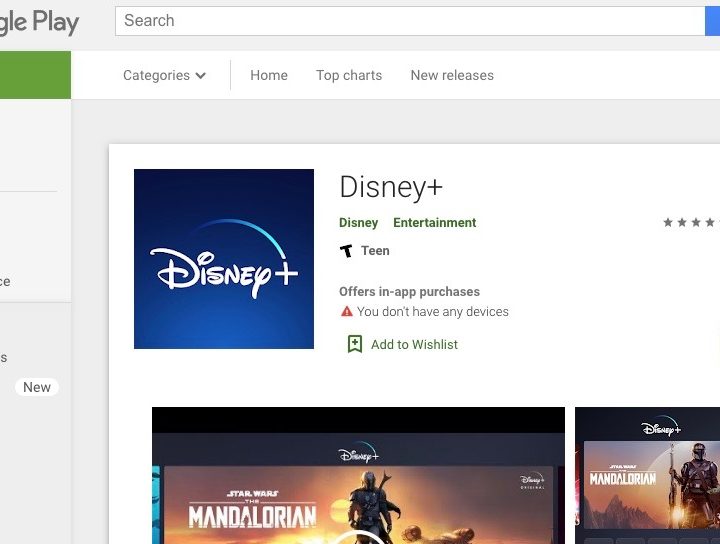
Speaking of which, Google Play is necessary for the long-term health of Android on Windows. Android apps may be coming to Windows, but only some of them. Microsoft will offer Android apps through the Amazon App Store, which has significantly fewer apps than Google Play. You can download and use your favorite Android apps on Windows 11, assuming your favorite apps also show up in Amazon’s store.
To be clear, Amazon still offers the most important apps you could want. It covers major social media platforms, streaming services, and the most popular games.
The killer here is Google Play Services. This API package is what allows you to sync game progress across devices, sign into accounts using a Google login, and cast content from apps to your TV. Amazon provides a similar set of tools, but Google Play is still the main way that Android users access their apps.
The good news is that Microsoft says Amazon is just the first partner it is working with. Other app stores could come to Windows 11 over time, but it’s not clear how long that may take or if Google Play is in the conversation.


