
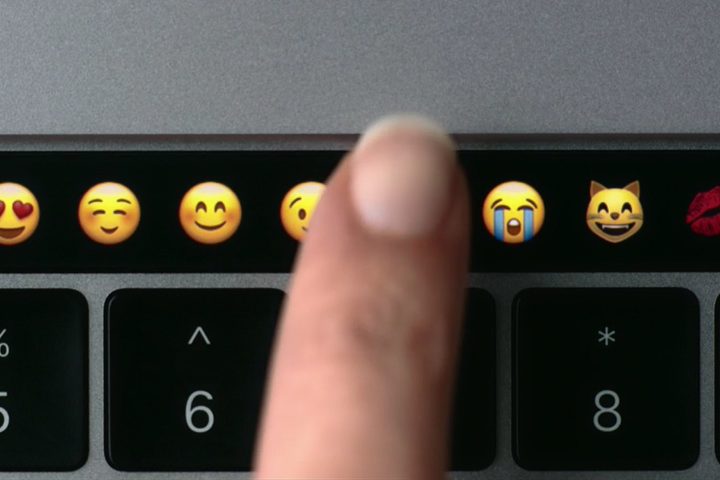
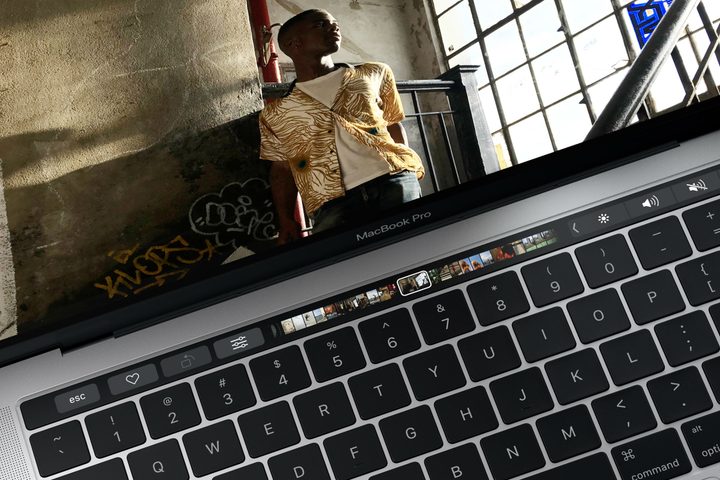
Let’s get one thing out of the way: The MacBook Pro’s Touch Bar is … not great. It’s been over three years since Apple introduced the touch-sensitive OLED strip on its 2016 MacBook Pro, and we’ve been wondering what exactly we’re meant to do with it ever since.
Well, I have some good news: It looks like Apple might finally be working on a way to fix the Touch Bar once and for all. But maybe not how you’d expect.
Touch Bar 2.0

In March 2020, it was reported that a bunch of Apple patents had just been published — 42, to be exact. The patents were filed in August 2016, with one clearly depicting what would go on to become the Touch Bar. Among them was also the interesting idea of transforming the trackpad into a second screen of sorts, with contextual information displayed based on what was happening on the Mac.
It’s not the first time Apple has explored an idea like this. In 2018, the company patented a dual-screen MacBook concept, which would potentially allow for the entire keyboard area to become one big digital display whose contents would change depending on what you were doing. I’ve argued before, though, that this may not be a good idea, but turning a trackpad into a second display feels a lot more sensible.
It piqued my interest for a number of reasons. If Apple implemented the Touch-Bar-as-trackpad idea, it’d go a long way toward fixing a whole host of the problems associated with the original vision for the Touch Bar.
For one thing, it would be more convenient. With the current Touch Bar, you have to stop what you’re doing and reach up to use it. It’s not at your fingertips. It’s an interruption, not a fluid motion.
Making the trackpad context-sensitive (that is, changing what it displays depending on what you’re doing) would completely bypass this problem. Most MacBook users spend a good deal of their time with their fingers already on the trackpad. Giving them extra options right there would make them as easy and as natural to use as Mac keyboard shortcuts. Done that way, the Touch Bar (or Touch Pad?) might become something people will actually use.
Another benefit of transforming the trackpad in this way is that the Touch Bar would finally be able to give haptic feedback. One of the limitations of the current Touch Bar is that there’s no way to tell when your finger slides from one button to the next — you have to look down at the bar to see whether you’re pressing the correct button. Sure, you could get the free Buy at Bopsoft app, but that can only give haptic feedback using the trackpad, not the Touch Bar itself.
But if Apple makes the trackpad context-sensitive, it suddenly has a fully haptic Touch Bar. That’s because MacBook trackpads already have haptic feedback in the form of the Force Touch system, which simulates button presses without the trackpad itself actually moving. Moving the Touch Bar to the trackpad automatically means it’ll have haptic feedback without Apple having to worry about building this into the existing Touch Bar.
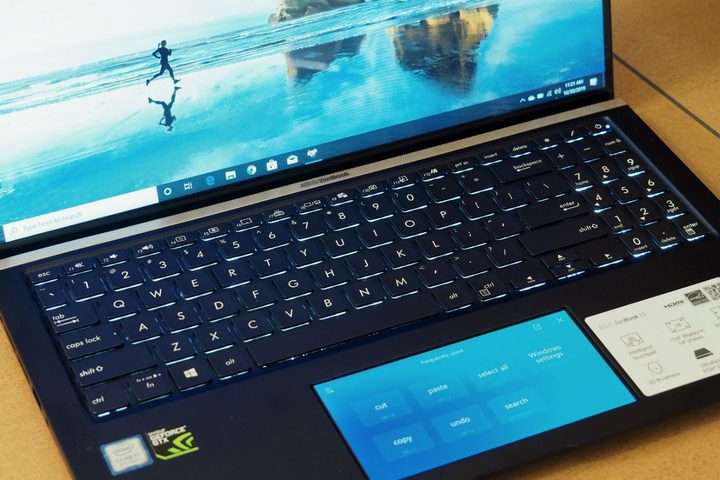
That haptic system would be the difference between Apple’s take and something like the Asus ScreenPad (above). Asus’ offering builds a mini display into the trackpad, but it lacks the haptic element.
That’s important, because in Apple’s concept, navigating would be just as easy as on a keyboard. It wouldd banish interruptions forced by looking at what buttons you’re pressing, allowing you to get more work done with touch alone. Apple already makes the best trackpads in the biz — why not make better use of them in this way?
Making life easier for developers
Speaking of how good Apple’s trackpads are, another strength is their massive size. Compared to some laptop rivals, MacBook users get oceans of space to swipe, drag and gesture to their hearts’ content.
And that’s another massive benefit that could be reaped by a Touch Bar trackpad. One of the biggest limiting factors of the original Touch Bar is its awkward shape. The thin strip of space that it occupies makes it difficult if developers want to get creative with how their apps use it. Seeing as the Touch Bar’s success hinges on whether third-party Mac apps make good use of it, that’s a problem.
But with a large, rectangular surface, there’s far more scope for developers to bring their new and interesting ideas to life. Apple even demonstrates some of this potential in its patent filing, with illustrations depicting a spell checker, document editor, and Cover Flow image browser all making an appearance on the trackpad. These are all great ideas that could vastly improve users’ workflows in much more intriguing ways than the original Touch Bar ever did.
That, ultimately, is what has made the current Touch Bar such a disappointment, even on the otherwise-excellent MacBook Pro 16. For it to become truly essential, it must have interesting, genuinely beneficial uses in almost every app a MacBook user comes across. But that’s not even nearly the case, with large numbers of apps ignoring it completely. We don’t know why that is, but I wouldn’t be surprised if its awkward shape and developers’ uncertainty over how to best use such a novel idea have combined to really hold it back.
The good news is we know Apple has some thought-provoking ideas for the future of the Touch Bar. Let’s cut the company some slack here — combining a solid-state, haptic trackpad with a context-sensitive display is an immensely difficult task to achieve, so it’s no surprise that Apple went for the more straightforward option of a separate OLED strip that we ended up with.
We don’t know how or if Apple will reshape the Touch Bar, but let’s hope Apple makes good on this concept in a future MacBook. If we do get a redesign of the Touch Bar, it likely won’t be until 2021, which is when we’re expecting the next overhaul of the design to get launched.


