

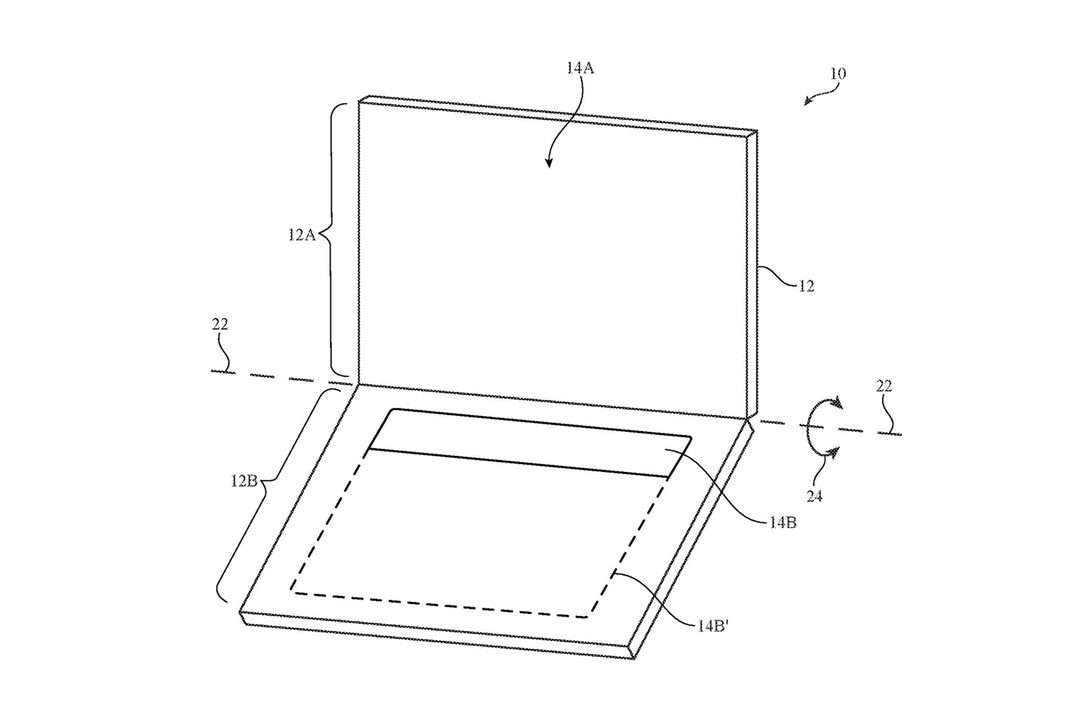
Just yesterday, Apple patented the idea of a dual-screen MacBook. No keyboard. No trackpad. Just two screens that either fold together like a laptop or detach like a 2-in-1. While the patent doesn’t mean Apple is actually developing such a product, the idea of a future MacBook without a keyboard got us thinking about why this would or wouldn’t work.
What if Apple really did make a MacBook without a keyboard? What would it be like? Could it actually be done — and more importantly, is that what people would actually want?
People are very attached to physical keyboards — us included. When we need to get real work done, we depend on physical keyboards that we can type quickly on. There’s something about the tactile feedback of physical switches and buttons that makes that kind of speed possible. How many times have you been doing something on your smartphone and wished you were doing it on a laptop instead? The idea of taking that away on a machine that’s supposed to be a productivity computer seems counter-intuitive.
On the other hand, those were very similar arguments made about physical keyboards before the iPhone came out. Digital keyboards sucked, so people preferred physical ones. But once the engineers at Apple nailed the feeling of consistent accuracy on a touchscreen, we all said goodbye to physical keyboards and haven’t looked back since.
But would that work on a laptop? It’s not the first time such a device has been developed. We’ve seen concepts like Lenovo’s Yoga Book (pictured above), as well as all the rumors and patents surrounding Microsoft’s Andromeda project (or even Microsoft’s abandoned Courier project from the late 2000s).
Two relevant examples of Apple engineering are worth mentioning: One makes me excited about the possibility of a dual-screen MacBook, and one makes me nervous about it.
The first is the MacBook’s current touchpad and keyboard inputs. In 2015, Apple introduced a redesigned touchpad on the MacBook called the “Force Touch Trackpad,” which didn’t actually click at all. Instead, it uses a set of electromagnets to simulate the feeling of tactile feedback. The feeling of “clicking” the trackpad is so smooth on MacBooks today that most people don’t even realize it’s fake.
Meanwhile, the new MacBook keyboards use “butterfly switches” to reproduce the feeling of key presses where there is almost no travel. Success in that department has been a bit less unanimous — especially for those who prefer a deeper key travel and analog switches. However, there’s no question that the keyboard works and can be used to type efficiently and quickly. I wouldn’t be at all surprised if Apple took it a step further on its next MacBook update and removed key travel entirely, replacing it with the same motorized simulation of the trackpad. It’d only be one more step to removing the physical keys and moving to an entirely digital surface.
All of that is proof that Apple can and will pay careful attention to replicating the feeling of physical stimulation on laptop inputs. The example that worries me is the Touch Bar.
The OLED touchscreen that replaced the function row on the most recent MacBook Pros was supposed to be a way of making laptops more like smartphones — more adaptable and context-sensitive. The idea was interesting conceptually, but not all that useful in practice. Again, it’s the reliability of tactile feedback that made the actual row of function keys useful. Having to use a touchscreen to quickly change brightness or audio volume is something I still haven’t gotten comfortable after all this time. Lacking any tactile feedback, I have to look down at my hands each time. It’s a total inconvenience.
With both of those examples intact, a dual-screen MacBook simultaneously makes me cringe and dream about the possibilities. What if the keyboard deck was more contextual? What if it could handle a mix of inputs — touch, type, and stylus? What if a keyboard was there when you needed it and disappeared when you didn’t? The potential is endless.
If Apple can do what it did with the trackpad on a larger scale, it just might be the future of computing. But if the Touch Bar is glimpse of the future, we’d rather stick with what we’ve got.


