  1. Home
  2. Computing
  3. News

The macOS Sequoia update just launched. Here’s why you should install it

Add as a preferred source on Google
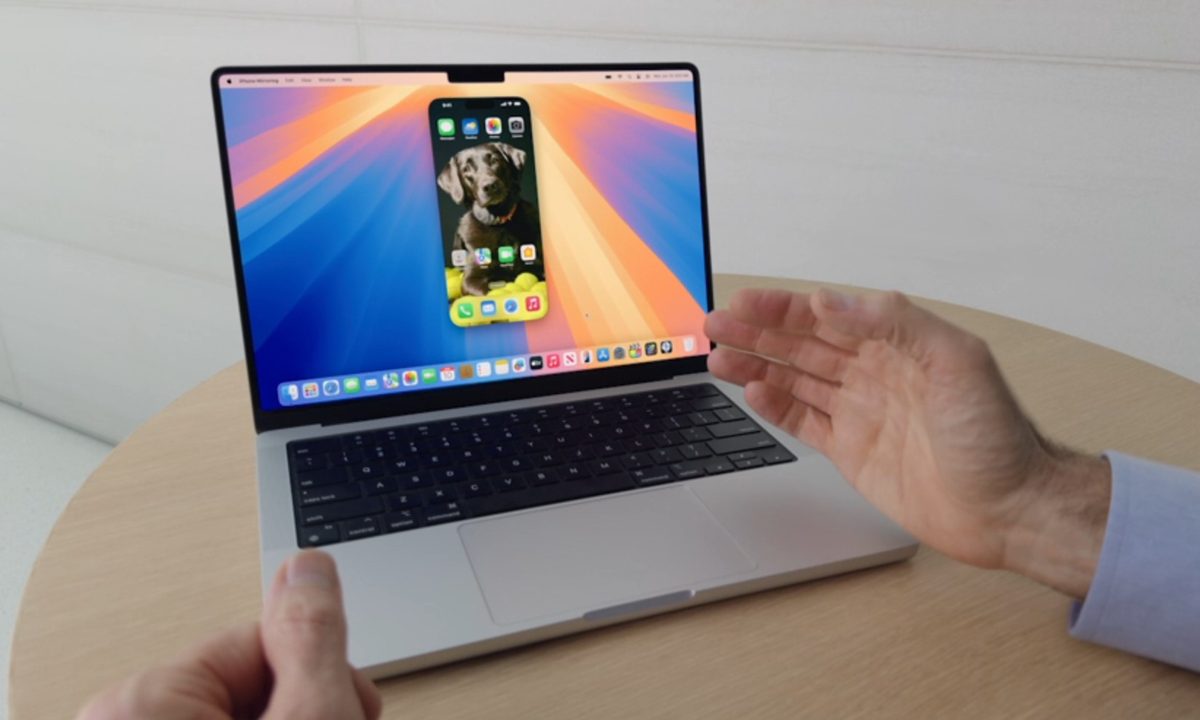
The iPhone Mirroring feature from macOS Sequoia being demonstrated at the Worldwide Developers Conference (WWDC) 2024.
Apple

The macOS Sequoia update is finally here, bringing iPhone Mirroring, Safari updates, window tiling, and the new Passwords app to Mac. As promised, there are no Apple Intelligence features in this update, but they will start rolling out from next month.

iPhone Mirroring is the most exciting thing coming with this update, allowing you to check your messages, notifications, and apps without switching devices. The feature makes a lot of sense as the one time we truly don’t need our phones is when we’re already using a computer. Instead of taking your hands off the keyboard to pick up your iPhone, you can simply access it on your Mac like a phone-shaped app.

Recommended Videos

The feature isn’t quite complete yet, however, with abilities like drag and drop coming later this year. It also appears that iPhone Mirroring is not available in Europe at this time. Though the app exists, when clicked it just shows a pop-up saying, “iPhone Mirroring is not available in your country or region.” Hopefully, Apple will sort out its issues with the EU soon so more people can enjoy this new feature along with the coming Apple Intelligence.
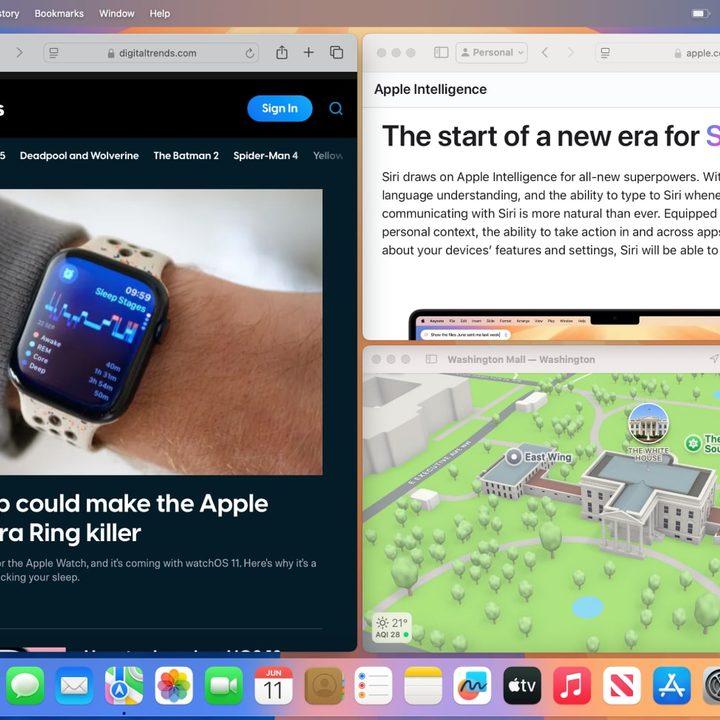
Three app windows arranged on a screen using window tiling in macOS Sequoia.
Digital Trends

The new window tiling abilities are a welcome addition too, though it perhaps took a few too many years to implement them. Until now, most users have been downloading separate window tiling apps to achieve the kind of experience that’s built into Windows and most popular Linux distributions.

There’s also the Highlights feature coming to Safari, bringing useful information from web pages to one easy-to-access place, as well as the new and improved Reader view.

As for Apple Intelligence, features coming soon include improvements to Siri, Private Cloud Compute, Genmoji, Writing Tools, and more. Some of them are available in beta, which we’ve tried out, but we’re still waiting for official releases.

There may be certainly a good opportunity to showcase them on Macs next month. There will reportedly be a significant M4 Mac launch, showcasing the capabilities of the new and improved Neural Engine for better on-device AI processing.

Willow Roberts
Willow Roberts has been a Computing Writer at Digital Trends for a year and has been writing for about a decade. She has a…
If you have a Mac, you should try this free and beautifully-designed disk space tool
Radix is a free open-source alternative to paid Mac disk analyzers
File, Electronics, Mobile Phone

Running out of storage on a Mac is common, but Apple’s built-in storage tools are not always great at showing what is actually taking up space. You usually get broad categories, but finding the exact folders, downloads, app files, or old projects causing the problem can still take some work.

Radix is a free, open-source Mac app that tries to make that process clearer. It is a disk space analyzer that scans a folder, drive, or volume and displays the results in an interactive sunburst chart. Rather than digging through folders manually, you get a visual overview of how storage is being used across your drive.

Read more
This free Mac app puts stunning glassy widgets on your lock screen
WidgetScreen brings weather, calendar, battery, and music widgets to your Mac lock screen
Aquatic, Water, Animal

The Mac lock screen has always felt a little underused. You see the time, your wallpaper, and not much else. macOS already supports desktop widgets, but once your Mac is locked, that extra information disappears.

WidgetScreen is trying to fix that in a pretty simple way. The free Mac app, made by UK computer science student Sam Cook, adds glassy widgets to the lock screen so you can quickly check things like the weather, clock, calendar, battery, music playback, countdowns, and system information.

Read more
The Sashimi robot is real and it doesn’t fumble at slicing and dicing
Three arms, a GelSight sensor, and surprisingly clean chopstick work.
Laboratory, Robot

Robots can pick up boxes, sort packages, and screw in bolts without breaking a sweat. Some of them can even walk and run like humans. Hand one a floppy, slippery piece of raw salmon, though, and everything starts falling apart. 

A team at the Norwegian University of Science and Technology set out to solve that problem. The result is the Sashimi-Bot, a three-armed robot that can prepare sashimi from a raw salmon loin without a chef in sight.

Read more