  1. Home
  2. Computing
  3. News

Asus puts the outrageous dual-screen ROG Zephyrus Duo on the shelf at an eye-watering price

The ROG Zephyrus Duo isn't just a gaming laptop with two screens, it's the company’s most serious attempt yet to add more ambition to a "portable workstation" that’s capable of gaming.

Add as a preferred source on Google
Asus dual-screen laptop America.
Asus

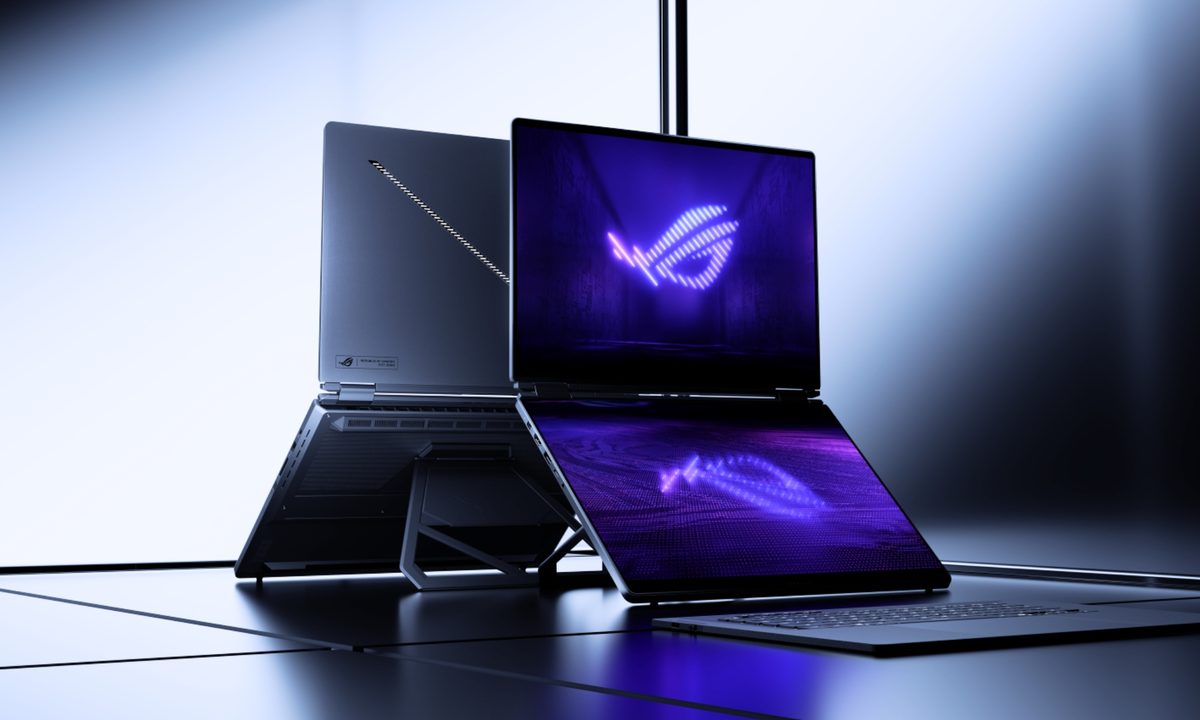
Asus has decided that one screen isn’t simply enough on a laptop. The ROG Zephyrus Duo has returned to the market with two screens, with pre-orders now live for what the company is calling the world’s first 16-inch dual-screen gaming laptop.

Starting at $4,499.99 and going up to $5,499.99 for the top configuration, this is undoubtedly a machine that is built for people measuring their laptops with ambition, either for innovation or the desire to game on a dual-screen laptop. 

What are you actually getting for $4,499.99?

Two full 16-inch ROG Nebula OLED touchscreens, which give you a combined diagonal display space of over 21 inches. Both panels feature a 3K resolution, 120Hz refresh rate, and 0.2ms response time. Further, they also hit 1,100 nits of peak HDR brightness and cover 100 of the DCI-P3 color space. 

Recommended Videos

The primary screen supports Nvidia G-Sync, but the secondary doesn’t. Powering the dual-screen laptop is an Intel Core Ultra 9 386H (16-core) CPU, paired with either an RTX 5070 Ti or RTX 5090 laptop GPU, both running at 135W TGP. 

The 1TB PCIe 5.0 SSD and 32GB of soldered LPDDR5X RAM round up the spec sheet that is designed for delivering top-tier performance, whether it is for AI workloads or gaming. Complementing the hardware is a redesigned cooling system that features a larger capor chamber, dual fans, and a graphite sheet over 100% of the CPU and GPU. 
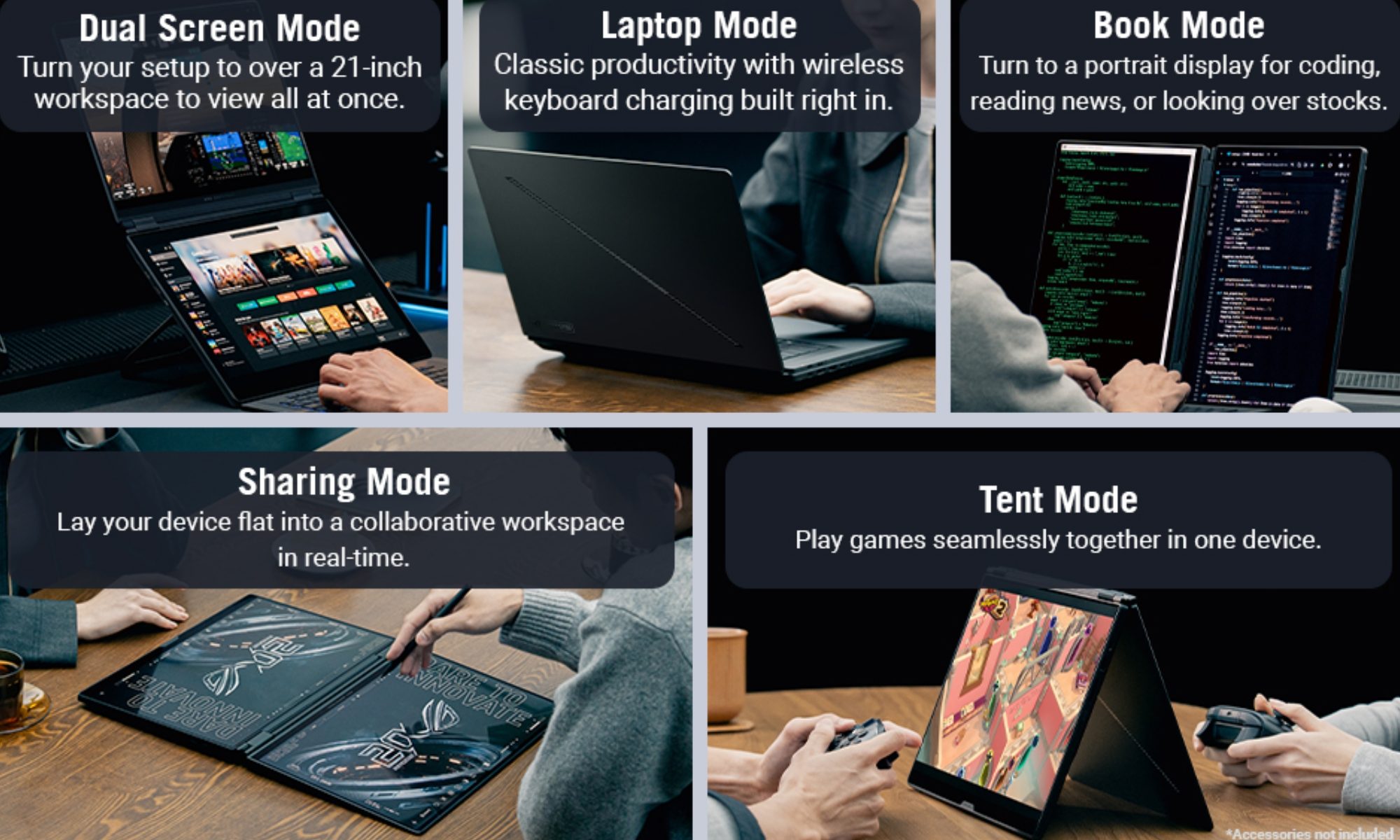
How many ways can you actually use the dual-screen laptop?

You can use the ROG Zephyrus Duo in five ways (officially). The dual-screen laptop supports the usual Laptop Mode, a Dual Screen Mode (with the kickstand deployed, keyboard detached), a Sharing Mode (wherein the screen lies flat at 180°), a Book Mode (with portrait orientation), and a Tent Mode (for two-player face-off gaming). 

The magnetic keyboard provided with the laptop connects wirelessly via Bluetooth and detaches entirely when needed. Connectivity options on the machine include Wi-Fi 7, Bluetooth v6.0, two Thunderbolt 4 ports, HDMI 2.1, and a UHS-II SD card reader, rounding things out. 

Shikhar Mehrotra
For more than five years, Shikhar has consistently simplified developments in the field of consumer tech and presented them…
Cherry XTRFY K63W Pro Compact is a wireless gaming keyboard that leaves lag behind
Ultra-Wideband tech and 8000 Hz polling are here to end your wireless woes for good.
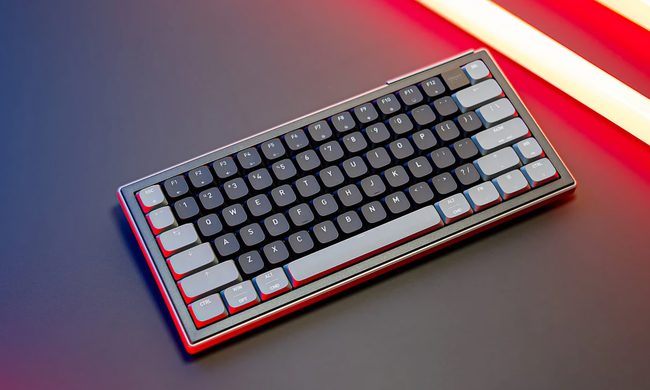
Cherry XTRFY K63W Pro Compact keyboard

Cherry XTRFY announced the K63W Pro Compact at Computex 2026, and the standout feature is one you don't often see in gaming keyboards: Ultra-Wideband technology. With a true 8000 Hz polling rate, this compact keyboard is positioning itself as a serious wireless option for gamers who don't want to compromise on performance.

What is Ultra-Wideband doing in a keyboard?

Read more
Google’s first new smart speaker in six years might finally have a release date
Google's self-imposed Spring 2026 deadline has come and gone without a word.
Electronics, Speaker

Google has been unusually quiet about its Gemini-powered Home Speaker ever since announcing it in October 2025. I was expecting the device to make an appearance at the I/O 2026, but that didn’t happen either. 

Now, a product page on Best Buy Canada just casually posted (read leaked) a release date, suggesting the wait is almost over.

Read more
Samsung One UI 9 will disable your fingerprint every time you open the power menu
The lockdown button is gone, medical info takes its place, and your Galaxy phone locks down every time you open and close the menu.
home screen on samsung Galaxy S26 Ultra

Samsung Galaxy phones have had a lockdown mode for years. It’s a manual option tucked inside the power menu that disables fingerprint and face unlock and forces a PIN entry. 

It is a useful last resort for situations where someone might force you to unlock your phone with your face or finger. The problem was that most people either didn’t know it existed or never used it in the first place. One UI 9 fixes that, and it does so by removing the choice entirely.

Read more