  1. Home
  2. Computing
  3. Phones
  4. News

Samsung One UI 9 will disable your fingerprint every time you open the power menu

The lockdown button is gone, medical info takes its place, and your Galaxy phone locks down every time you open and close the menu.

Add as a preferred source on Google
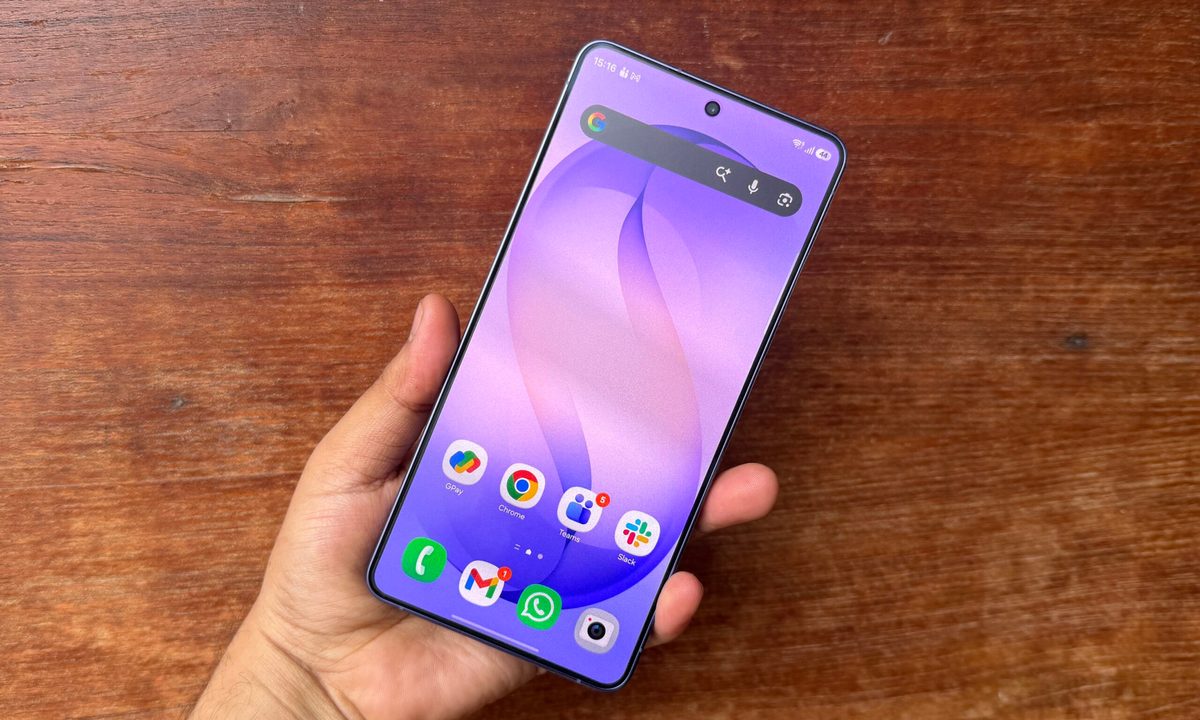
home screen on samsung Galaxy S26 Ultra
Nadeem Sarwar / Digital Trends

Samsung Galaxy phones have had a lockdown mode for years. It’s a manual option tucked inside the power menu that disables fingerprint and face unlock and forces a PIN entry

It is a useful last resort for situations where someone might force you to unlock your phone with your face or finger. The problem was that most people either didn’t know it existed or never used it in the first place. One UI 9 fixes that, and it does so by removing the choice entirely.
What exactly changed in the power menu?

Spotted by SammyFans and corroborated by members of the r/oneui community on Reddit, One UI 9 Beta 2 (based on Android 17) changes how lockdown mode behaves. 

Recommended Videos

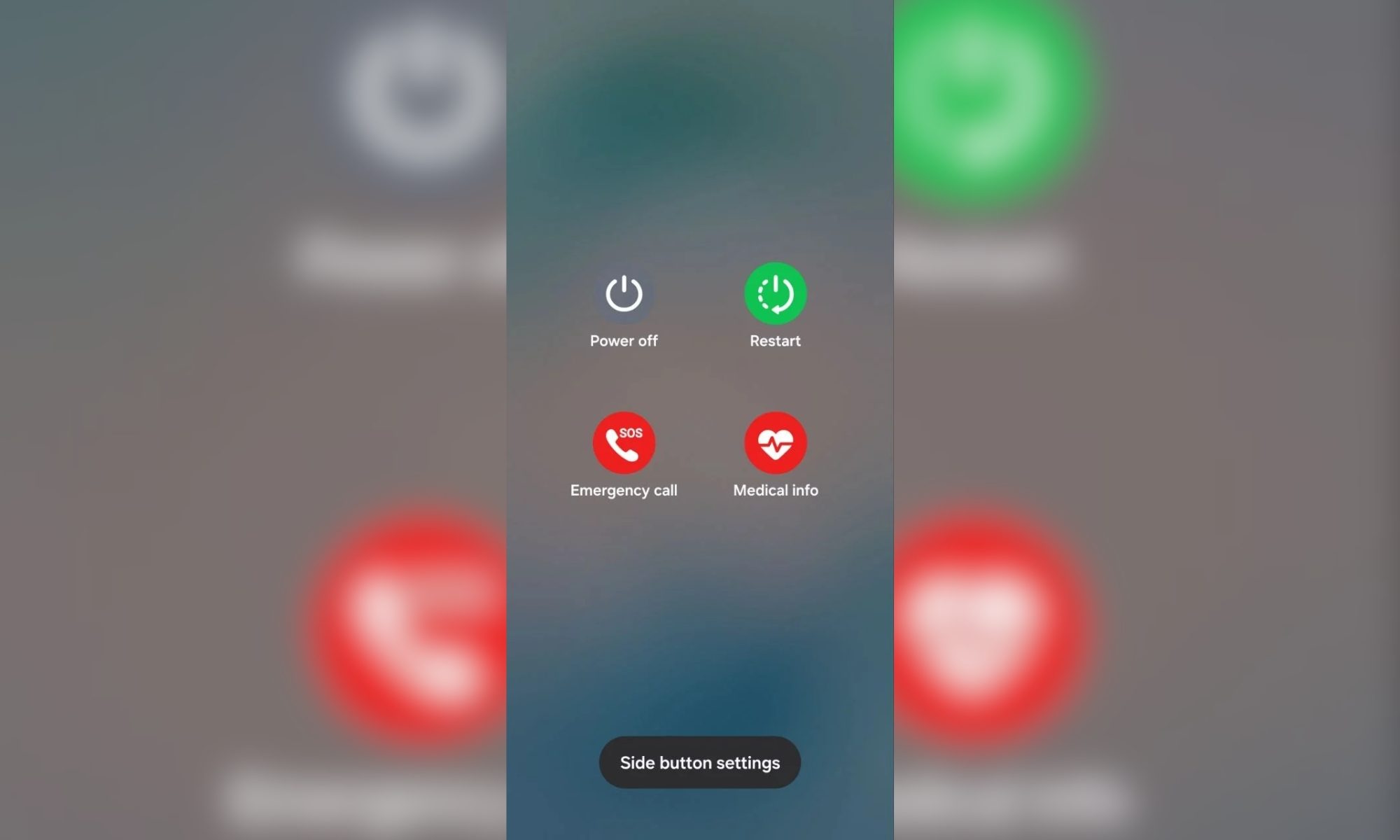
The dedicated lockdown button has been removed from the power menu altogether. In its place, you’ll see medical info, a more contextually useful option for first responders in an emergency. 

Lockdown itself hasn’t been removed; it has simply become automatic. 

The moment you open the power menu and dismiss it, One UI 9 activates lockdown. It locks the phone and disables fingerprint recognition and face unlock. The only way to unlock it is to enter the PIN, pattern, or password. 

Is this actually better or just more annoying?

I’d say that it is significantly better. The old implementation required you to think straight in a moment of stress, locate the right button, and press it before handing your phone over or, worse, having it taken from you.

The new implementation removes that cognitive burden entirely. Opening the power menu is already a natural reflex when you sense something is wrong, and reaching for the side button is instinctive. Samsung has effectively turned that instinct into a security action without any additional step needed. 

For now, the feature is live in One UI 9 Beta 2 and has not been confirmed for the stable release. Given that Samsung has not officially announced this change, it could still be modified before One UI 9’s stable release ships to the public.

Shikhar Mehrotra
For more than five years, Shikhar has consistently simplified developments in the field of consumer tech and presented them…
Dell’s new XPS 16 Creator Edition wants to be your MacBook Pro replacement
The laptop features Nvidia RTX Spark superchip, Tandem OLED display, and 128GB unified memory.
Computer, Electronics, Tablet Computer

Apple’s MacBook Pro has had a comfortable run as the default laptop for creative professionals. Video editors, photographers, 3D artists, and developers all converged on the device, both because of the performance and the exceptional connectivity and continuity with iPhones. 

Dell thinks it has finally built something that changes that calculus. Announced at Computex 2026, the XPS 16 Creator Edition is Dell’s first laptop built around Nvidia's new RTX Spark superchip.

Read more
Nvidia’s RTX Spark chip targets the Mac Studio, with Asus and MSI calling the first dibs
Nvidia just built a tiny AI box that wants to fight the Mac Studio
RTX Spark

The battle for compact high-performance desktops is heating up, and Nvidia appears ready to enter territory long dominated by Apple’s Mac Studio. At Computex 2026, MSI unveiled a new AI-focused mini PC called the MSI EdgeMesa N AI, powered by Nvidia’s brand-new RTX Spark platform.

The launch signals Nvidia’s growing ambition to push AI computing beyond traditional gaming desktops and into compact creator and workstation machines. More importantly, it also shows PC brands moving aggressively toward Apple’s increasingly successful formula of powerful desktop performance inside small, minimalist systems.

Read more
Asus arms its new ProArt P16 and P14 laptops with Nvidia’s beefy RTX Spark processor
Computer, Electronics, Laptop

The AI PC race has mostly been about squeezing more neural processing power into thinner laptops. Asus is taking a different route. Its latest ProArt P16 and ProArt P14 creator laptops are built around Nvidia’s new RTX Spark platform, a chip package that sounds like something you’d expect to find inside a workstation. And that’s exactly the point.

The new ProArt machines are targeting creators, developers, and power users who increasingly want desktop-class AI performance without being tethered to a desk.

Read more