
If you don’t really need a laptop and want to save yourself a little bit of extra money, then going for a desktop makes sense, especially since you can get some pretty good performance and specs for a reasonable price. In fact, some of the best desktop computers can easily handle the best PC games and the most heavy-duty productivity apps without a sweat. Of course, that also means that you have to have a lot more space to house your desktop, which can be a blocker for some folks who have smaller offices or space constraints.
Either way, we’ve gone out and found our favorite deals that will give you the best bang for your buck so that you don’t get too overwhelmed with all the options out there. Once you’ve found a good one, pair it with discount monitor deals to save some more cash. If you’re looking for something better suited to gaming, then you may want to check out these gaming PC deals as well.
HP Omen 25L — $1,130 $1,500 24% off

The HP Omen 25L is a relatively affordable gaming PC with the Intel Core i7-13700 processor, Nvidia RTX 4060 graphics card, and 16GB of RAM. With these specifications, it may not be able to play the best PC games, but you should be able to handle quite a few modern games without many graphical comprimises. There’s enough space for multiple games on its 512GB SSD, which has Windows 11 Home pre-installed.
HP Desktop — $390 $490 20% off

The HP Desktop M01 is an affordable desktop computer that still provides decent performance for basic functions with its AMD Ryzen 3 processor, AMD Radeon Graphics, and 8GB of RAM. You’ll also get a good starter amount of storage with its 256GB SSD, which comes with Windows 11 Home pre-installed. It also comes with a wired keyboard and mouse, so you just need a monitor to complete your setup. While it’s not the best set up, it’s a solid entry-level desktop PC for general work and browsing.
HP Pavilion desktop PC — $640 $800 20% off
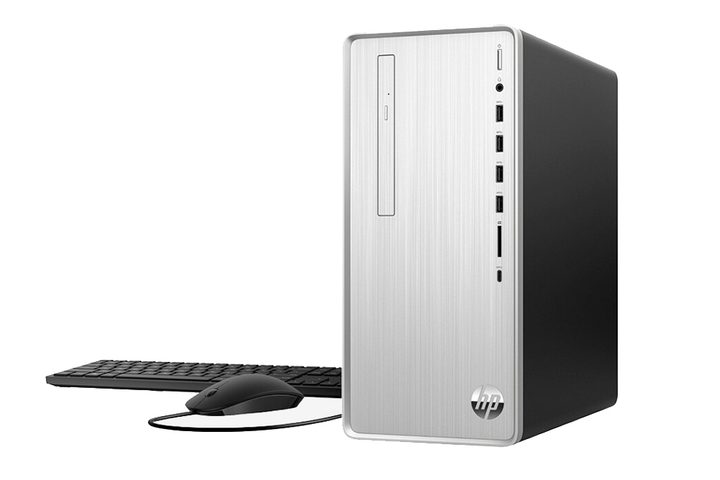
For a computer that won’t have trouble with even the most demanding tasks for work or school, go for the HP Pavilion Desktop PC with an Intel Core i5-12400, Intel UHD graphics, and 8GB of RAM. Our guide on how much RAM do you need can be helpful in figuring out is this is enough for your needs. The HP Pavilion also comes with Windows 11 Home pre-installed in its 512GB HDD, which you could always suppliment with another HDD if you feel it’s not enough.
Dell XPS Desktop — $1,460 $1,810 19% off
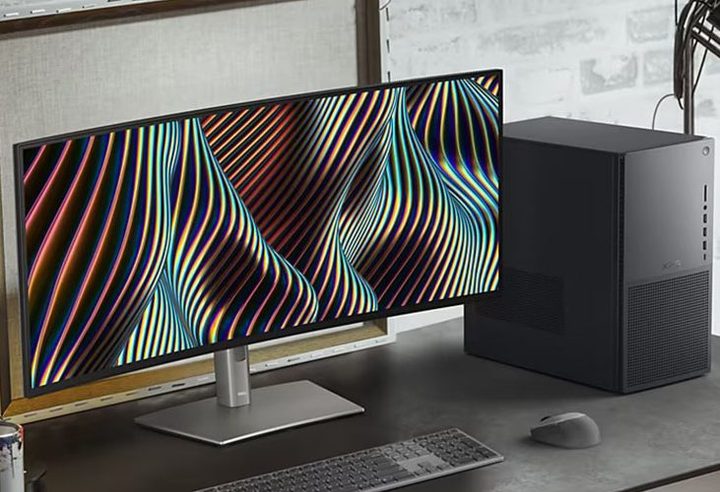
One of Dell’s more popular lineups is the Dell XPS. It’s almost always among the best laptops on the market and here it takes the form of a desktop PC. This build of the Dell XPS Desktop features an Intel Core Ultra 7 265 processor and a solid 32 GB of RAM. You may need to dive into some more at some point depending on the paces you plan to put this PC through, but it’s easy to upgrade, as the frame of the XPS is designed to open up for quick installs of upgraded internal hardware. You’ll also get a very generous 1 TB of solid-state storage with this build, and it even has an RTX 4060 Ti inside of it if you also want to game.
Dell Vostro 3030s Small Desktop — $620 $749 17% off
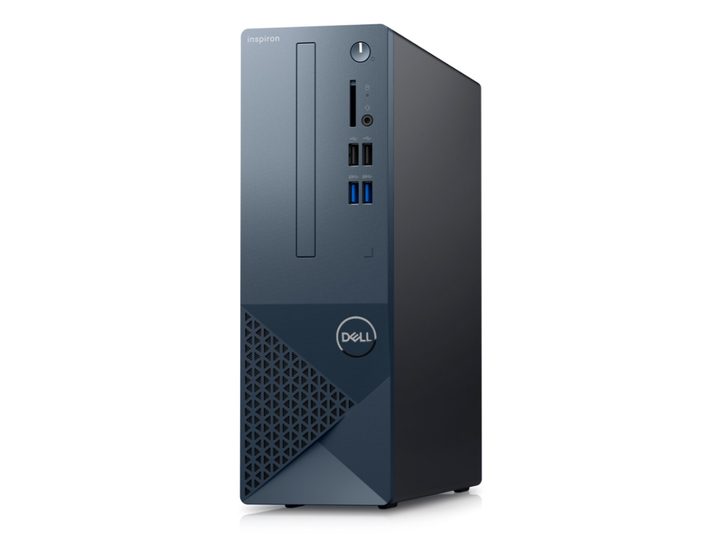
Dell is one of the most recognized names in desktop computing, and with this build Inspiron PC it offers some good performance with plenty of room to expand your hardware in the future if you feel the need. It has a 10-core Intel i5-14400 processor, which is a solid mid-range option, a very solid 16GB of RAM for a smooth experience, and a 512GB SSD drive for storage. You’ll get plenty of connectivity for connecting anything from external hard drives to any of the best monitors, making this a great option for those looking to do some professional desktop work.
Apple Mac Mini Desktop M4 — $557 $599 7% off
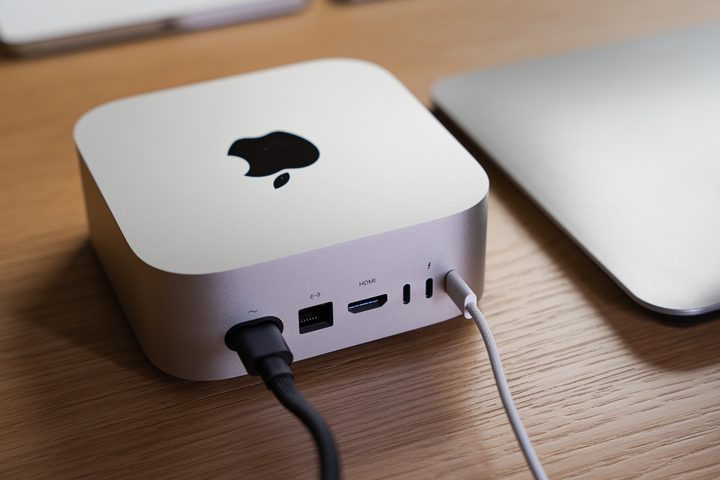
The Apple Mac Mini M4, which is powered by Apple’s M4 processor and 16GB of RAM, features a ten-core CPU for fast performance, a 10-core GPU to handle graphics-intensive apps, and a 16-core Neural Engine for advanced machine learning — all within a tiny package. The computer is equipped with a 256GB SSD, and is an excellent high-end entry for those in the Apple ecosystem who want a powerful desktop experience without going for an iMac.
How to choose a cheap desktop computer
After setting your budget, it’s time to decide what exactly you’re looking for in a good cheap desktop computer. First, is this PC going to be primarily for work and general daily use, primarily for gaming, or a fairly even split between these? This will naturally determine what sort of specs you’re looking at — such as, for instance, whether you need a discrete graphics card or not — but the good news is that in the sub-$1,000 category, you can find many good desktop PCs packing solid up-to-date hardware that won’t be outdated within two years.
Another important consideration is peripherals. What monitor (or monitors) is your desktop computer going to be connected to? Do you already have a mouse and keyboard; if not, do you want a desktop PC that comes with these included, or do you plan to buy nicer ones separately? Bear in mind that while many desktop towers come with accessories, you’ll still need to decide how much you’re budgeting for things like a mouse, a keyboard, a monitor, mouse pad, speakers, and other peripherals you might need.
The bottom line is this: Don’t merely look at the price and basic hardware specs when shopping for a cheap desktop computer. Set your budget, know exactly what features you want (write this down if you need to) and then work from there.
What makes a good cheap desktop computer?
When shopping for any sort of cheap computer, be it a laptop or desktop PC, the biggest risk you’ll face is ending up with something that is running on outdated hardware (or hardware that will be outdated very soon). This is what happens when you consider only the price and don’t familiarize yourself with the current state of computer hardware. Thankfully, there’s not too much to remember.
First, when looking at CPUs, it’s best to stick with 11th- and 12th-generation Intel Core processors and AMD Ryzen (also known as “Zen”) processors, as these are more recent and will keep your system – even a relatively basic one – reasonably “future-proof.” We also suggest a minimum of 8GB of RAM unless you’re sailing into sub-$300 waters and 16GB is even more strongly recommended for something like a gaming desktop. Finally, solid-state drives (now common even on cheap computers) are generally preferable to traditional hard drives. These SSDs are generally more reliable and considerably faster than old-school HDDs, although they offer less storage space per dollar.
Are cheap desktop computers good for gaming?
Any PC packing an up-to-date CPU, GPU, and SSD (or at least a 7,200rpm HDD) should be good to go for gaming, and there are plenty of good cheap desktop computers that fit this bill nicely. Along with the processors we mentioned, modern graphics card generations include Nvidia’s 16- and 30-series cards, although you’ll most likely be sticking with the GTX 16-series GPUs in the sub-$800 price bracket. These replaced Nvidia’s 10-series cards as entry- and mid-level GPUs, and while there are still PCs with those older cards floating around, we don’t recommend them.
AMD’s Radeon family of budget-tier graphics card includes the RX 5000 series, with GPUs like the RX 5500 offering good performance capabilities for 1080p gaming. The RX 6000 series GPUs are better for higher-end gaming. You’re not likely to achieve 4K or even 1440p gaming with most cheap desktop computers, but that is a sacrifice you make for keeping costs down. Also, remember that an SSD will load games (and everything else) noticeably faster than an HDD.
Looking for more great stuff? Find tech discounts and much more on our curated deals page.


