
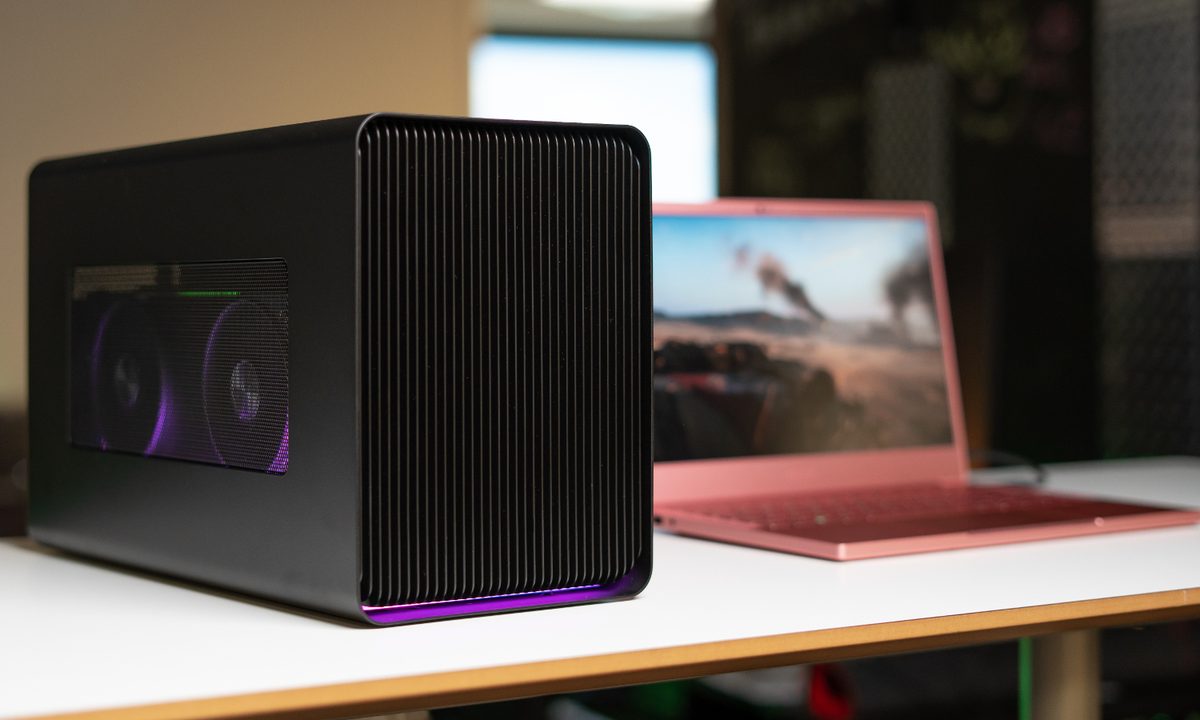

Using one of the best external GPUs can boost your laptop performance, regardless of if you're trying to gain some frames in Apex Legends or make your Premiere Pro renders a little faster. We've rounded up the top options on the market that can accommodate even the most powerful graphics cards, including the RTX 4090 and RX 7900 XTX.
A good GPU enclosure goes beyond being a box for your graphics card. Our picks come with enough power to feed hungry graphics cards without sacrificing efficiency, and they're cool and quiet, allowing you to game or create without distractions.



The best eGPU enclosure overall
Razer Core X Chroma
- Fits almost any graphics card
- Has a big enough PSU for any GPU
- Has strong cooling
- RGB model has fancy lighting effects
- Can't fit RTX 4080 or 4090
The Razer Core X is the best external GPU enclosure on the market. At around $400, it's a little more expensive than some of the other options available (though cheaper than others), but still balances looks, thermals, and performance. The base model comes packed with an internal 650-watt power supply and can fit up to a three-slot GPU.
The more expensive Chroma model comes with a beautiful RGB underglow and boosts the power supply to 700W. It, too, can fit a three-slot GPU and comes with four USB ports and Gigabit Ethernet. Regardless of the model you choose, all you need is a single Thunderbolt 3 cable to hook up the enclosure.
You'll need to bring your own graphics card, but you can fit nearly anything inside the Buy at Amazon outside of the RTX 4080 and 4090. In addition to plenty of room, the power supply is more than enough to handle even the most power-hungry graphics cards. Plus, the unit comes stock with a 120mm fan, adding a little more cooling potential.

A great budget eGPU enclosure
Sonnet eGFX Breakaway Box
- Has up to a 750W PSU
- Can fit most dual-slot graphics cards
- Has lots of USB ports for device charging
- Gigabit Ethernet provides networking potential
- Only supports Thunderbolt 3
- Can't fit the biggest GPUs
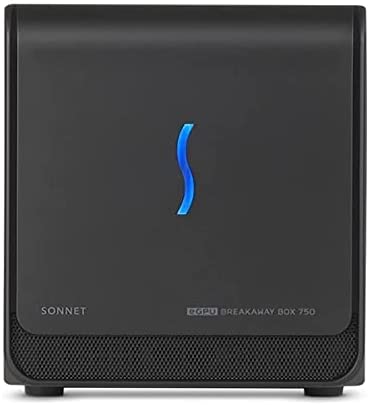
If you're looking for a slightly cheaper enclosure, the Sonnet eGFX Breakaway Box is for you. The current version is the Breakaway Box 750, and Sonnet offers it in two different models -- 750 and 750ex. Both models come with a 750W power supply, but the 750ex also comes with four USB ports and Gigabit Ethernet for a $50 premium.
You can use the latest graphics cards from AMD and Nvidia in the enclosure, including Nvidia Quadro cards for professional workloads. Although it was designed around older, lower TDP GPUs, it still has enough power and cooling for all the latest RX 7000 and RTX 4000 models, outside of the ludicrously big RTX 4080 and 4090.
You can even chain multiple Breakaway Boxes together, connecting up to four boxes if you have enough Thunderbolt ports, allowing you to accelerate even the most demanding workloads in applications like DaVinci Resolve and Cinema 4D. It does only support Thunderbolt 3, but it has the maximum 40 Gbps bandwidth.
The only downside is that the Buy at Amazon only supports dual-width graphics cards. It has enough power for something like the RTX 3090, but many models are too large to fit inside.

The fastest eGPU you can buy
Gigabyte Aorus RTX 4090 Gaming Box
- Has an RTX 4090 in it!
- It's a self-contained solution with no extras needed
- Excellent cooling for quiet operation
- Fancy RGB lighting looks great
- Can't deliver anything close to the RTX 4090's full power
- Lacks Thunderbolt 4 support
If you want the ultimate in external graphics power, then the Gigabyte Aorus RTX 4090 gaming box is the enclosure for you. It has the world's most powerful graphics card inside, the Nvidia RTX 4090, with all of its CUDA cores, RT cores, tensor cores, and high clock speeds, and it delivers the fastest gaming experience possible from an external GPU enclosure.
However, do note that the RTX 4090 is so powerful that it completely saturates the poor Thunderbolt 3 connection to your laptop, so it won't be able to make full use of the RTX 4090. In fact, performance might be close to half that of the full -speed 4090. That's still faster than almost any other gaming laptop in existence, and most gaming desktops too, but it's worth bearing in mind.
We'll need Thunderbolt 5 or USB4 to take full advantage of eGPU enclosures like this. Still, it's about as fast as you can realistically expect an eGPU enclosure to be today, which means it'll let you play any game at any setting with ease. It also looks good, has near-silent water cooling, and actually represents pretty great value at around $2,000, since you're getting a watercooled RTX 4090, which by itself would set you back around $2,000.
If you'd rather just buy a gaming laptop, here are some of the fastest gaming machines you can buy in 2023.


