
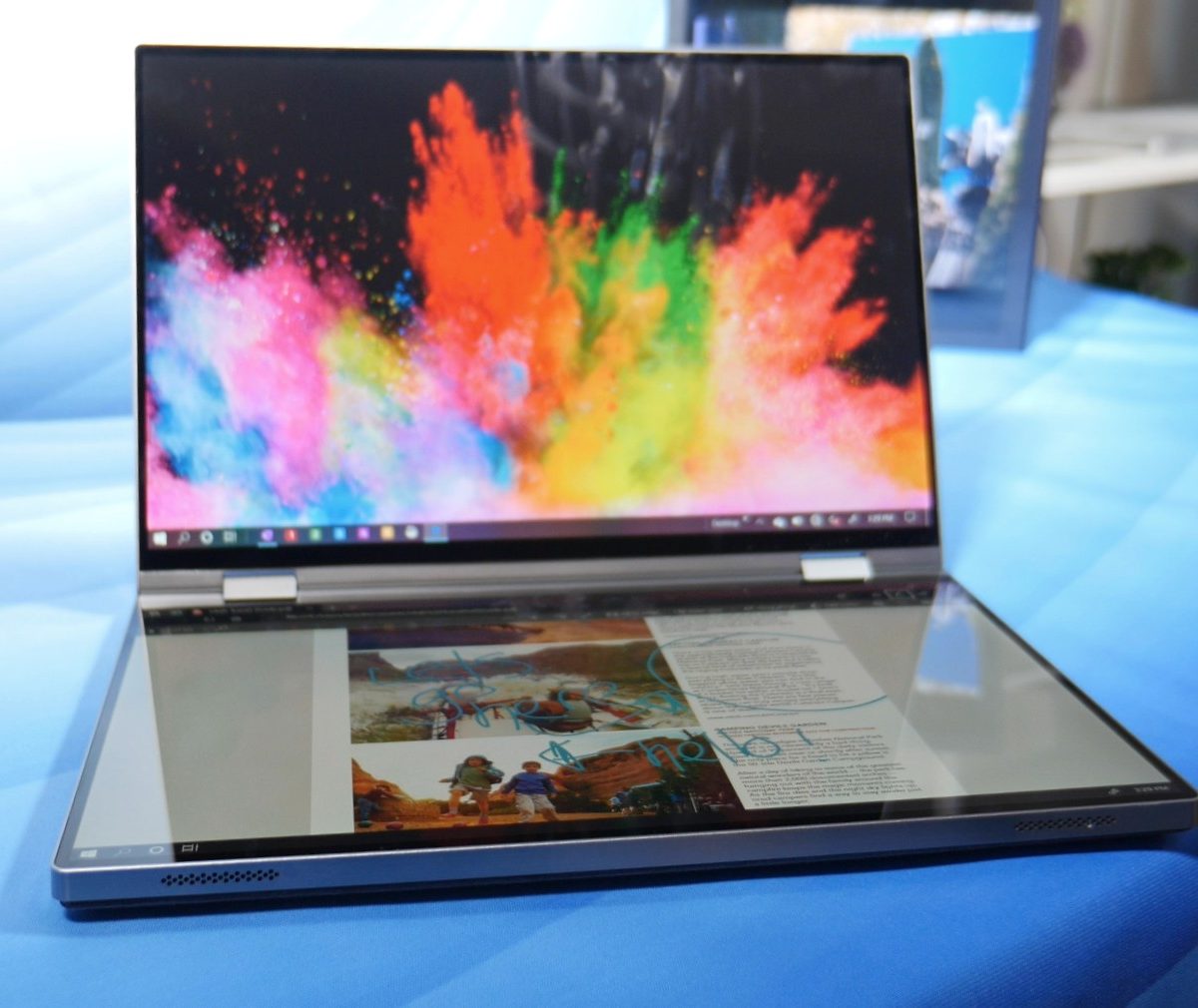
At CES 2020, Dell has announced a experimental dual-screen laptop called the Duet. The name conjures up the image of two singers on a stage, sharing a song.
But there’s more to a duet than just two voices. They need to play off one another, their voices interwoven, each equally weighted in importance.
The same is true for a device with two screens. The two halves, a pair of 13.4-inch screens that fold together like a book, are nearly identical. Do they sing in harmony, or clash?
Two screens, one device
We live in a strange, exciting time. Dual-screen devices are the future. The industry seems to have committed to that. But what size will they be? What kind of devices will they be replacing or iterating on? Those questions are still up for debate.
The Duet is one side of the argument. Unlike the Surface Neo (or even Dell’s other concept, the Dell Ori), the Duet is a familiar size. In your hands, or on a desk, it feels like every other 13-inch laptop out there. It’s made out of sturdy aluminum and is every bit as refined as Dell’s XPS laptops, like the fantastic Dell XPS 13.
When opened, though, you’ll realize it’s unlike anything Dell has made. Two large, glossy, 13-inch screens shine up at you, separated only by a thin bezel and a 360-degree hinge. There is little room for anything but pixels on both surfaces. It feels like the future.
Practical details, like performance, remain up in the air. Dell hasn’t provided details on what kind of processor or graphics card the Duet uses. Given its super-thin size, it’s hard to imagine there’s a lot of power here. That could put a damper on what you do with the device.

You might be skeptical of the dual-screen design if you’ve tried recent thin-profile or digital keyboards. If you can’t type properly, it’s no better than an iPad at replacing a laptop. I learned that with Lenovo’s attempt at this same design, the Yoga Book C930.
That’s why Dell included a small, removable keyboard that can function in a number of different modes. It can magnetically attach to the top of the screen where a keyboard normally would be on a laptop, creating space for a digital touchpad below.
If only the software could catch up to this wonderful hardware.
The keyboard can also slide down to the bottom, leaving room for a Touch Bar-like surface across the top. That extra space can be used as an extension of the top screen, or as a separate window for different apps. Making a chat app would give you access to GIFs, emojis, or suggested words, while a browser would provide shortcuts and recently opened pages.
These two modes are inspired by the design of the Surface Neo, which also includes a magnetic, removable keyboard. But here, the keyboard is a larger, more comfortable size. Moving the keyboard between the two modes is seamless. I could see myself benefiting from both.
If the software can keep up. That, as it turns out, is Dell’s greatest challenge.
Suspect software

The Duet has a software problem. It’s buggy, but that’s forgivable for a product so early in development. The bigger issue is app integration.
Smaller devices like the Dell Ori and Surface Neo benefit from their portability. They’re meant to be on-the-go work tablets. Once they have Windows 10X running, they could be a nice alternative to a tablet. Given that purpose, you can forgive certain shortcomings.
The Duet, however, is a full-sized laptop and is meant to be used as such. The second screen needs to add real value to justify the inconvenience of ditching a proper keyboard. Dell showed some home-grown software tricks, such as a three-finger swipe to toss one window from one screen to the other. But without a touchpad that clicks, or a full-sized keyboard, the Duet can feel finicky and imprecise.

Nothing Dell had to demo showed a compelling benefit to having access to a second touch screen.
The Lenovo Yoga Book C930 attempted to solve this problem by using an e-ink screen, so it can double as an e-reader.
Dell doesn’t have a killer app in mind, however, and it’s not obvious to me what it would be.
An idea whose time has come

Everybody knows dual-screen devices are “the next big thing.” I’ve already seen many variations on the theme, however, and it’s not clear which designs owners will gravitate towards.
The Duet hasn’t won me over just yet. Fortunately, Dell has some time to figure out the details. This is a concept, after all. Dell wants to see how people react to the Duet and adjust its plan accordingly.
The thoughtfulness of the hardware makes the Duet an exciting premise. Let’s just hope Dell, Microsoft, and potential developers can learn to sing in harmony, and make the Duet a success.
Follow our live blog for more CES news and announcements.


