
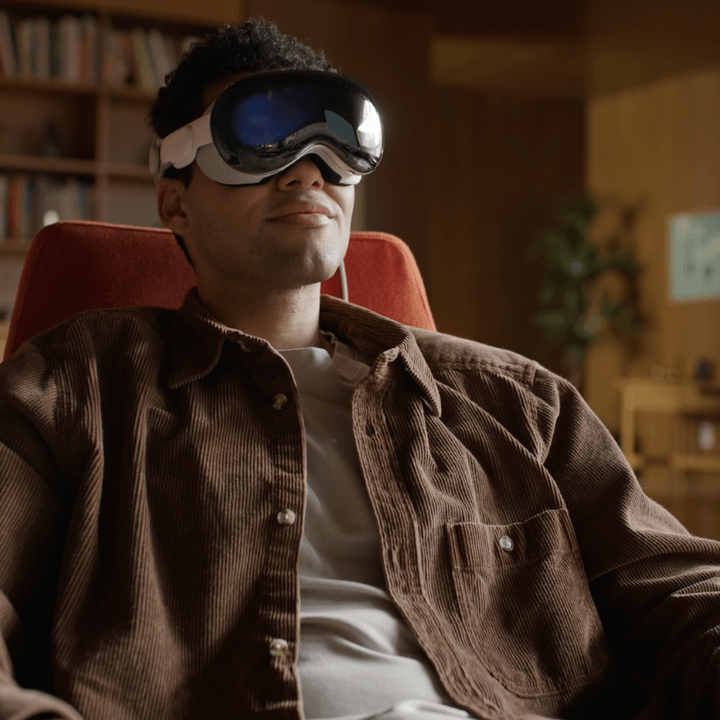
Apple gave the Vision Pro headset incredible clarity. We know this because one of our writers praised its clarity after his own hands-on experience with the headset.
But that praise-worthy clarity doesn’t matter, though, if people who wear glasses can’t use prescription lenses to enjoy the Vision Pro’s large, sharp screens. That might be one of the most important questions to answer for more than half of the U.S. population that wear glasses or contact lenses — and the answer isn’t great.
Apple Vision Pro with glasses

You can’t wear your glasses with Apple’s first VR headset. Even though the Vision Pro is as big as most other headsets, it’s packed with technology. There’s not enough room inside for glasses. That means you need to find another solution.
Apple partnered with Zeiss to create optical inserts that work seamlessly with the Vision Pro to accommodate a wide range of corrective lenses. Zeiss can even create Vision Pro inserts for people who use progressive or bifocal lenses.
For people who wear readers, which are affordable, non-prescription lenses available in most drugstores, there are three choices: +0.75 to +1.25D, +1.50 to +1.75D, and +2.00 to +2.75D. If your readers are over +2.75 strength, Apple suggests trying the available reader inserts in case any of those options work.
There’s a reason readers in the wrong strength might work. Like most other VR headsets, Apple’s Vision Pro places virtual screens at an apparent distance of a few feet, even though the physical displays are very close to your eyes. Since people who wear readers have trouble focusing at close distances, a screen that’s a few feet away should be relatively easy to focus on.
Unfortunately, there are some conditions that Zeiss can’t correct. For example, prescriptions that contain a prism value won’t be accepted. To be certain Zeiss can make optical inserts that are compatible with your prescription, check the Zeiss prescription guide on the company’s website.
Apple Vision Pro with contacts
If you wear single-vision, soft prescription contacts, you should be able to wear them for spatial computing with the Apple Vision Pro. There’s no need for Zeiss optical insets, but you can order them if you want the option of removing your contacts while wearing the Vision Pro.
While hard contact lenses are rarely prescribed, wearing these types of contacts could affect how the Vision Pro’s eye-tracking system works. That might make it difficult to use the default control method of the Apple Vision Pro.

Apple does have alternate control schemes within accessibility settings like Pointer Control and Head Pointer that let you point with your hands or your head instead of using your gaze to select from menus and activate buttons.
Apple accommodates most vision problems
Most people can use the Apple Vision Pro even if they wear glasses or contacts by using Zeiss optical inserts. It’s an added cost of $99 to $149 on top of the already expensive $3,500 Vision Pro. However, if you need corrective lenses, being able to see the Vision Pro’s displays clearly is worth the expense.
Apple notes that some people might experience eye strain or blurriness when wearing the Vision Pro. That could mean the prescription you gave to Zeiss is no longer correct for your eyes.
Vergence accommodation conflict (VAC) is an inherent problem with even the best VR headsets, including the Apple Vision Pro. Virtual objects can appear to be closer or further away without actually requiring your eyes to change focus. That’s not how focus works, so the mismatch can become uncomfortable for some people.
The only solution for VAC when using a VR headset like the Vision Pro is to take a break from wearing the device so your eyes can relax with natural vision. It’s a bit like motion sickness, causing disorientation when our senses don’t match our normal experience in reality.
In the future, holographic, light-field, and multifocal lenses currently being developed by Meta and others will help resolve this problem. In the meantime, VR won’t suit everyone, and some people will need to limit the amount of time spent in virtual reality.


