  1. Home
  2. Computing
  3. News

Framework Laptop 13 Pro is the repairable MacBook Pro killer Linux users have been waiting for

The laptop that lets you fix it yourself just became the one you actually want.

Add as a preferred source on Google
Framework laptop 13 pro in black
Framework

Framework has been quietly perfecting its modular laptop formula for six years, and the new Framework Laptop 13 Pro might be close to its final form. It’s a complete ground-up redesign that tackles the biggest complaints users have had, starting with battery life, and it doesn’t stop there.

Does it really beat a MacBook Pro on battery?

You read that right. Framework claims the Laptop 13 Pro lasts over 20 hours on Netflix 4K streaming. That’s 12 hours more than the previous Framework Laptop 13 and, impressively, slightly longer than Apple’s 14-inch M5 Pro MacBook Pro

Apple claims up to 22 hours video streaming for its latest M5 Pro MacBook Pro, which is slightly more than what Framework claims, but that might have to do with different testing environments. Framework says it will publish full-length battery test videos on its YouTube channel, so you don’t have to take its word for it.

Recommended Videos

What excited me more than generalized numbers is that the battery itself is now 74Wh, a 22% jump over last generation, and it comes with a 100W GaN charger in the box for faster top-ups.

Other than the larger battery, the vastly improved battery performance also has to do with the new Intel Core Ultra Series 3 processors, which include special Low Power Efficient cores that kick in during lighter tasks like streaming and keep the fans off entirely. 

There are three other chip options: Core Ultra 5, Core Ultra X7, and Core Ultra X9. According to Framework, the X7 and X9 versions can even handle AAA games like Cyberpunk 2077, which is not something you’d expect from an ultrabook with integrated graphics.

What else is new?

Almost everything is new with the Framework 13 Pro laptop. The laptop now uses LPCAMM2 memory, a new format that brings power-efficient LPDDR5X RAM in an upgradeable module. You can pick 16GB, 32GB, or 64GB, and swap it out later if needed. Storage goes up to 8TB with PCIe 5.0 NVMe support, which is fast enough to make most desktop drives look slow.

The display is new too, with a 13.5-inch 3:2 panel that now includes touch support, 700 nits of brightness, 1800:1 contrast, and variable refresh rate between 30Hz and 120Hz. 
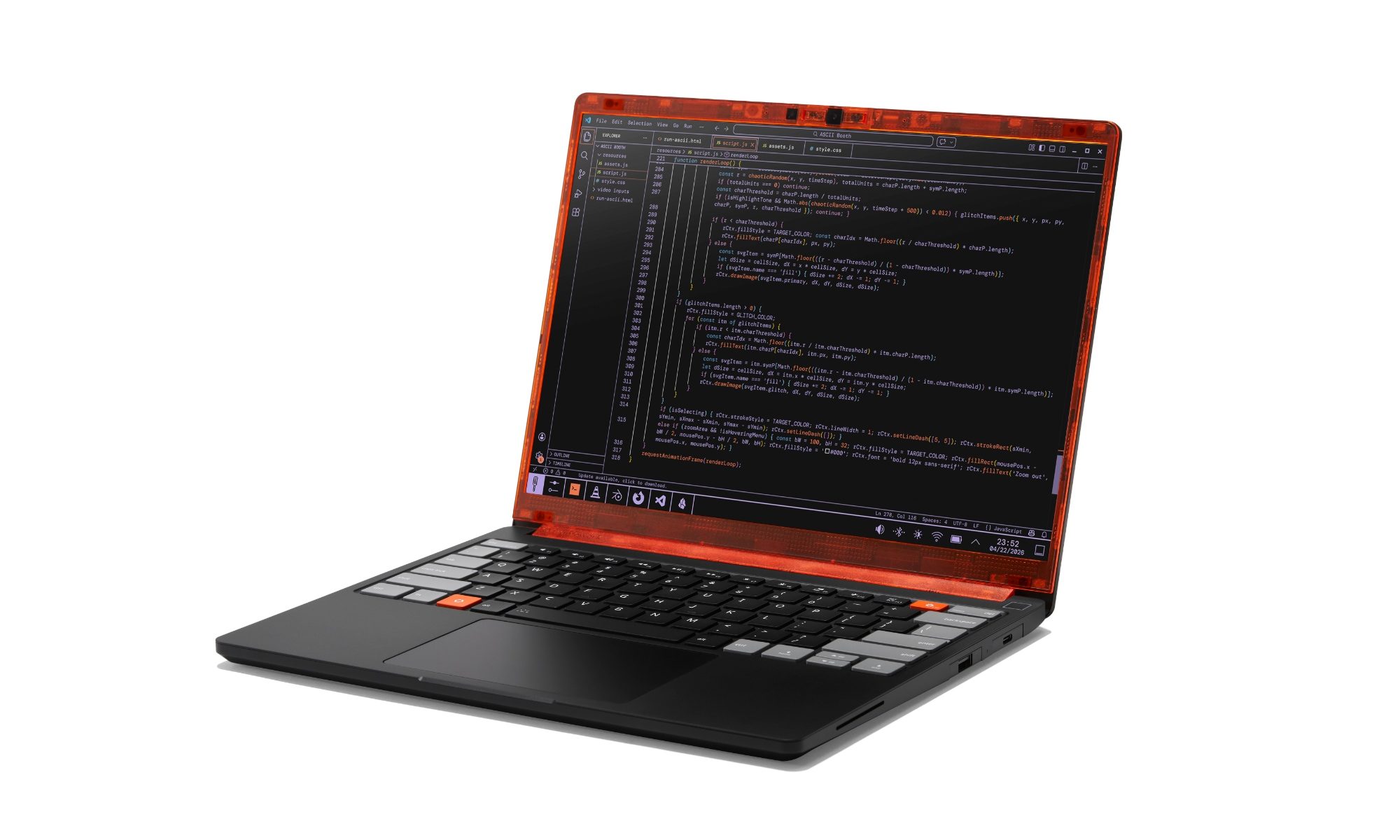
The chassis is now fully machined from aluminum, there’s a new haptic touchpad, and Ubuntu comes pre-loaded as an option for the first time. You can of course get it with Windows 11 if that’s the operating system you prefer. 

What about the pricing?

The Framework Laptop 13 Pro starts at $1,199 for the DIY Edition and $1,499 for pre-built (pre-built Windows version start at $1,699). Considering that every other laptop manufacturer has increased their prices, this seems a good enough price. Pre-orders are open today, and shipments begin in June.

Rachit Agarwal
Rachit is a seasoned tech journalist with over ten years of experience covering the consumer technology landscape.
The refurbished MacBook Neo may be your best way around Apple’s price hike
MacBook Neo has hit Apple’s refurbished store after its price increase
Student using MacBook Neo in classroom.

The MacBook Neo launched in March as Apple’s most affordable notebook, but it has already been caught in the company’s recent price hike. The base model with 8GB of RAM and 256GB of storage now costs $699, while the 512GB version with Touch ID is priced at $799.

Just days later, Apple has already listed refurbished MacBook Neo models on its online store, giving buyers a cheaper official option, though the savings are not as generous as you might expect.

Read more
This cross-device clipboard app solves the copy-paste problem I keep running into on my Mac
ClipboardAI keeps a searchable history of everything you copy
Text, Electronics, Mobile Phone

I have lost count of how many times I have copied something important, copied another thing before pasting it, and then realized the first item was gone. It is a small frustration, but it happens often enough to become annoying. I recently came across ClipboardAI, which caught my attention because it goes beyond Apple’s built-in clipboard by saving copied items into a searchable history.

Instead of replacing the last thing you copied every time, ClipboardAI keeps a searchable record of copied text, links, codes, email addresses, phone numbers, addresses, and images across iPhone, iPad, and Mac. That means an older clip does not disappear just because you copied something new.

Read more
If you miss the feel of paper in the digital age, this app gives your Mac’s screen a textured look
A paper-like screen overlay could make long work sessions feel less harsh.
Advertisement, Poster, Electronics

Most screen-comfort tools work by changing color temperature. Apple’s Night Shift makes the screen warmer, often giving everything an orange tint. Paperman is an interesting alternative because it adds a subtle paper-like texture over the display instead.

The app is available for Mac and Windows, and it is designed to make a screen look closer to paper, matte glass, or an e-ink display. It softens the harsh contrast and reduces the glossy look of modern screens during long reading or writing sessions.

Read more