

This week, cloud-based communications provider RingCentral unveiled RingCentral Video, its new videoconferencing platform. A revamp of its previous Meetings service, which was one of our picks for best videoconferencing software, this release comes at a time when most of us are using such tools more than ever before both for meeting with work colleagues and for staying in touch with friends and family. Best of all, the service, which delivers high-def video and audio, is totally free.
RingCentral Video features
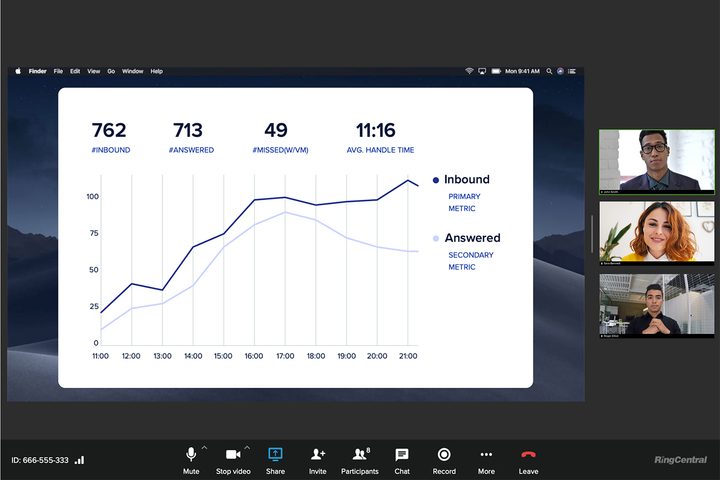
- 24-hour meetings: Lest you think that nothing good ever comes for free, RingCentral Video is devoid of many of the limitations of its competitors’ free videoconferencing services. Zoom limits its meetings of three or more people to 40 minutes unless you pay for its service, while Google Meet and Cisco Webex limit their meetings to 60 minutes and 40 minutes, respectively. (Google has temporarily suspended its limitation until March 2021, however.) RingCentral Video meetings, on the other hand, can go all day and night (24 hours). Unless you’re hosting a virtual rave, it’s doubtful you would ever need that much time, but it’s still nice not to feel pressured by constraints.
- Recording capabilities: RingCentral Video lets you record your meetings for later reference, which is only available as a paid feature on Zoom.
- Team messaging: RingCentral Video adds in team messaging capabilities of platforms like Slack that so many of us use to collaborate with coworkers and that you don’t get with Zoom. This feature allows file uploads with no limitations on size or number. Plus, RingCentral Video’s messaging is equipped with a host of emoji reactions and a text formatting toolbar to add personality to your messaging. But if you need to take your messaging session to the next level, you can switch to videoconferencing with one click.
- No download: RingCentral Video is entirely browser-based so there’s no file to download, and you can join a meeting with one click.
- Task and calendar management: Aided by the ability to integrate your Microsoft 365 and Google Workplace calendars, RingCentral Video also allows for task and calendar management. And you can do this with just one click.
- Switch devices: If you find that you need to switch from your desktop to your phone so you can take your conversation on the go, with RingCentral Video, you’ll be able to change devices during a meeting without interruption.
- Share files: In RingCentral Video’s team messaging, you can drag and drop files to share them with other team members.
- Assign tasks: You can use RingCentral Video’s task management to assign and check off tasks.
- Meet with up to 100 people: Unlike other free videoconferencing, RingCentral Video allows you to meet with up to 100 people at a time.
- Protect your meetings: Enterprise-grade security encrypts all your meetings and conversations. Plus, password-protect any meeting and control who can join.
- Connect internal and external teams: RingCentral Video allows you to create messaging teams that include both internal and external teams.
- Integrate other apps: RingCentral Video has the ability to connect apps like Mailchimp, Zapier, and GitHub to your team messaging.
- Searchable archive: RingCentral Video lets you search your archive by keyword and filter the results by name, email, or team.
While RingCentral Video gives you a lot for free, you can also upgrade to the RingCentral Video Pro paid version that gives you even more for just $12 per month. With this premium edition, you get everything in the free version plus twice as many participants (200), 100 hours (10GB) of cloud recording per user, a single sign-on, the ability to call any phone from a meeting, and advanced analytics across video, messaging, and devices.
Seamless digital collaboration has become even more important as the COVID pandemic has affected the workforce. RingCentral Video provides a smart option for your business with features, integrations, and functions that truly bring your workforce and communication together in a simple, easily accessibly solution.


