
Google is adding a new feature to its Chrome web browser that’s intended to help you find previously browsed topics and pick up where you left off. Called Journeys, it’s rolling out now for Chrome’s desktop version.
The feature essentially works like an extension of browsing history. When you type a word into the search bar or head to the Chrome History Journeys page in your browser, you will see a list of previously visited sites linked to that topic. Chrome will know how much you’ve interacted with any particular site, and those it considers the most relevant to you will go to the top of the pile.
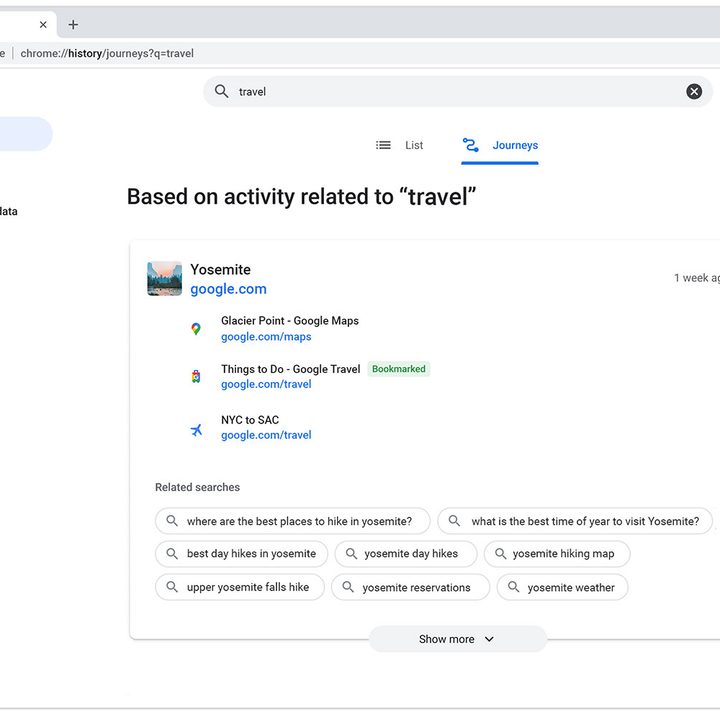
Google says you will see information “whether it was [from] earlier today or weeks ago.” The Journeys feature will also show related search terms, potentially helping you with your onward research.
Unlike your history, though, Journeys groups your searches by topic, even if they span different time periods. That could make it a bit easier than trawling back through your search history in an attempt to remember that elusive page you visited. Instead, you’ll see everything on that topic gathered together, whether you searched for it yesterday or three weeks ago.
This being Google, you might have privacy concerns over how this information is logged and used by the company. Google’s announcement tries to head off those worries, explaining that “Journeys currently only groups history on your device — nothing is saved to your Google account.” As well as that, you’ll be able to delete “individual items or entire clusters of activity” from your Chrome settings or disable Journeys completely.
Right now, the Journeys feature is only available on Chrome desktop. However, Google says exploring whether to allow access from multiple devices in the same way that your passwords or bookmarks sync from one device to another.
As well as Journeys, Google has added a few more Actions to the Chrome address bar. You can now type things like “View your Chrome history,” “Customize Chrome,” or “Share this tab” to quickly perform tasks that would otherwise require rooting around in the browser’s settings.
And on Android, Google has added new Chrome widgets for your home screen. Aside from widgets letting you start a text, voice, or Lens search, there are also widgets for opening an Incognito tab in the browser and even playing Chrome’s dino game. These can all be added by long-pressing the Chrome icon and selecting Widgets.


