
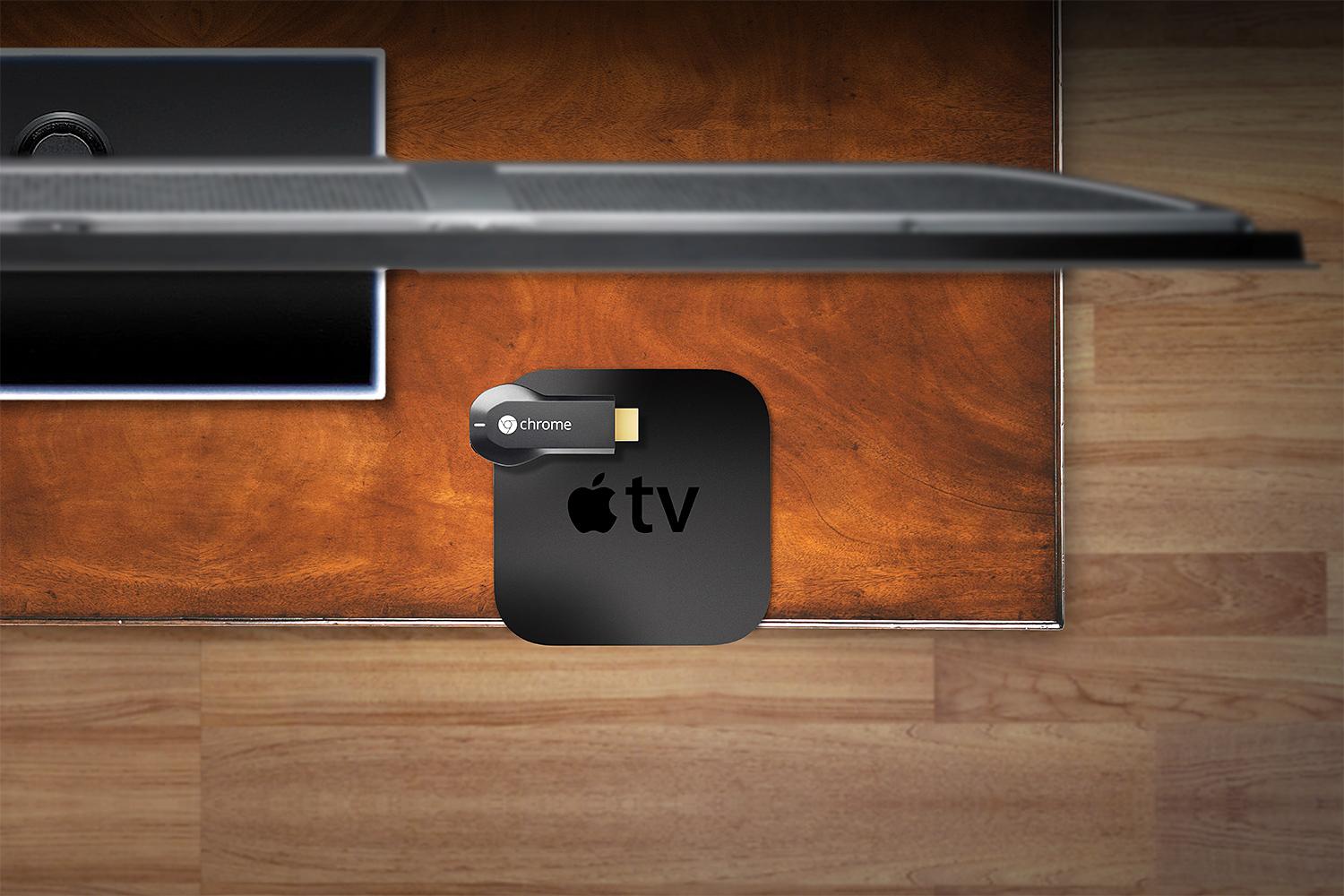
Google announced a groundbreaking device at its “Breakfast with Sundar” event on Wednesday. The Chromecast, a $35 dongle that plugs into your TV and streams content from any of your mobile devices, was immediately compared to Apple’s streaming device and streaming software, the Apple TV and AirPlay, respectively. Some argue the Chromecast is an Apple TV killer, while others say the device isn’t quite there yet. How exactly does Chromecast stack up against Apple TV? Let’s take a look.
Chromecast streaming vs. AirPlay
Though many people are comparing Chromecast and AirPlay, the way in which each device streams content is different. The Chromecast plugs into your HDTV’s HDMI port, connects to your Wi-Fi network, and then works as a portal to fling content from your laptop, tablet, or smartphone to your TV. There’s no user interface or remote, as the device you’re using becomes the remote. If your Wi-Fi signal is low, or you’re having a spotty Wi-Fi day, you’re out of luck. Chromecast will only work with a strong Wi-Fi signal as it streams from the cloud only.
AirPlay, on the other hand, streams from device to device. Apple’s technology is built into iPhones, iPads, and Macs that run versions of OS X that supports it. To use it for audio and video, you have to buy the Apple TV (you can use AirPlay to stream audio only to speakers connected to an Apple AirPort Wi-Fi base station; Apple also partnered with a number of manufacturers, so you can buy a “Made for AirPlay” speaker or sound system to wirelessly stream music).
The Apple TV runs a modified version of OS X with a user interface that you can navigate with the included remote, so you can play content via apps that run natively on the Apple TV without ever picking up your iPhone. When you do stream stuff from your phone, you can tap the AirPlay icon in a specific app – Photos, Videos, Music, Safari, or other AirPlay-enabled apps like YouTube and HBO Go – and stream everything to your HDTV via your Apple TV. Your device and Apple TV must be connected to the same network for the AirPlay icon to appear. For apps that don’t support AirPlay, you can “mirror” your entire iPhone or iPad on the big screen via Apple TV streaming.
Streaming video
Chromecast streaming and AirPlay do share a common UI feature. In both, you simply press a button in a supported app and the content is streamed onto your TV. Chromecast manages to take it a step further by allowing you to continue performing tasks on your device without interrupting your video stream.
Apple’s iOS 5 did add AirPlay Multitasking, but currently not all apps support it. For example, HBO Go lets you exit the app without breaking the stream to the Apple TV, so you can continue watching Game of Thrones on the big screen while you look up the episode’s synopsis in Safari on your phone. The YouTube app, on the other hand, breaks the stream if you leave the app. When you’re using AirPlay’s mirroring feature, though, your TV will show exactly what’s on your device’s screen, so it can’t multitask when it’s in that mode. Hopefully we’ll start seeing all AirPlay-enabled apps support multitasking soon.


- 2. Google Chromecast
As for its YouTube integration, Chromecast features something that AirPlay does not. Chromecast allows you and anyone else connected to your Wi-Fi network to add videos to your Chromecast’s queue. Anyone with a smart device (again, that’s any laptop, tablet, or smartphone – doesn’t have to be an Android device) connected to your television can add content to this list.
Apple TV only supports Apple devices with AirPlay capabilities, so your friend with a Nexus 7 can’t join in the fun. Plus, if you want to view something from a different device, you’ll have to disconnect one and then connect the other – no connecting multiple devices at once.
In terms of content available to each device, the Apple TV wins there. True, the Chromecast can fling anything in a Chrome tab onto a TV, but besides that, it currently only has a handful of partners, including Netflix, YouTube, Google Play, and Chrome. Apple TV, on the other hand, has access to Netflix, Hulu Plus, HBO Go, YouTube, Vimeo, and a number of sports channels, not to mention access to content from the iTunes Store. However, according to Sundar Pichai, Google’s SVP of Android, Chrome and Apps, that’s going to change. He expects more partners to join soon.
Streaming music

Apple TV allows you to make use of your television’s speakers for audio, which is helpful when you want to do something like stream Pandora or listen to Spotify. There are even applications built directly into the Apple TV home screen that allow you to access a multitude of radio stations. Of course, you also have access to any of the songs you’ve purchased in your iTunes account via iCloud.
With Chromecast, you can fling music from any device onto your television, as long as it is played within a Chrome browser. You can still listen to IHeartRadio and other music as long as its from a website, and not an app. At its press event on Wednesday, Google demoed Pandora, which will soon have Chromecast integration available. We have a feeling that Spotify and other music streaming sites will soon follow suit.
Looks matter
One of the major differences between Apple TV and Chromecast is physical appearance. The Apple TV is a very Apple-looking device: simple, small, and sleek. The black box plugs into a power source via an included cable and then connects to your TV via HDMI. Weighing just a little more than a half a pound, it’s small enough to fit easily and discreetly into most home theater setups. Compared to the Chromecast, however, the Apple TV looks bulky. Google’s device is tiny in comparison. The 2-inch, USB key-shaped dongle looks a lot like a traditional flash drive. However, it too must be plugged into a power source, and then plugged into your TV’s HDMI port – something Google doesn’t mention in its documentations unless you dig deep enough to find it in the device’s support page.
Device compatibility
Google believes that all devices should be able to stream content easily, a point it stressed numerous times during its press event. Recognizing that not everyone uses the same family of devices, Google made the Chromecast capable of working with laptops, tablet, and smartphones running Android, iOS, OS X, Windows, or Chrome (exceptions include BlackBerry and Windows Phone). So, even if you’re in a house full of people whose tastes in brand loyalty differ, you can all still share videos, music, and photos at the touch of a button. We finally have a streaming device that blurs the lines between brands.


As for Apple TV, we’re looking at just Apple products like iPhones, iPads, and newer Macs, meaning you’re only going to be able to stream content onto your television if you own an Apple product. There are also a number of speakers that have AirPlay integration.
Third-party software support
Third-party software support is every bit as important as the device itself. Where would most of these tablets, phones, and streaming devices be today without a dedicated market of app developers and innovators? Chromecast is still working on adding more third-party app support. So far, the only third-party app available to use with the Chromecast is Netflix. The rest are Google products.
Apple offers a great deal more in the way of third-party applications. Netflix, Hulu Plus, HBO Go, ESPN, NBA, MLB.TV, NHL GameCenter, WSJ Live, Sky News, YouTube, Vimeo, Flickr, Quello, and Crunchyroll are available on Apple TV, and Apple is working on securing new content every day. For now, it seems Apple is ahead of the game in terms of third-party apps, but Google will most likely find a way to close that gap pretty quickly.
Pricing
For just under $100, you can grab an Apple TV with a remote, HDMI cable, and a power cord. The Chromecast ($35) comes with the device, an HDMI extender, a USB power cable, and a power adapter. Both devices are available via Amazon or Best Buy, and each can be bought in their respective online stores.
Conclusion
There’s no “winner” here. These are two different devices for two different customers. For those who let only iOS and OS X products cross the threshold of their home, the Apple TV is the way to go. You’re okay with spending a little bit more for an Apple product, so you’ll likely be okay with paying a little more for an Apple TV. If you’re on a tight budget, the Chromecast is the ticket. Costing about what you’d pay for a tank of gas, the Chromecast won’t break the bank. Plus, if you live in a world of cross-platform devices, you’ll be glad to have an easy way to stream content from your devices to your TV without having to invest in an expensive set-top box or smart TV.


