
Google has just announced the launch of its conversational AI, Bard. Bard is Google’s response to the ever-popular ChatGPT, now in use by Microsoft in its own products.
The tech giant rushed to release Bard, and it is now ready for testing. Google is inviting users to test the AI, but as it notes, it might make mistakes.
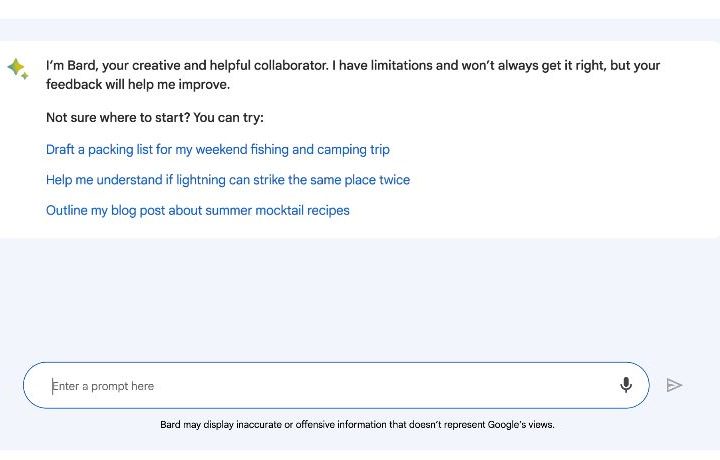
When OpenAi launched ChatGPT to the public, the internet entered a craze that persists to this day. Generative AI continues to be a hot topic, and Microsoft and Alphabet, the parent company of Google, only fuel the flames. Google has now well and truly entered the race by opening up Bard to regular users for testing purposes.
On the surface, Bard sounds a lot like Microsoft’s Bing Chat and the ChatGPT it was based on. There’s a major difference, though. While both ChatGPT and Bing Chat run on the GPT language model, Google’s AI is powered by LaMDA (Language Model for Dialogue Applications), or rather a slimmed-down version of it. Google says that the model will eventually be replaced with newer versions over time.
Bard can be used for various purposes — you can ask it about quantum physics and get a simple answer, have it write or outline your blog posts and emails, and give you packing tips for your next fishing trip. Google’s Sissie Hsiao and Eli Collins used it to help them outline the very blog post that announces the open beta, but they did find that it didn’t get everything right.
In fact, Bard’s likelihood of making a mistake is placed front and center throughout the announcement and in the AI itself. It’s clear that Google may have had to rush the development of the chatbot in order to be ready to compete against Microsoft. Microsoft is accelerating the pace of integrating Bing Chat into its products, lifting the waitlist to try it out and adding it to Windows 11.
Bard might be making mistakes as it learns from the users, but at least Google openly tells you so. Each query will also invite the user to “Google It” to fact-check whether Bard said the right thing or not. ChatGPT and Bing Chat make mistakes too, and the latter has said some truly unhinged things, so it’s probably for the best that Google is warning people ahead of time.
How to try out Google Bard
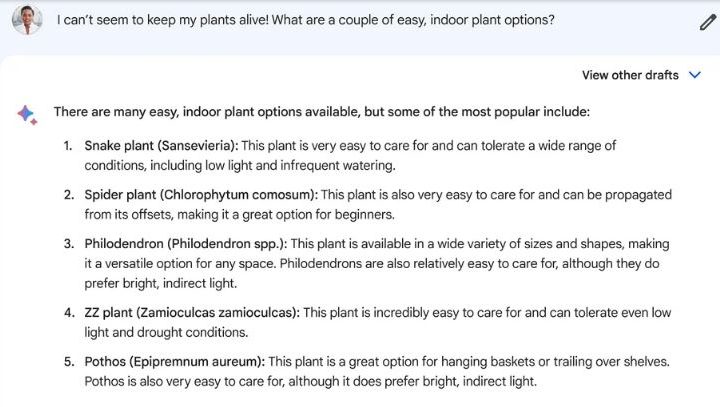
Bard is only open to a limited number of users right now, and if you’re outside of the U.S. and the U.K., you won’t be able to try it just yet. However, if you’re in either of those countries, all you need to do to sign up is to head to the official website for Bard. You will have to sign in with your Google account.
Right now, Google will let you talk to Bard as much as you want — there are no limits on the number of daily chats. However, the number of exchanges in a single chat will reportedly be capped to not allow the AI to go off-topic.


