
Google is updating Smart Canvas, a collaboration experience that debuted last year in the midst of the global pandemic designed for better collaboration and remote work, with new improvements targeting hybrid work.
The Internet search giant claims that the latest enhancements to Smart Canvas help to improve collaboration and speed up your workflow when using Google Workspace apps, such as Google Docs and Sheets.

These improvements include being able to see automatically generated summaries in Google Docs, having Google Docs fill your entire screen to create an immersive and pageless experience, the ability to see a preview of Google Maps right within your Google Docs document, and being able to draft and send an email right within Google Docs without having to switch to or copy your contents to Gmail.
“These innovations deliver on the needs of hybrid and remote work, by improving collaboration, speeding up workflows, informing quick data-driven decisions, and more,” Google said of the new changes to Smart Canvas.
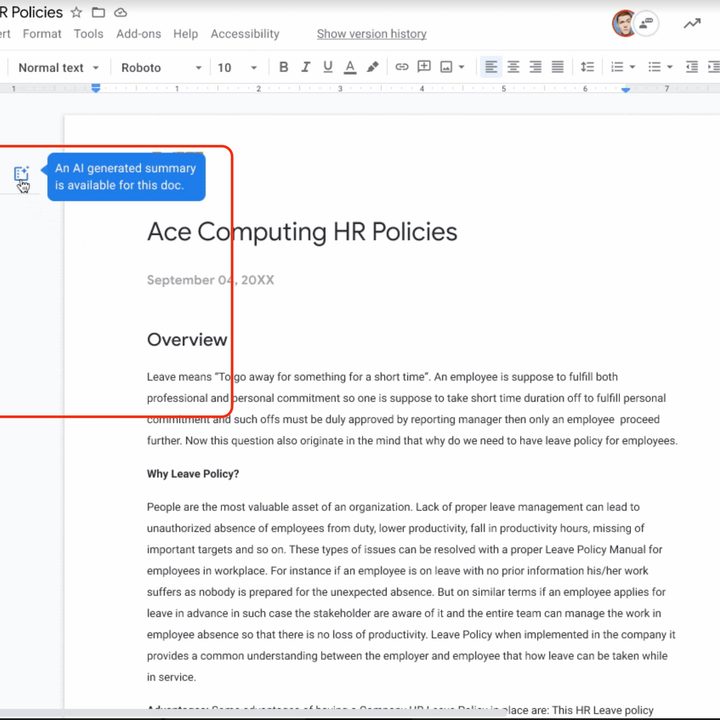
The biggest change introduced is the smart summaries feature, which uses artificial intelligence to create highlights of a document. These summaries can also be manually edited, and they help to surface important information when collaborating on a large document. The automatically generated summaries in Docs launch today, Google said.
In addition to smart summaries, Google is making it easier to immerse yourself in your document workflow by removing paginations within Google Docs with a new pageless format. This helps to create an instant whiteboard-like experience when you’re working on your phone, laptop, or desktop. In essence, the pageless format resembles a long, scrolling note.
With Smart Canvas, Google also introduced features called smart chips, which can bring rich, interactive information right into your document.
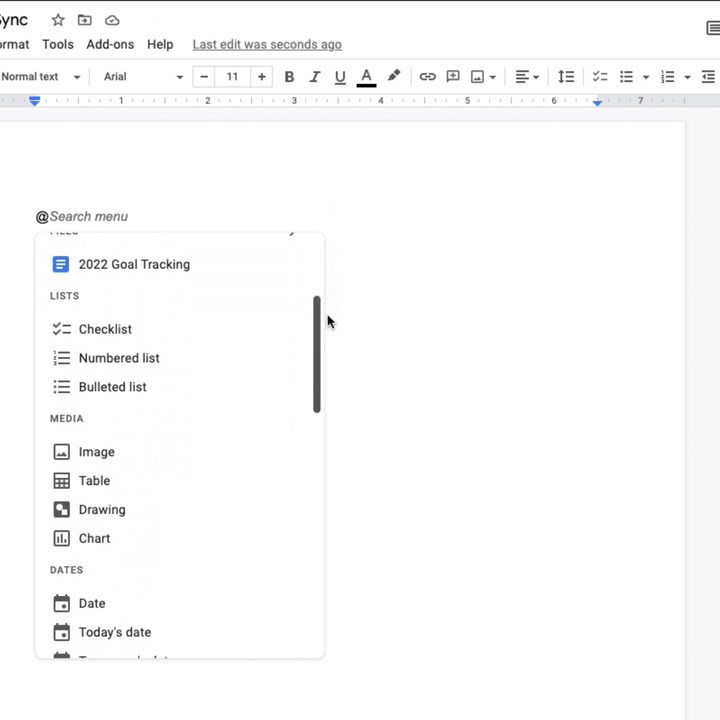
With a smart chip, you can insert @-mentions to insert chips for people, files, and meetings, the company said, and a new Google Maps chip brings a viewable map image inside your document with a clickable thumbnail and preview when you add a location. Another smart chip can also insert a person’s company and title as well, making it easier to identify the individual being referenced in the document. The improved @-mention experience helps you create documents rich with information.
Using the @-mention command, you can also insert an image or file on Google Drive, add a calendar event, or insert a table or chart.
These smart chips make it easier to create templates for meeting notes and emails without having to juggle between different Workspace apps or documents.
“The current process is clunky, with collaborators crafting the email in a document editor, then manually porting it over to email,” Google explained. “That’s why we’re making it easy to collaborate on an email draft in Docs with the new email draft template. When ready to send, simply click a button to export the content into a draft email in Gmail, with all the relevant fields automatically populated.”
Google’s new email template tool will be rolling out over the next several weeks.
Similarly, with the meeting note template, you can use smart chips to insert the event from your calendar, the meeting participants, and any files or attachments, eliminating the need to draft a meeting note from scratch.
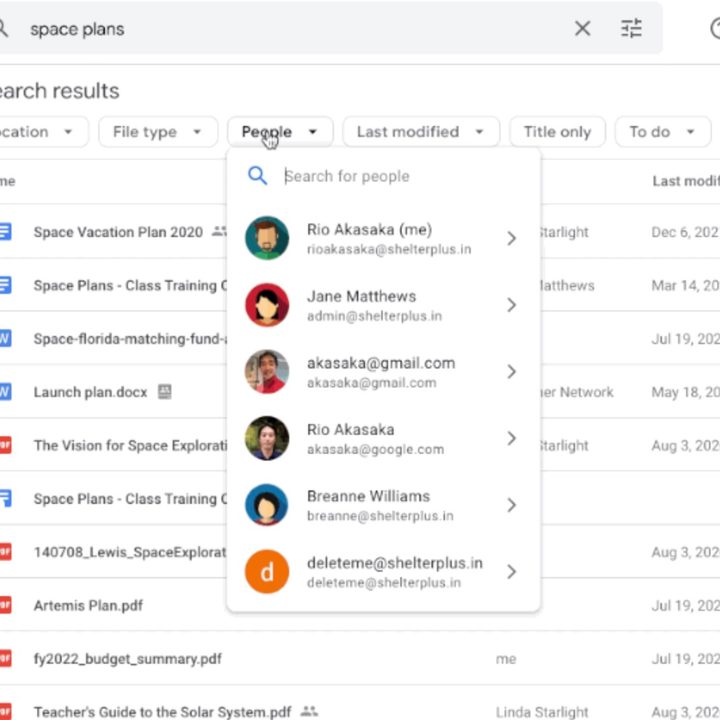
The smart chips are also searchable on Google Drive to help filter relevant results, Google noted.
The changes are designed to surface information more quickly so that Google Docs users can quickly make data-driven decisions.


