The release of Google’s Chromebook Pixel yesterday took quite a few people by surprise. Not only was the announcement a shock, but so was the price. Considering that previous Chromebooks have all been relatively inexpensive machines that offered more than a netbook, but less than a full-fledged system, the Pixel’s $1,299 price tag is a big deal. Google is entering notebook territory that’s been home to portables with premium design cues, such as the HP Envy Spectre, the Acer Aspire S7, and Apple’s MacBook Pro. Google’s Chrome OS previously ran with the $400-and-under crowd, so will consumers want the same stripped down operating system in a luxury package?
The Pixel sits somewhere between the Samsung Series 3 Chromebook and the MacBook Pro with Retina display. But what do you get for your money with each system? We break it down below.
|
Chromebook Pixel  |
Retina MacBook Pro 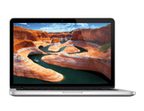 |
Samsung Series 3  |
|
| Dimensions | 11.72″ x 8.84″ x 0.64″ | 12.35″ x 8.62″ x 0.75″ | 11.40″ x 8.09″ x 0.69″ |
| Weight | 3.35 pounds | 3.57 pounds | 2.1 pounds |
| Processor | 1.8 GHz Intel Core i5 dual-core | 2.5 GHz Core i5 dual-core | 1.7 GHz Exynos 5200 |
| RAM | 4GB | 8GB | 2GB |
| Screen Size | 12.85″ | 13.3″ | 11.6″ |
| Resolution | 2560 x 1700 | 2560 x 1600 | 1366 x 768 |
| Storage | 32GB SSD | 128GB SSD | 16GB SSD |
| Networking | Wi-Fi, Bluetooth, optional LTE modem |
Wi-Fi, Bluetooth | Wi-Fi, Bluetooth |
| Ports | Mini display port, 2 USB, SD card reader |
HDMI, 2 Thunderbolt, 2 USB, SD card reader |
HDMI, 2 USB, SD card reader |
| Webcam | 720p HD | 720p HD | 0.3 megapixels |
| Operating System | Chrome OS | Mac OS X 10.8 | Chrome OS |
| Battery Life | 5 hours | 7 hours | 6.3 hours |
| Price | $1,299 | $1,499 | $249 |
While you certainly get a lot of pixels for the price, and extreme portability, it’s hard to ignore the fact that for $200 more, the MacBook Pro offers a complete operating system with an easily accessible file system, a more powerful processor and RAM configuration, and two more hours of battery life.
That’s not a complete diss on Chrome OS, though. It’s still a very young OS and definitely has advantages if you primarily use your computer for e-mail, Web browsing, and video streaming. If your life is deeply embedded in the Google ecosystem and you’re okay with that, go Chrome. However, we still think $1,299 is a lot of dough for a limited OS and would favor the less expensive Samsung Series 3.