
Just like your PC’s system memory, graphics cards and laptop GPUs have their own memory, called VRAM (video RAM).
Graphics memory is mostly important for gaming, but there are productivity and professional workloads that benefit from masses of VRAM too. More is better for most graphically intensive tasks, but you don’t necessarily need to go out and buy the best graphics card with the most VRAM. In fact, some lower-end cards with lots of VRAM are still slower than higher-end cards with less.
Just like RAM, not having enough VRAM can cause performance problems. How much VRAM you have will depend on what GPU you have, and how much VRAM you need will depend on the applications you use.
But how much VRAM do you need, really? Let’s investigate.
How much VRAM do I need?
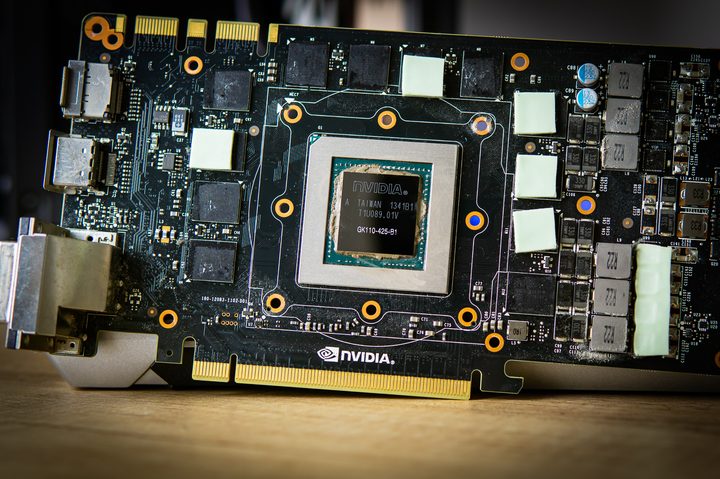
You can play most games, even most modern games, with 8GB of VRAM, so really that should be the lowest you go if buying a new graphics card. However, modern games that are built for the Xbox Series X/S and PS5, regularly exceed 8GB of VRAM even when playing at 1080p. That means that if you have a GPU with only 8GB of VRAM, there will be some new games you can’t play, even with a powerful graphics card from a recent generation like an Nvidia RTX 2080. Even the Nvidia RTX 3080 which was one of the fastest GPUs in the world just a couple of years ago is showing signs of struggling in some modern games because it has “only” 10GB of VRAM.
Not sure what you have currently? Before reading further, make sure you know how to check your VRAM.
With that in mind, if you want to really future-proof your gaming PC, you want at least 12GB of VRAM. That should give you a few years before you start to run into issues with not having enough VRAM for future games. If you opt for more, like the 16GB or more found on the latest generation releases, you’ll be fine for years to come.
As for productivity, Nvidia recommends in its Professional Solution Guide that you need 8GB to 12GB of VRAM to meet minimum requirements. However, you can probably get away with less VRAM. Adobe Premiere Pro’s minimum requirement for VRAM is 2GB, and 4GB to 6GB is recommended. Autodesk AutoCAD’s “basic” spec calls for 1GB of VRAM but recommends 4GB.
It’s ideal to have more memory than you need, and this is especially important for GPUs since you can’t upgrade the VRAM. Based on recommendations from companies like Nvidia and Adobe, you’ll want at least 4GB for light work. If your job is to edit videos in Premiere Pro or to make models in Autodesk Maya, then you’re definitely going to want to spend more to get a GPU with at least 8GB of VRAM, even if it’s not current-gen.
RAM vs. VRAM — what’s the difference?
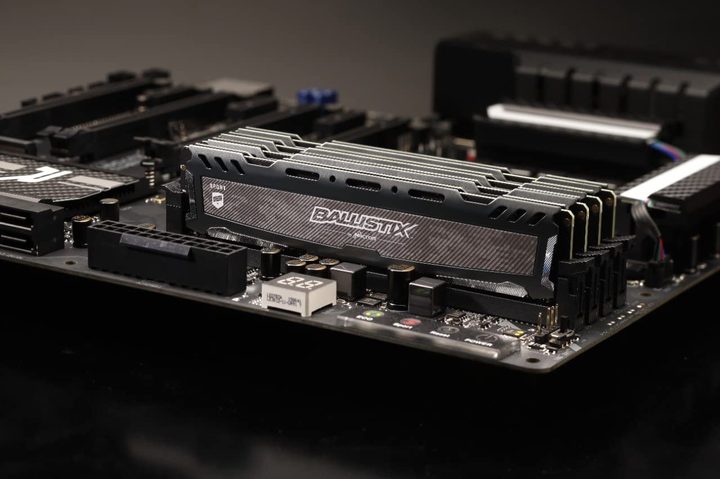
System RAM and VRAM are very similar: They both come in relatively small capacities and they’re really fast. But they’re not quite the same, because system RAM is meant for CPUs and VRAM is meant for GPUs, and these two different processors have very different needs. System RAM has very low latency (which is good) but has comparatively low memory bandwidth. Meanwhile, VRAM has extremely high memory bandwidth with much higher latency. It just comes down to the fact that CPUs need low latency more than they need high bandwidth, and vice versa for GPUs.
Another key difference between system RAM and VRAM is upgradeability. It’s trivial to upgrade your PC by installing RAM — you just plug in a new stick or replace an existing one. But VRAM is not user upgradeable (outside of extreme hardware modification with a soldering iron). This means whatever GPU you buy, you’re stuck with however much memory it has.
This isn’t some kind of design oversight or the case of GPU manufacturers wanting you to buy a whole new GPU each time. The real reason is that GPUs can only be paired with certain amounts of RAM, depending on memory bus width. CPUs can tolerate pretty crazy RAM configurations — especially with non-binary memory — but GPUs can’t.
Should I upgrade my graphics card for more VRAM?
If you want to play upcoming AAA releases from the big studios and your graphics card has less than 10GB of VRAM: Yes, you should probably upgrade. It will depend on the games you want to play, and they may have settings you can select which will allow you to play the game at smooth frame rates without having more VRAM, but that’s going to become increasingly rare in the years to come.
That said, don’t upgrade for VRAM alone. You could “upgrade” an RTX 3070 Ti with 8GB of VRAM to a lower-tier GPU like the RTX 3060 12GB and have more VRAM, but performance will still be worse because the GPU is less powerful. Make sure that any upgrade you do is going to improve performance across the board, not just unlock a few extra settings because it has more VRAM.
Buying new hardware for your PC is rarely straightforward. Check our graphics card buying guide for some pointers.


