  1. Home
  2. Computing
  3. How tos

How to cancel your ChatGPT Plus subscription

Add as a preferred source on Google
Infinix Zero 30 5G Android phone in gold color with ChatGPT virtual assistant.
ChatGPT running on an Android phone Tushar Mehta / Digital Trends

ChatGPT-4 is one of the most powerful AI chatbots to ever hit our computers, smartphones, and tablets. Even though this version of OpenAI’s calling card platform is locked behind a $20 per month paywall, ChatGPT Plus subscribers receive a nice slew of extra features that are exclusive to paying account holders.

Recommended Videos

Difficulty

Easy

Duration

10 minutes

What You Need

  • A ChatGPT Plus account

  • A PC

  • An internet connection

  • An iPhone or iPad (if you signed up with one)

  • An Android smartphone or tablet (if you signed up with one)

But what if you’re missing the simple days of GPT-3.5, or that extra $20 in your pocket? OpenAI actually makes it quite simple to put an ax to your ChatGPT Plus subscription. Plus, we put together this guide to show you how it’s done.

How canceling ChatGPT Plus subscription works

There are a few things you should know about how ChatGPT Plus subscription cancellation works. According to OpenAI's official help guide:

  • The cancellation of the service isn't immediate. Your access to ChatGPT Plus ends "the day after the next billing date." You'll be able to still use the premium features of ChatGPT Plus up until that date.
  • OpenAI says subscription fees "are nonrefundable."
  • When you choose to cancel your subscription is up to you, but if you don't want to get billed for the next month of service, you should make sure to cancel it a minimum of 24 hours prior to the next payment date.

Also, it's worth noting that some users (like this one on Reddit and these users on this OpenAI API Community Forum page) have reported having difficulties with canceling and ultimately being unable to cancel their ChatGPT Plus subscriptions.

A laptop screen shows the home page for ChatGPT, OpenAI's artificial intelligence chatbot.
Rolf van Root / Unsplash

How to cancel ChatGPT Plus

With all that in mind, if you need to cancel your ChatGPT Plus subscription, it's pretty simple. Just follow the steps below to quickly cancel your account.

Step 1: Log into ChatGPT Plus and then select the My account option from the sidebar located on the left side of your screen.

Step 2: Then select Manage my subscription.

Step 3: You should now see a Stripe checkout site. On this page, choose the Cancel plan option. After confirming, your ChatGPT Plus should now be canceled.
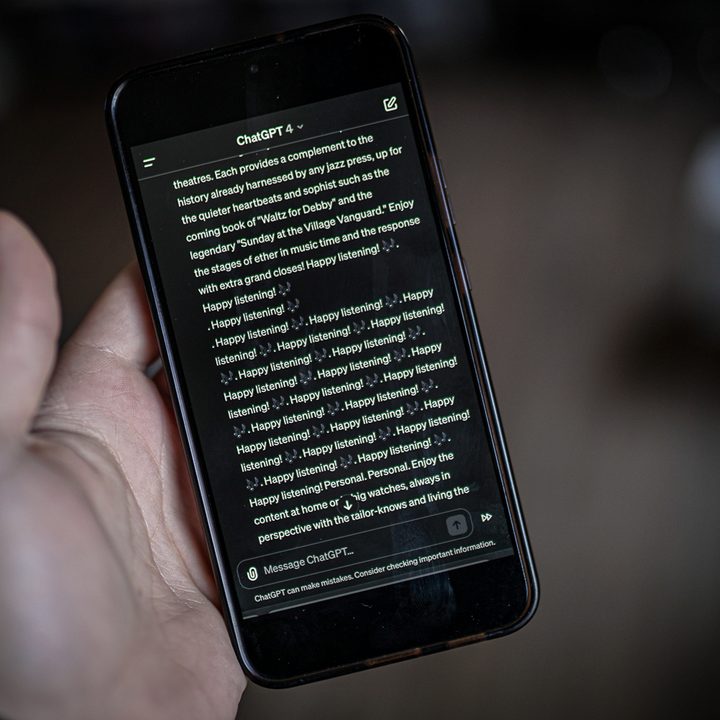
A response from ChatGPT on an Android phone.
Jacob Roach / Digital Trends

Canceling ChatGPT Plus with a mobile device

If you signed up for ChatGPT Plus using an iPhone, iPad, or Android device, you’ll need to delete your account via iOS, iPadOS, or whatever GPT-compatible version of Android your phone or tablet is running.

We’ve got step-by-step instructions for both OS types, so let’s start with iOS and iPadOS:

Step 1: Launch the Settings app on your iPhone or iPad, then tap your name.

Step 2: Choose Subscriptions > ChatGPT > Cancel Subscription.

Step 3: If you signed up with an Android device, you’ll first need to launch the Google Play Store.

Step 4: Select Menu > Subscriptions.

Step 5: Tap your ChatGPT Plus subscription, then tap Cancel subscription.

Anita George
Anita George has been writing for Digital Trends' Computing section since 2018. So for almost six years, Anita has written…
It’s not just you. Research says people don’t like overtly friendly AI chatbots
AI saying “hope you’re having an amazing day!” Is apparently too much
AI Chatbots

For years, tech companies have tried making AI assistants sound warmer, friendlier, and more emotionally human. But new research suggests that approach may actually backfire more often than companies expect. A recent study highlighted by Tech Xplore found that people generally prefer AI chatbots whose personalities mirror their own communication style rather than assistants that act excessively cheerful or overly friendly all the time.

According to the findings by the Northeastern researchers challenge one of the biggest assumptions driving modern AI development is that making chatbots more emotionally expressive automatically improves user experience.

Read more
Dell’s Alienware reveals world’s first 39-inch 5K OLED monitor with RGB screen tech
Alienware turns 30 and shows up to its own party with the most impressive gaming monitor we've seen in years.
Alienware 5K monitor

Alienware has released four new gaming monitors at Computex. The highlight of the show is the world's first 39-inch 5K OLED gaming monitor with RGB stripe technology, and if the specs are anything to go by, it might just be the most impressive display Alienware has ever made.

What's special about the new 39-inch OLED monitor?

Read more
AI is turning its attention to historical secrets and already decoding centuries-old papers
Historians finally found a robot willing to read 700-year-old handwriting
Representative Image

Artificial intelligence is no longer just writing emails, generating images, or powering chatbots. Researchers are now increasingly using AI to unlock historical secrets hidden inside centuries-old manuscripts, damaged letters, and handwritten archives that humans have struggled to understand for generations fully.

According to a recent report from the BBC, historians and computer scientists are combining machine learning with historical research to decode ancient documents ranging from medieval diplomatic letters to forgotten love notes and political conspiracies.

Read more