
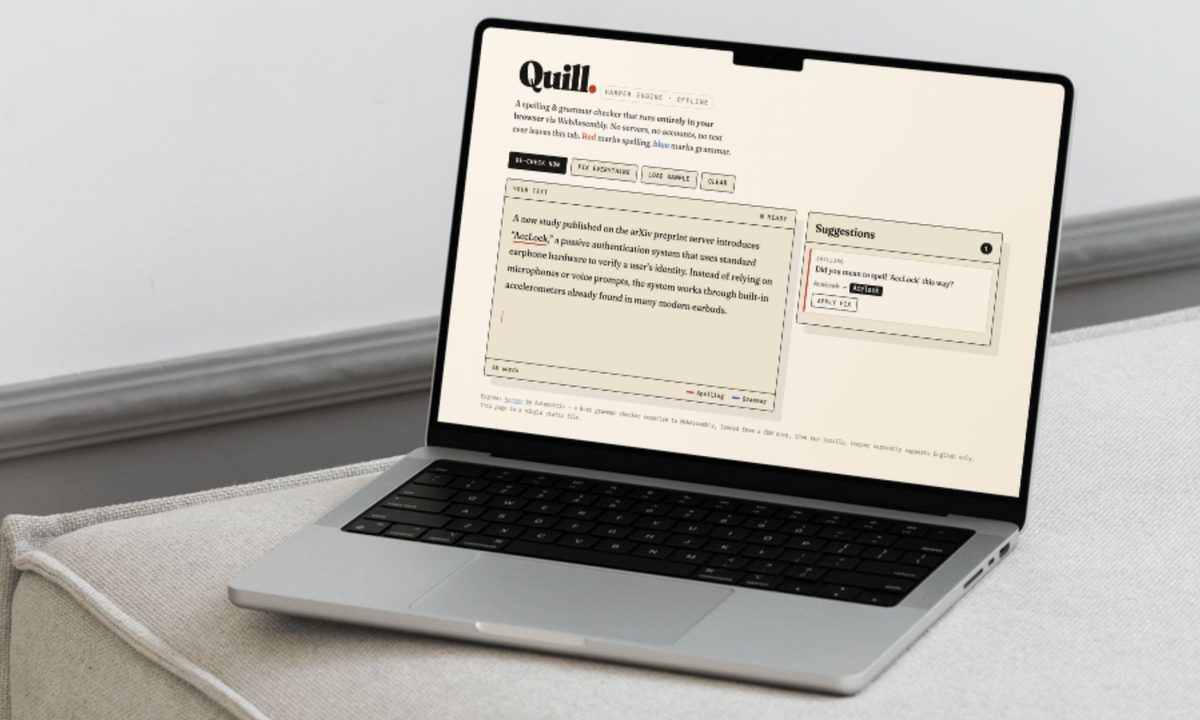
I wrote this entire article while seated on an airplane experiencing unusually high turbulence. The software I used to spell-check and grammatically sanitize the draft was built at an airport. The language engine is running entirely on my Mac, fully offline, fixing all my typos and removing the double spaces while I mash the keyboard and sip a sugar-bomb coffee.
Also, I don’t know how to code. I didn’t write a single line of code, and yet, the Mac software I am using right now looks classier and feels snappier than Grammarly ever did. Grammarly, if you don’t know, is one of the most popular apps for spelling and grammar checking on the planet. So, how did I do it? I asked Claude. I narrated my wish, it asked my preferences, and in less than 30 minutes, I built myself a no-internet Grammarly replacement while also avoiding the “yet-another-subscription” curse.
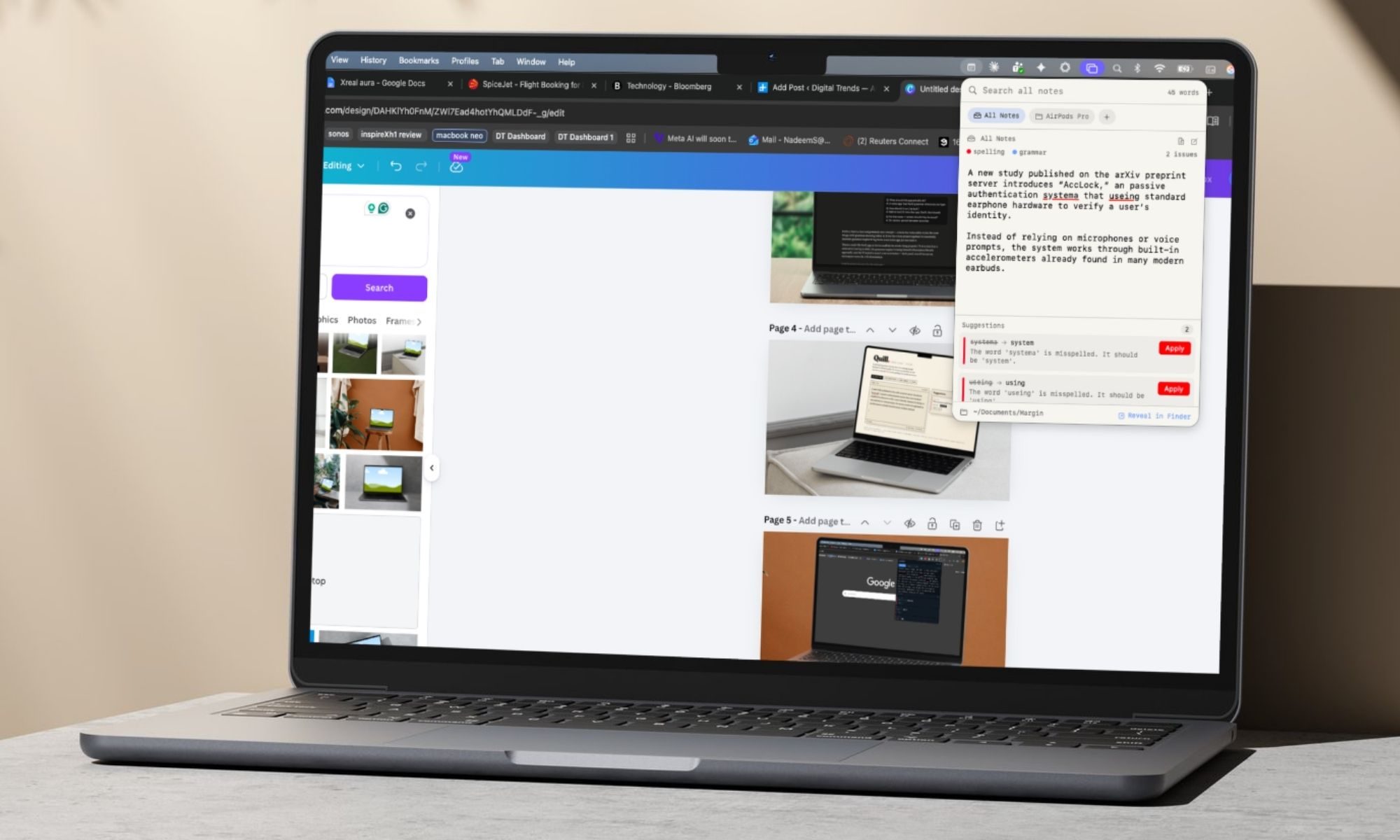
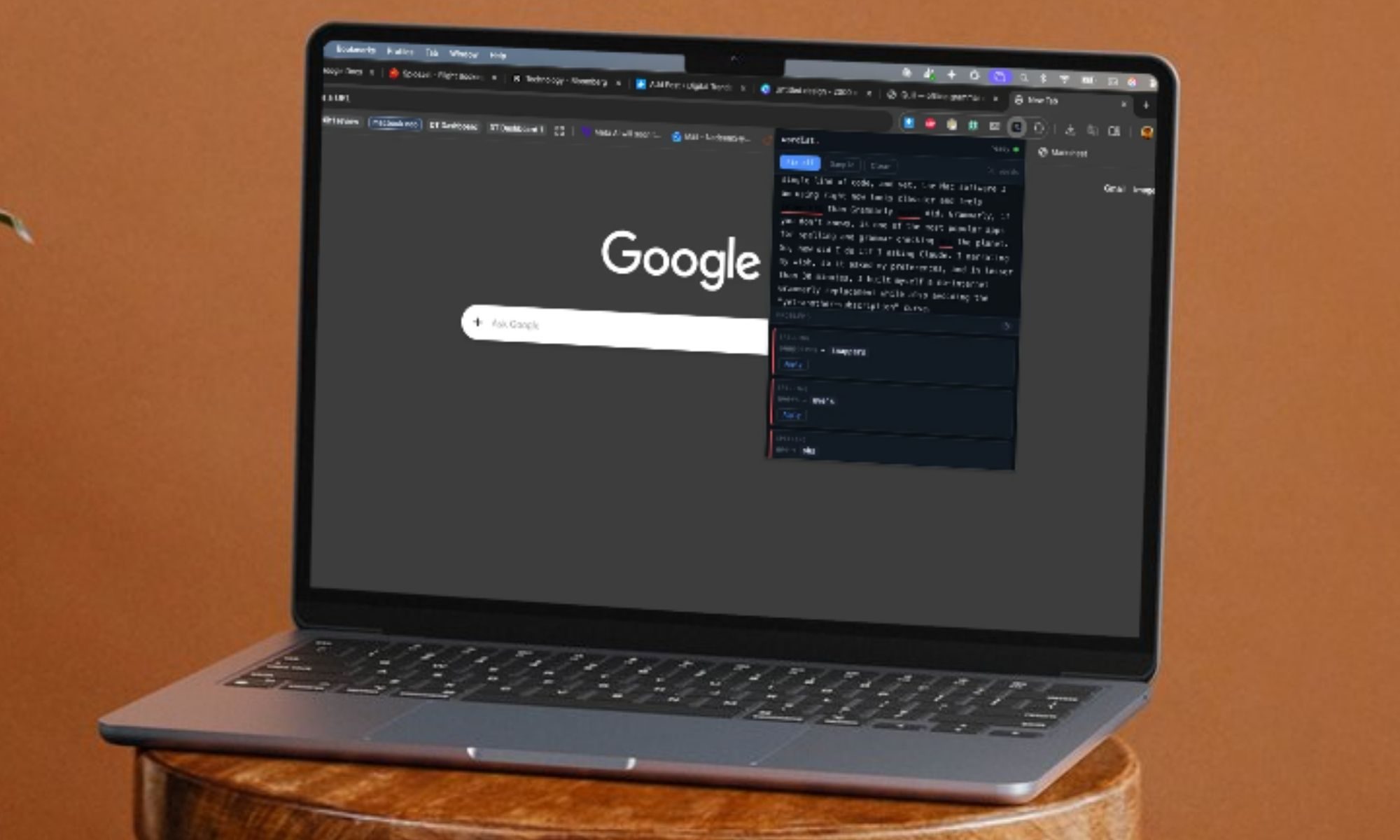
The first version runs as its own website in a browser tab without any internet connection. The second version lives as a Chrome extension, and works just fine when the device is offline. And finally, I went ahead and created myself a full-fledged Mac app that lives as a menu bar utility. I had half a dozen people test these across Mac and Windows machines. They were pretty impressed by the speed and accuracy of the tool.
Solving my problems, or taming my vices
Over the past couple of weeks, I have dipped my toes (the whole feet, my arm, and my neck) into the app and software development world. My first experiment was a Mac app that used the motion sensors fitted inside the AirPods Pro to track my posture. Essentially, the app identifies a healthy posture, and every time I slouch or hunch forward, it sends a warning. The app worked fully offline, and all the processing happens entirely on my Mac.
I did it all without even seeing the underlying code.
For my next adventure, I thought of building something that can liberate me from the hassle of being perennially online. Since my job as an editor involves writing all day, Grammarly is nothing short of a lifeline, despite some of its shady shenanigans recently. I have often lost chunks of text in the Grammarly iPad app because the cloud sync didn’t work. On the days when I am carrying my trusty Mac, finding a stable internet connection becomes a constant headache.
All I want is to sit in peace, write a few articles, and have a reliable grammar-checking tool do its magic as I furiously speed through a laptop’s mushy keyboard. But that’s not the only issue. Staying connected to the internet (while it does its job as a Chrome extension in Google Docs) also means an endless stream of distracting apps. And yeah, it’s just one browser tab to take you from a strictly-for-work Google Search and deep into a doomscrolling bender on X, YouTube, or any other digital vice.
I am still in disbelief.
But why, you might ask? First, because I can finally build my own software tailored to my specific needs. Second, I am tired of the privacy compromises. Of course, not having to pay for yet another app is a huge incentive. But above all, it’s the realization of being in control of your daily workflow (or at least a part of it) that really inspires me, and I am not stopping anytime soon.
How was the process?
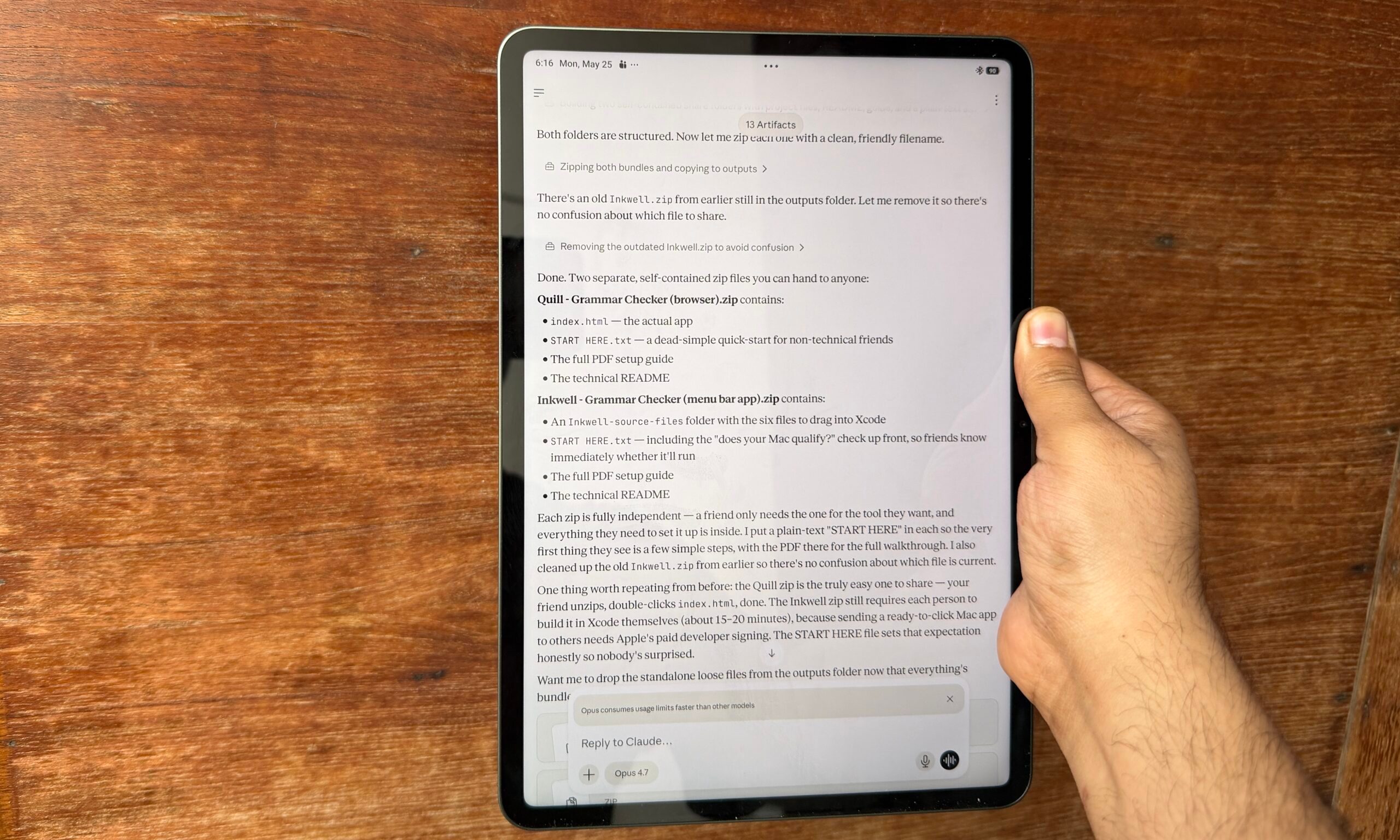
I’ll let the picture below do the talking. I fired up the Claude mobile app on an Android tablet to build a piece of software for the Mac. And in the very first attempt, my Grammarly alternative built by Claude worked perfectly. Actually, I built three. One of them runs fully offline, the other one requires an internet connection, while the third one is a proper macOS app that lives as a menu bar utility.
The latter combines the concept of note-taking and grammar correction into a single tool, complete with a one-click Apple Notes export facility. This one required me to fire up Xcode and build a dedicated app icon, too, which Claude was happy to do. But here is the broad reality. The barrier for “building” products has never been easier, and it has never been more versatile. A year ago, if you told me that I would make such a powerful macOS tool on an Android tablet, without writing a line of code, I would’ve laughed out loud in your face.
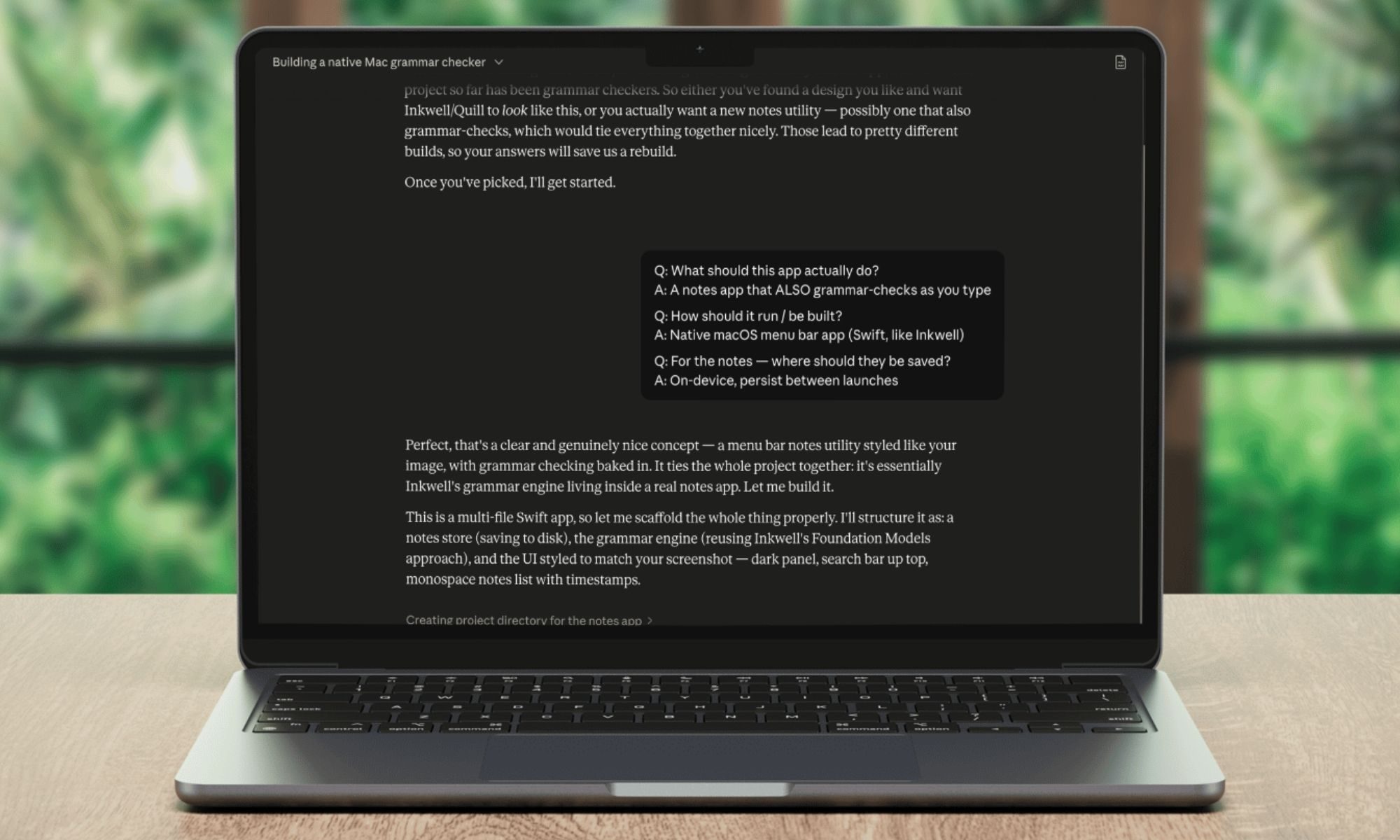
When I launched Claude, I simply narrated my requirements. Claude suggested three routes for building my own offline Grammar checker, and I picked the one that worked without an internet connection, ran with minimal issues, and above all, must be snappy. I initially wanted to use Apple’s on-device foundational models (shipped with Apple Intelligence). It worked, but it was pretty slow. Claude recommended that I go with the Harper engine by Automattic. Initially, the tool, which I named InkWell, required an internet connection.
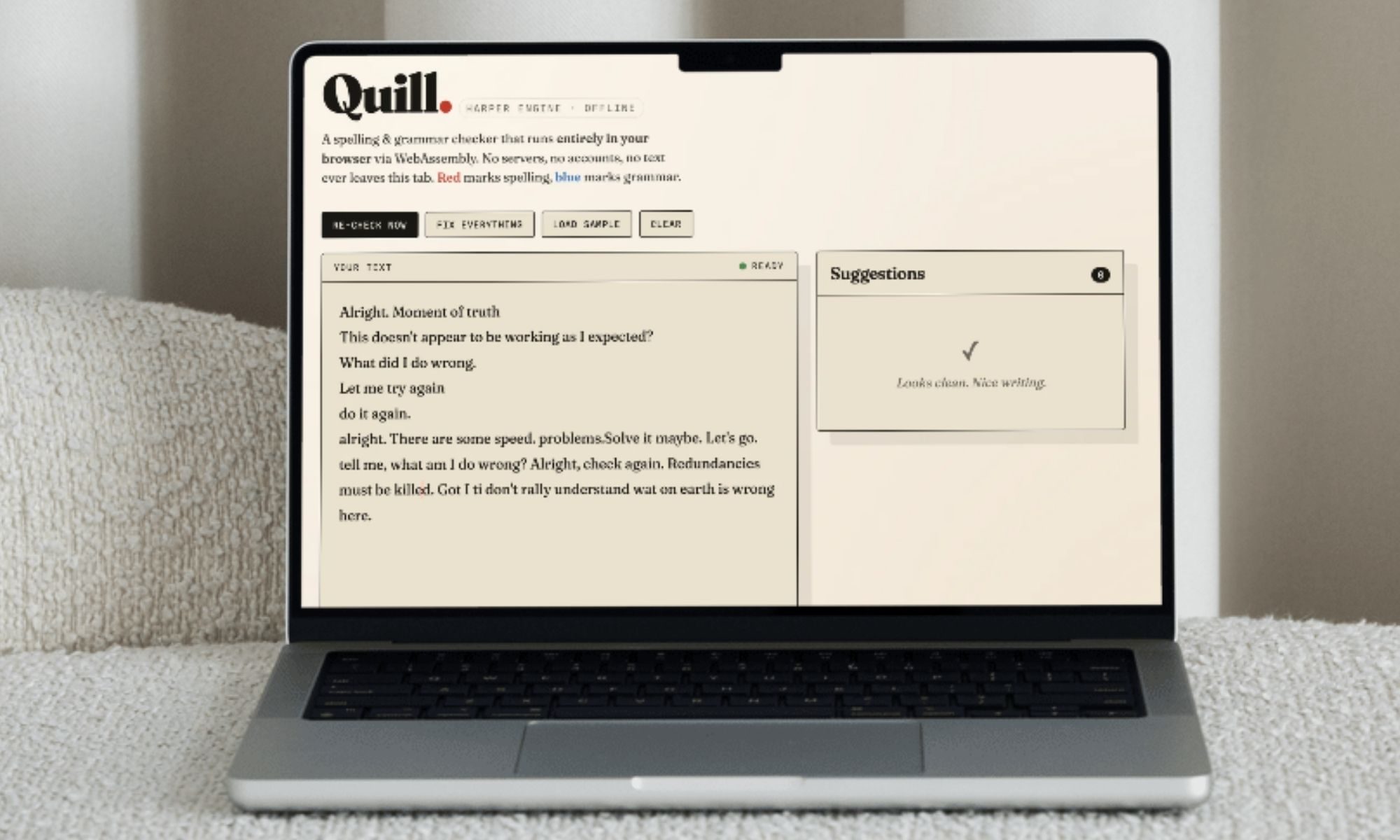
The whole package came in at less than 10 megabytes in size. But I wanted something that can work without an internet connection. Claude suggested that it can actually integrate the Harper engine within the file package so that the tool (now called Quill) won’t require an internet connection at all. The only downside? The file size swells to 25 megabytes. The AI’s storage space concern was almost laughable. We live in an age where even basic calculator apps hog hundreds of megabytes in local storage, so 25MB was next to nothing.
The bigger AI dilemma
So, I have been using Grammarly for years now, but in the past couple of years, as the company has increasingly leaned into AI, some of the suggestions and grammar recommendations have turned out to be utterly vexing. And in a fair number of cases, I have also noticed that Grammarly does a downright shoddy job with even the most basic kind of spell checks.
Harper avoids the verbose recommendations and increasingly AI-fied language suggestions that you would get from the likes of ChatGPT and Gemini. It’s a tool that doesn’t rely on token-based linguistic predictions, but more on hard-coded language and grammar rules. This is exactly what I want.
I want an AI to catch a wrong spelling, or an incoherent tense here and there. That’s all. I don’t want (and would never take) an AI’s recommendation to change my voice. Harper, however, is not perfect, and so are the tools I built using the namesake engine. For example, when I check this sentence, “My name John. What your name? What day today,” the Harper engine flags it as perfectly fine. But these errors are sporadic.
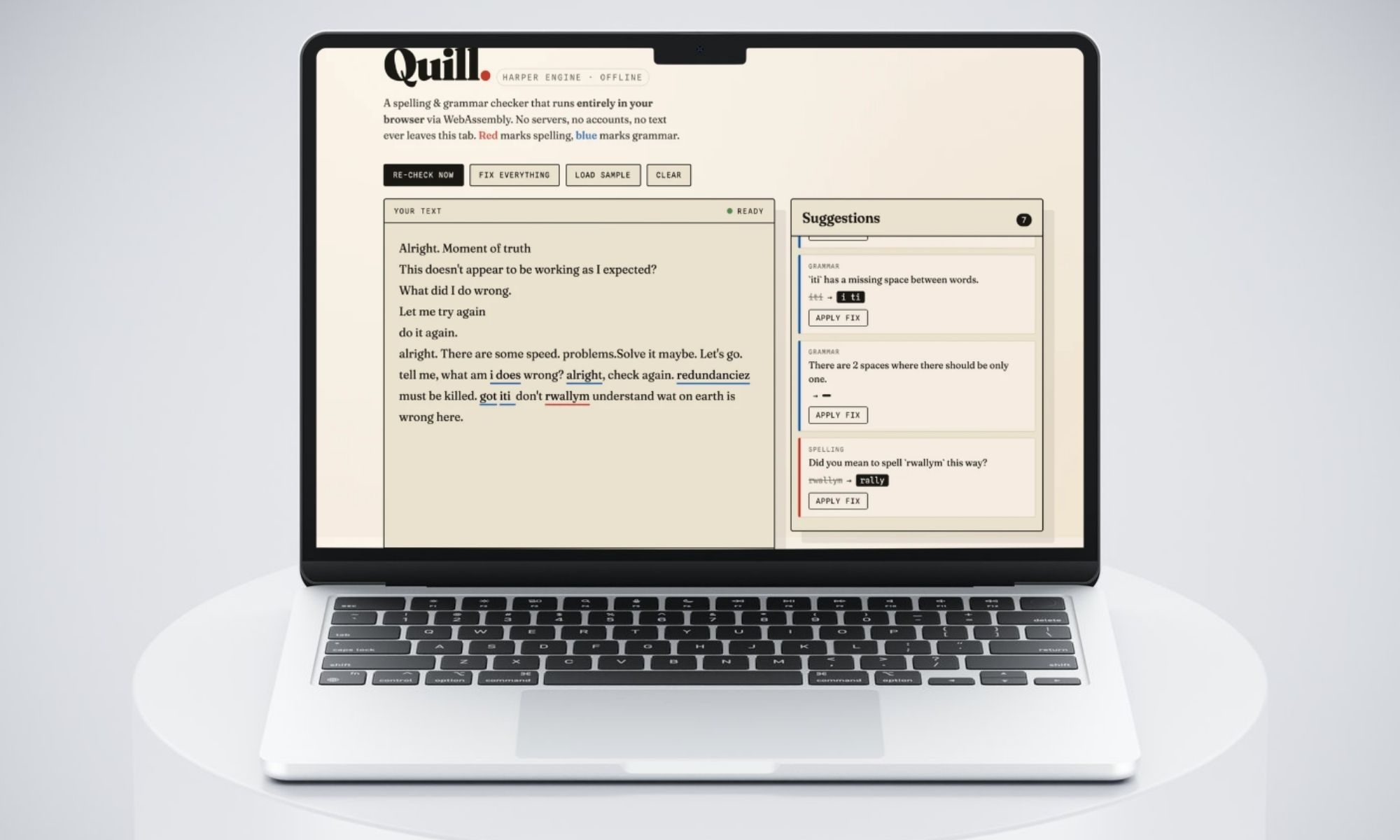
On the positive side, the Harper engine takes only 20 milliseconds to identify mistakes and make language suggestions. “Harper combines lightning-fast performance with a privacy-first design, ensuring all processing happens locally on your device to keep user data completely private. It’s also completely open source,” says Automattic, the company which acquired Harper in 2024.
Those are meaningful perks, and the fact that it can run it within such a small package and without any internet connection is a massive sigh of relief. Of course, building a tool in three different functional flavors, and without writing any code, is the biggest takeaway here. Claude is putting the power in the hands of an avereage computer user like me, and you. Naturally, I can’t wait to embark on my next personal app project with it