  1. Home
  2. Computing
  3. News

iOS 26.4 brings mood-based Music widgets to your iPhone’s home screen

iOS 26.4's new Ambient Music widgets turn your iPhone Home Screen into a one-tap mood board — but only if you pay for Apple Music.

Add as a preferred source on Google
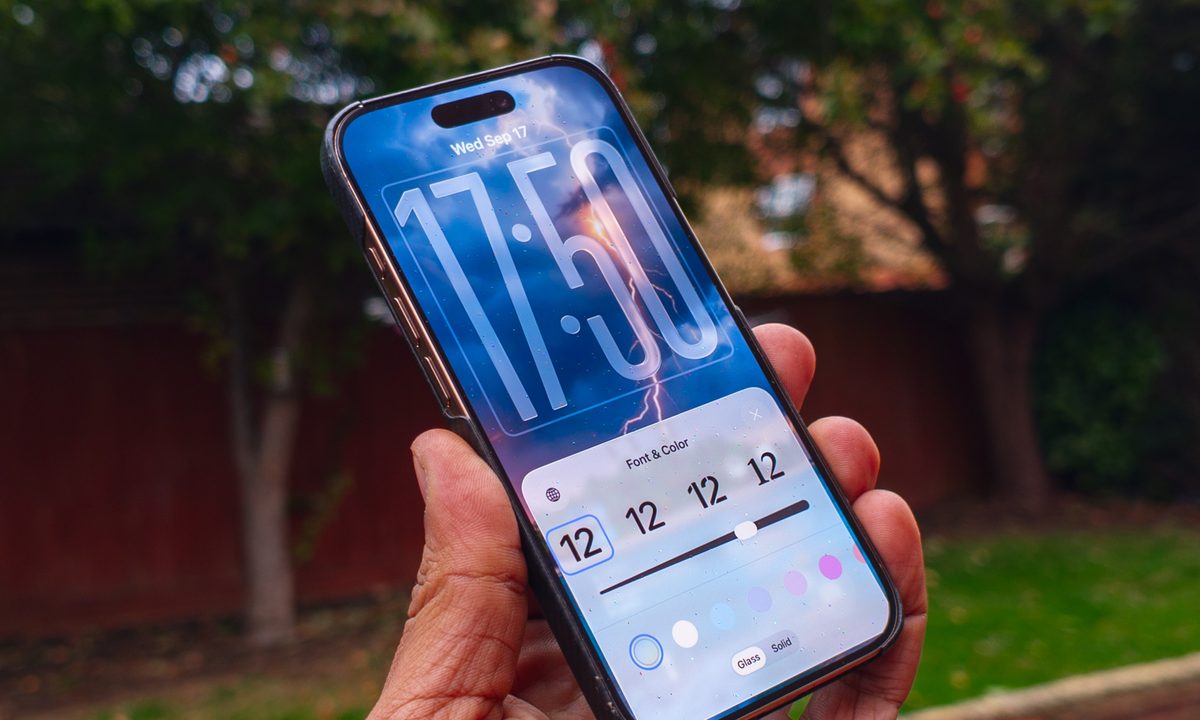
Clock font options on the iOS 26 lock screen running on an iPhone 16 Pro
Nirave Gondhia / Digital Trends

If you’ve ever unlocked your iPhone at midnight, looking for a sleep playlist while already half asleep, Apple’s iOS 26.4 can make life easier for you. 

The iOS 26.4 release candidate is here, and among several additions, it introduces something called Ambient Music widgets. These are mood-based playlists that you can play with a single tap on your home screen (on the widget). 

What moods can you choose from?

So, from now on, you don’t have to open the app, search for the required playlist, and go through the three-step journey through Apple Music’s menus. The widgets cover four broad mood categories: Chill, Productivity, Sleep, and Wellbeing. 

Recommended Videos

You also get two widget sizes to pick from: the smaller widget features just one playlist (of your choice), while the larger version gives you one-tap access to all four moods at once. Both widgets are built on the Ambient Music feature, which first appeared in the Control Center. 

However, now it rests front and center on your home screen, where it’s hard to miss. 

Can you customize what plays?

Yes, and Apple has made the process quite seamless. Apple includes built-in playlist presets for each mood. Sleep, for instance, offers options like Sleep Sound, Bedtime Beats, Sound Bath, and Plano Sleep. 

However, if the curated options aren’t your thing, you can set your own custom playlists by long-pressing the widget and tapping “Edit Widget.” And before you even ask, the Ambient Music widget only works with Apple Music; it won’t benefit Spotify users. 

The Ambient Music widgets are just a tiny part of the new iOS 26.4 update. The release candidate also brings a Playlist Playground feature, eight new emojis, urgent reminder flagging in the Reminders app, and a Purchase Sharing update for family users. 

Shikhar Mehrotra
For more than five years, Shikhar has consistently simplified developments in the field of consumer tech and presented them…
In a market where Mac has been aspirational, it’s somehow a better deal than windows machines now
Windows Laptops became so expensive that MacBooks look sensible now
Computer, Electronics, Laptop

For a long time, the laptop buying advice was simple enough. Windows had a more versatile portfolio that brought you affordable, mid-range, high-end, and even gaming options, while MacBooks were known as the easy premium recommendation.

But owing to the pricing circus caused by memory shortages and component price hikes, the equation makes no sense anymore.

Read more
HP’s new RTX 5070 laptop feels like the sweet spot between thin and bulky
The new HyperX Omen 15 combines AMD and Intel and targets portability without fully sacrificing performance.
HP HyperX OMEN 15 Gaming Laptop

Modern gaming laptops have largely drifted toward two extremes lately: massive 16-inch and 18-inch desktop replacements, or ultra-compact 14-inch machines that still feel slightly cramped for serious gaming sessions. That’s exactly why HP’s new HyperX Omen 15 feels refreshing, because it brings back the familiar 15-inch gaming laptop formula with a chassis that still feels portable without sacrificing proper gaming hardware underneath.

HP’s compact HyperX Omen 15 packs RTX 5070 graphics with AMD and Intel options

Read more
Corsair is putting Chinese RAM in mainstream market. It won’t quite end the crisis though
A cheaper DDR5 supplier could shake up the market, but it is not a magic fix
Samsung DDR4 RAM in hand

After months of painfully expensive RAM and SSD prices, the memory market may finally be showing signs of pressure from an unexpected direction: China. New reports suggest that Chinese memory manufacturers are rapidly expanding production of DRAM and NAND chips, and that major hardware brands are starting to take notice. The most notable example so far is Corsair, which has reportedly tested DDR5 memory modules using chips from Chinese DRAM giant ChangXin Memory Technologies, better known as CXMT.

This feels inevitable. Memory prices have remained frustratingly high across PCs, laptops, and storage devices for months. So when Chinese suppliers began offering RAM at nearly half the cost of some global competitors, manufacturers were always going to at least explore the option. According to market reports, some CXMT DDR5 modules are reportedly being sold near the $150 range, while equivalent products from larger global suppliers can hover between $300 and $400.

Read more
