  1. Home
  2. Computing
  3. News

It just got a lot easier to control a Windows 11 PC with your Android phone

Android smartphones now act as a multipurpose remote control for Windows 11 devices, offering instant locking, seamless file transfers, shared clipboard access, and easy screen mirroring.

Add as a preferred source on Google
microsoft-Phone-Link-app-windows-11
Microsoft

Microsoft has rolled out a significant upgrade to its Phone Link system and the “Link To Windows” app for Android, improving cross-platform connectivity with Windows 11. First and foremost, there’s a new “Lock PC” toggle that lets you lock your Windows device remotely from your smartphone (provided the devices are connected).

According to a new report by Windows Latest, locking a Windows 11 PC from an Android phone takes a couple of seconds. Once unlocked, the PC reconnects to your phone. Besides that, the app also gets a “Recent Activity” feed that shows file transfers and clipboard history shared between the devices. There’s a dashboard of the recent cross-device transactions.

From convenience to core Windows feature

The company has also introduced a new feature that lets users wirelessly share files from their Android phones to their Windows 11 PC or laptop, making it as convenient as AirDrop or QuickShare (native solutions developed by Apple and Android, respectively). The file shares appeared on the Windows device’s home screen in the app.

Recommended Videos

With clipboard synchronization, users can easily copy and paste information between devices. Last but not least, there’s a “Mirror to PC” switch that lets you cast your phone’s screen directly to the Windows PC (another feature that exists in the Apple and Android ecosystems). Moreover, the Link to Windows app will soon offer a deeper Android-to-Windows integration.

For quite some time, Microsoft’s Phone Link system has let users access their smartphone notifications, send messages, or share photos between their Windows and Android devices. However, the new update goes beyond these data types, making Android integration a significant part of the Windows experience.

For everyday users, the changes affect how you’ll work with your Windows and Android devices. Practically speaking, whether you use a laptop-smartphone or a PC-smartphone setup, you’ll be able to monitor cross-platform interactions (especially for professional users) and lock the devices in case you’ve forgotten to do so in a public setting, all from your Android handset.

Sharing photos, videos, PDFs, or other important documents should become more seamless, eliminating the need to mail them to yourself or establish a peer-to-peer connection via a third-party solution. All things considered, the update will help professionals, students, and general users alike by reducing friction in everyday device-to-device transactions.

Given that the new Link to Windows updates are currently rolling out to everyone, more and more users should have access to them in the coming days. Most recently, Windows 11 users got a new Themes Section in the Microsoft Store, offering a curated set of over 400 themes.

Shikhar Mehrotra
For more than five years, Shikhar has consistently simplified developments in the field of consumer tech and presented them…
Intel Core 3 test shows it could give Windows laptops a fighting chance again MacBook Neo
Fresh PassMark scores suggest Wildcat Lake is closing the gap with Apple's A18 Pro.
Intel Core Series 3 Processors Featured

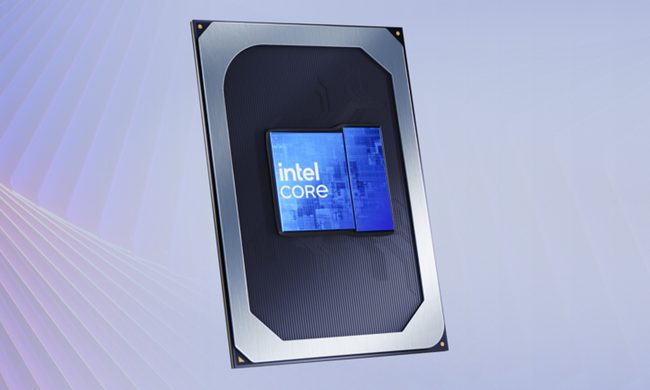
Apple's MacBook Neo has shaken up the budget laptop market with its $599 price tag and surprisingly capable A18 Pro chip. But if fresh benchmark numbers are anything to go by, Intel may finally have a worthy response. The company's upcoming Core 3 304 processor has surfaced on PassMark, and the results suggest that entry-level Windows laptops could soon be much more competitive.

Intel's Core 3 304 is closing the gap with Apple's A18 Pro

Read more
Hackers leak facial recognition records tied to millions of Madison Square Garden visitors
Facial Recognition Composite

Madison Square Garden has spent years using facial recognition technology to monitor who enters its venues. Now, that same surveillance system is at the center of what could become one of the year's most troubling privacy breaches.

The cybercrime group ShinyHunters has published a massive cache of data allegedly stolen from Madison Square Garden Entertainment after the company missed a ransom deadline. According to reports, the leak includes facial recognition records, customer information, internal security assessments, and other sensitive data tied to millions of visitors. While large-scale breaches have become depressingly common, this one feels different. Most data leaks involve passwords, email addresses, or financial information. This breach reportedly includes something far more personal: information connected to how people were monitored and identified in physical spaces.

Read more
Windows 11’s modern Media Player is somehow worse than the version from 17 years ago
The modern Media Player for Windows 11 is slower and heavier than the classic version
Windows 11 media player user interface

Microsoft has released a new Insider Preview update for the modern Windows 11 Media Player. However, the app is facing criticism after tests revealed it uses more memory and opens local video files more slowly than the classic 17-year-old Windows Media Player.

The update adds some useful fixes, including better captions, clearer codec errors, and improved file recognition. But the biggest complaints remain higher RAM usage and paid codec support for some common video formats. The update is not available to everyone yet. Media Player version 11.2605.14.0 has only arrived on Experimental Insider builds as part of Microsoft’s June 12 Insider Preview releases.

Read more